INSTALLATION 6
Plug your USB 3.0 device and enjoy the
5Gbit/s USB 3.0 super speed transfer speed.
Подключите устройство с интерфейсом USB
3.0 и передавайте данные на высокой
скорости до 5 Гбит/с через разъем USB 3.0.
Schließen Sie Ihr USB 3.0-Gerät an und
genießen die USB 3.0-Super-Speed-
Übertragungsgeschwindigkeit von 5 Gbit/s.
連接USB 3.0裝置並開始享受高速傳輸速度。
Branchez vos appareils USB 3.0 et profitez
de la super vitesse de transfert de 5Gbit/s.
连接USB 3.0装置并开始享受高速传输速度。
Conecte el dispositivo USB 3.0 y disfrutede
la transferencia de alta velocidad USB 3.0 de
5Gbit/s.
お持ちのUSB 3.0装置を接続して、5Gbit/sという
USB 3.0の超高速データ転送速度が実感できます。
Connetti pure la tua periferica USB 3.0 ed
apprezza la super velocità di trasferimento dati
di ben 5Gbit/s.
USB 3.0 장비를 연결한 후 5Gbit/s USB 3.0
초고속 전송 속도를 즐기십시요.
8
EC04
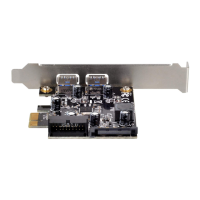
PCI express card with two USB 3.0 external ports
and internal 19P dual port connector


 To Next Page