Need help?
Do you have a question about the SilverStone ECU02-E and is the answer not in the manual?
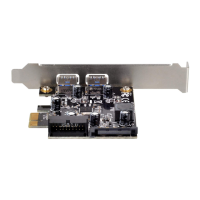
Install the ECU02-E into the PCI-E slot on the motherboard for system integration.
Connect the ECU02-E to the 15-pin SATA power connector for operation.
Plug the internal 20-pin Key-A USB 3.2 connector into the motherboard port.
Connect your USB 3.2 device to experience 10Gbit/s super speed transfer rates.
Install ASM3142 driver for SuperSpeed USB 3.2 on Windows 7 or earlier.
No ECU02-E driver needed for Windows 8/8.1 due to native support.
Verify XHCI support on Ubuntu/Linux/Mac OS for driverless ECU02-E use.
 General
| Model | ECU02-E |
|---|---|
| Category | PCI Card |
| USB Ports | 2 |
| UASP Support | Yes |
| Operating System Support | Windows, macOS, Linux |
| Compatibility | Backward compatible with USB 2.0/1.1 |
| Operating Temperature | 0°C to 70°C |
| Operating Humidity | 10% to 90% (non-condensing) |
| Type | USB 3.0 PCI Express Expansion Card |
| External Ports | 2 |


 To Next Page