4
(Upper)
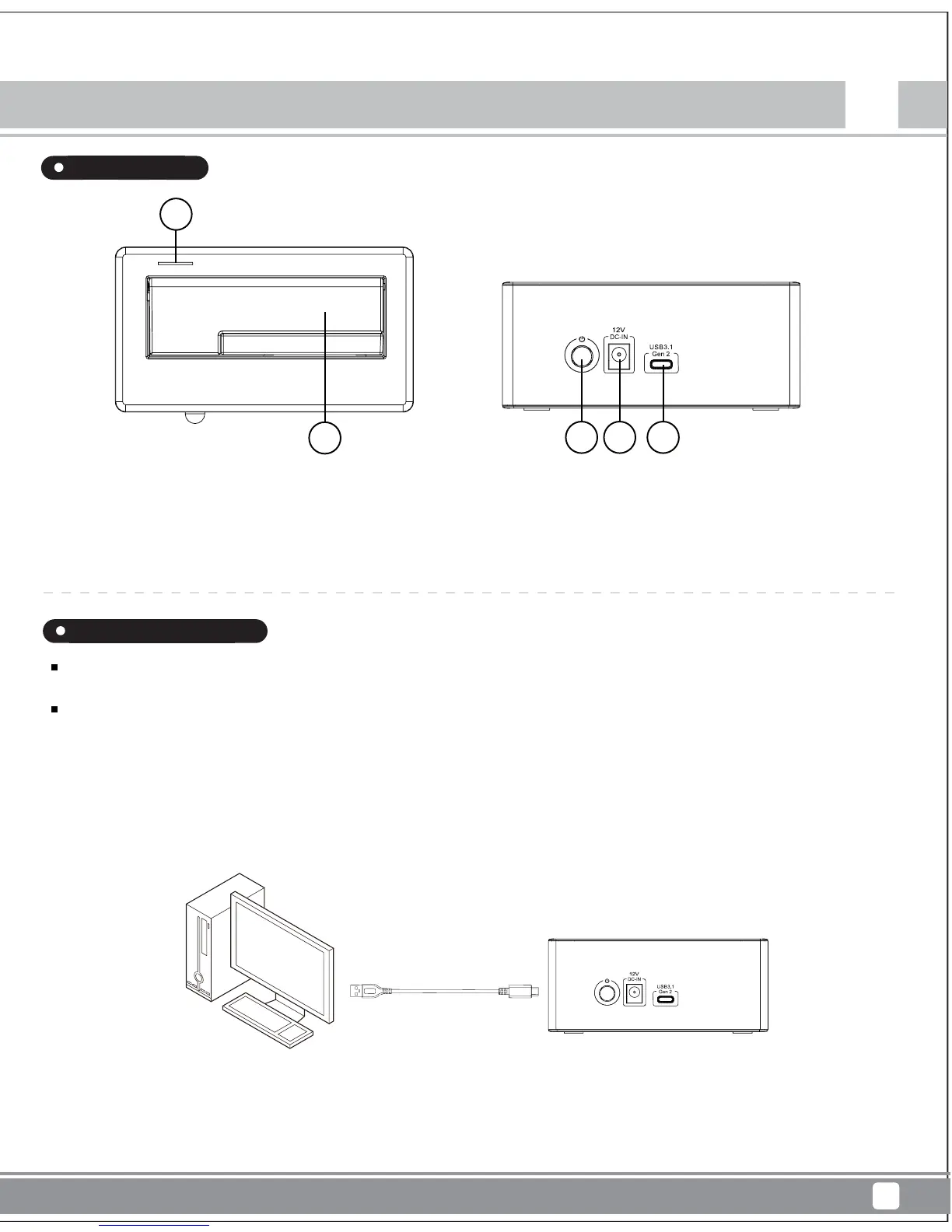
1. Power indicator/ HDD indicator
2. 3.5”or 2.5” HDD/SDD slot
When mounting a hard drive, please be mindful of static electricity as it can cause device malfunction. Please touch other metal objects to
discharge or wear antistatic gloves before handling hard drive.
If hard drive already contains data, please backup it up before installation to prevent data loss.
1. Connect USB cable to the computer
(Back)
1. Power Button
2. Power supply host connector
3. USB 3.1 Type-C host connector.
1
1 2 3
2
EN
TS11-C
Treasure Series
Instruction
Appearance
Installation Guide



 To Next Page