TS11-C
Treasure Series
System Setup
87
Klicken Sie nach der Einrichtung unten links auf „Apply (Anwenden)“.
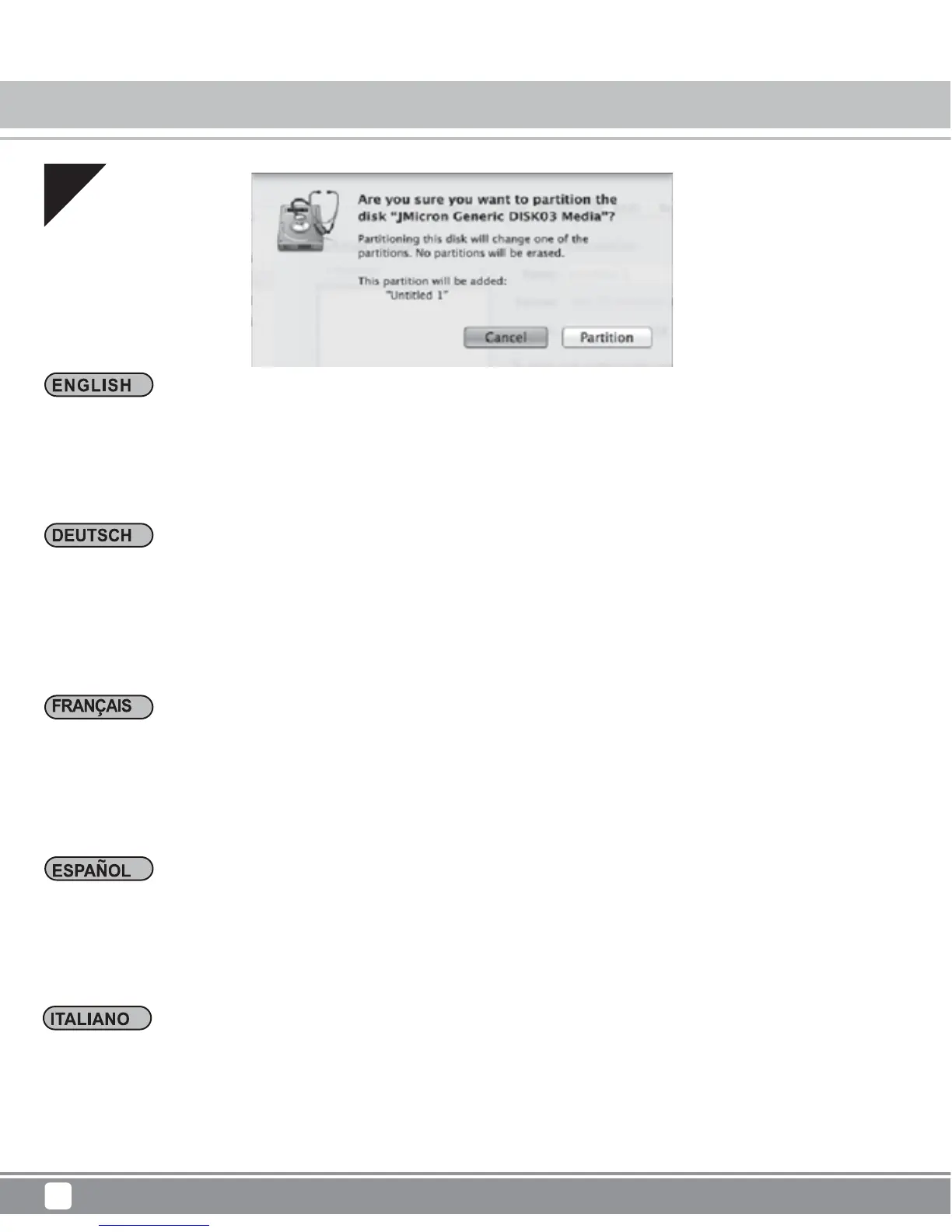
Ein Warnfenster wird angezeigt.
Klicken Sie zum Bestätigen auf „Partition (Partitionieren)“. Andernfalls klicken Sie auf „
Cancel (Abbrechen)“.
Cliquez dans le coin inférieur droit « Apply (Appliquer) » après le paramétrage.
La fenêtre d'avertissement apparaît.
Cliquez sur « Partition (Partition ) » pour confirmer. Sinon, cliquez sur « Cancel (Annuler) ».
Haga clic en la esquina inferior derecha “Aplicar” tras la configuración.
Aparecerá la ventana de aviso.
Haga clic en “Partición” para confirmar. Si no, haga clic en “Cancelar”.
Click the lower right corner “Apply” after setting.
The warning window wills popup.
Click “Partition” to confirm. If not, click "Cancel.”
04
Dopo avere eseguito l’impostazione, fare clic in basso a destra su “Apply (Applica)”.
Appare una finestra di avviso.
Fare clic su ““Partition (Partizione)” per confermare. In caso contrario, fare clic su "Cancel (Annulla)”.



 To Next Page