Need help?
Do you have a question about the Sim-Lab FREESTANDING VARIO SINGLE and is the answer not in the manual?
Learn how to insert a Slot-Nut into the profile slot from the side.
Lists the basic tools required for assembly.
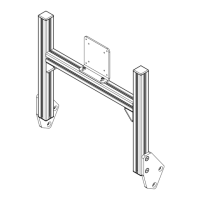
Attaching the Vario VESA holder to the frame.
Details assembly of Vario VESA plate, pin holder, and pin.
Installing the pivot adapter onto the frame.
Adjusting monitor arm angles using pivot markings.
Comprehensive list of parts for the single monitor mount profile kit.
Comprehensive list of parts for the triple monitor mount profile kit.
Hardware components for the Xero-Play triple pivot set.
Parts list for the Vario VESA adapter set.
Information on how to contact the support department.
Details about the Sim-Lab Discord community.
Advice on printing the manual for best results.
 General
| Brand | Sim-Lab |
|---|---|
| Model | FREESTANDING VARIO SINGLE |
| Category | Racks & Stands |
| Language | English |

 To Next Page