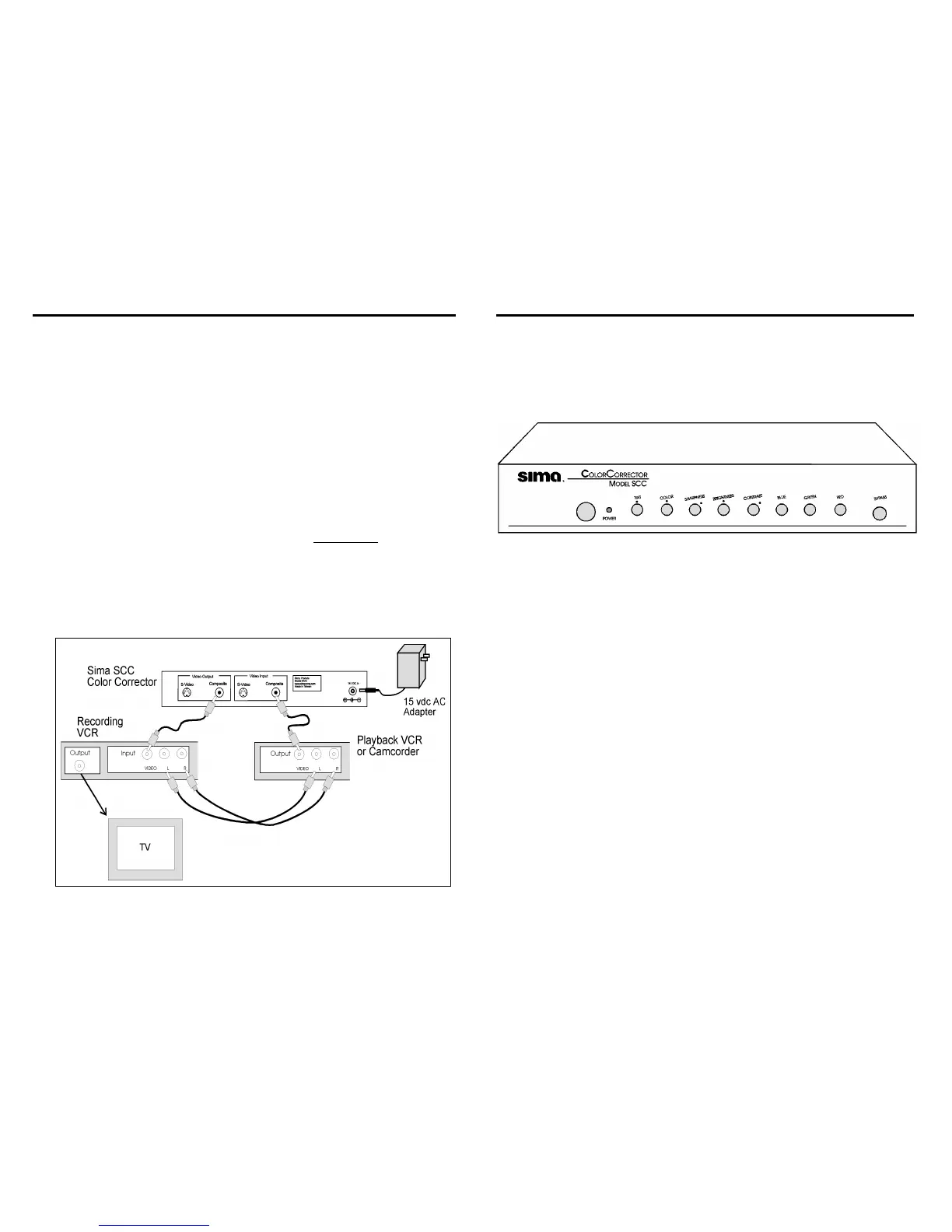
Typical Hook up
When you want to use the SCC and record the improved video, connect the
SCC between the video output of your playback VCR or camcorder and the
video input on your recording VCR. When you want to directly view the
results, connect the SCC between the video output of your playback VCR
or camcorder and the video input on your TV.
The diagram below shows how to connect between either a camcorder or
VCR and a recording VCR.
Step 1: Plug the 15 vdc plug into the SCC and the adapter into a standard
120 VAC outlet.
Step 2: Connect the video output of the playback VCR or camcorder to the
Video Input on the SCC. You can use either, but not both
, of the
composite or s-video connections to match the output of the VCR.
Step 3: Connect the audio output of the playback VCR or camcorder to the
audio inputs on your recording VCR.
Step 4: Connect the video output of the SCC to the video input of the
recording VCR.
Typical SCC Connection
5
Operation
When AC power is applied and the power button is depressed, the power
light will illuminate. You can now use the controls to adjust the picture as
described below.
Front Panel
Controls
Power - Press to turn unit on or off.
Tint - Adjust the hue level of the video output. Typically set to the mid
position.
Color - Adjusts the amount of color in the picture by varying the
chroma level. Typically set to the mid position.
Sharpness - Boosts or cuts the high frequency detail of the image
offering a true sharpening of the picture. A special noise reduction
circuit is incorporated to reduce the grain normally associated with
detail enhancers. Set to about the “2 o’clock position for normal
picture.
Brightness - Adjusts the black level of the input video signal to
brighten or darken the image. Set to about the “1 o’clock position for
normal picture.
Contrast - Adjusts the luminance level of the video signal. Set to the
“2 o’clock position for a normal picture.
Blue - Fine adjustment of the balance of the blue color in the picture
Green - Fine adjustment of the balance of the green color in the picture
Red - Fine adjustment of the balance of the red color in the picture
Bypass - Press the button in to bypass the color corrector and out to
have the color corrector in the video circuit.
6


 To Next Page
 Loading...