The dots shown in the front panel view above the controls on the previous
page show the setting of the controls so the picture is about equal to the
input. Because of slight variations these setting should be used as a
starting point only and will vary from set-up to set-up.
Press the bypass button in to view the picture before color correction and
out to see the after picture.
Note: It should be noted that the SCC cannot make a
bad video into a good video. However, the SCC can
improve and compensate for minor color and brightness
errors in the source video.
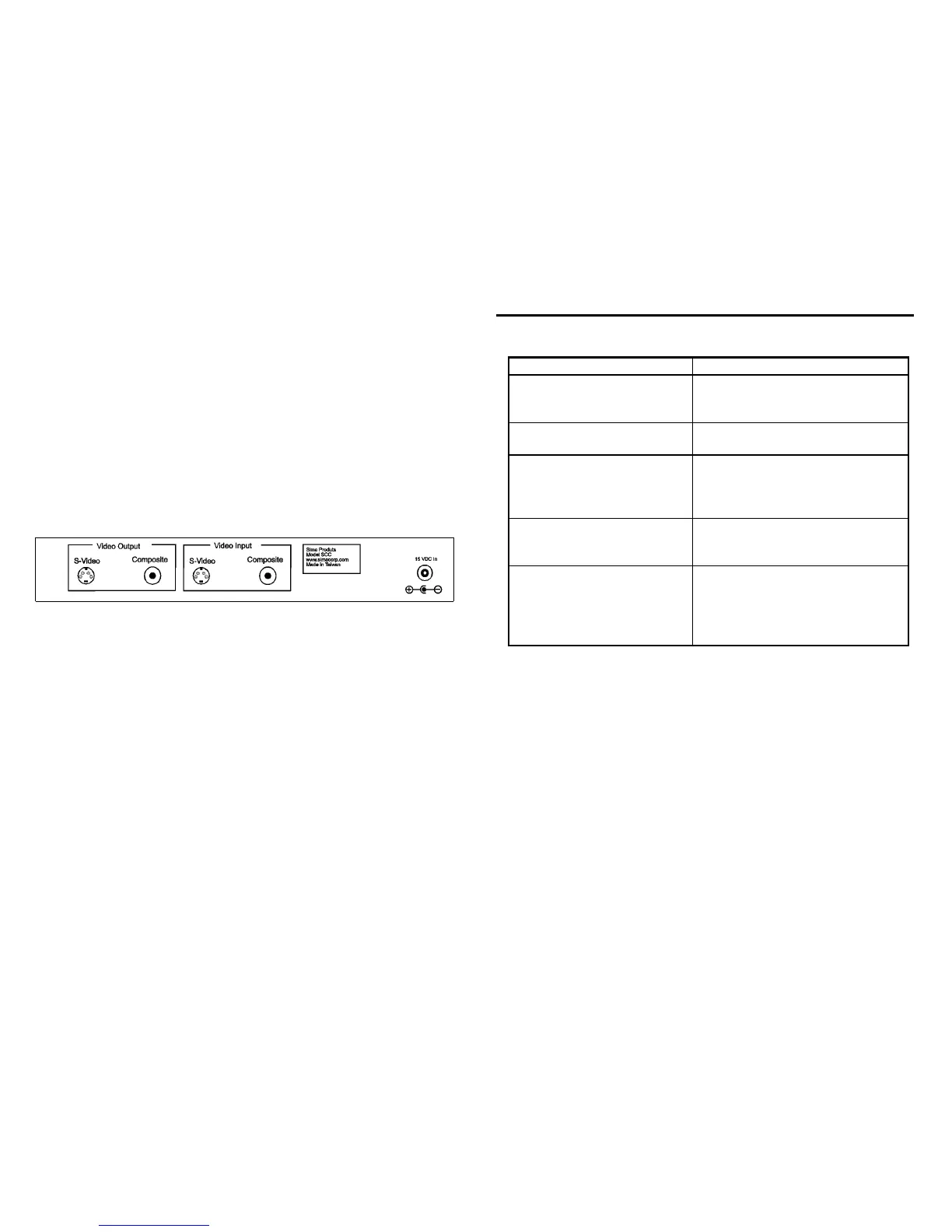
Rear Panel
Video Output
S-Video - S-Video jack output
Composite - RCA connector for composite video output
Video Input
S-Video - S-Video jack output
Composite - RCA connector for composite video input
DC Input - 15 VDC, input.
7
Trouble Shooting
Problem Solution
Power light does not come on Make sure power adapter is plugged
into a working outlet and the power
button is press on.
Adjusting the controls has no
affect on the picture
Make sure the unit is not in the
bypass mode.
Poor picture quality
Connect only the composite or S-
video cable. Using both cables at
the same time will not work with
most VCRs and TVs.
No picture Make sure the power light is on
Make sure inputs and outputs are not
reversed.
Corrected picture does not
match bypassed picture
Not all the controls should be in the
“12 o’clock” position to achieve
proper picture quality. Adjust
controls as necessary to achieve a
correct picture.
8


 To Next Page