EasyManua.ls Logo

Sima SSW-L4 EX - User Manual

Default Icon
6 pages
Print Icon
To Next Page IconTo Next Page
Loading...
Speaker Selectors
Models SSW-L4 EX and SSW-L6 EX
User Manual
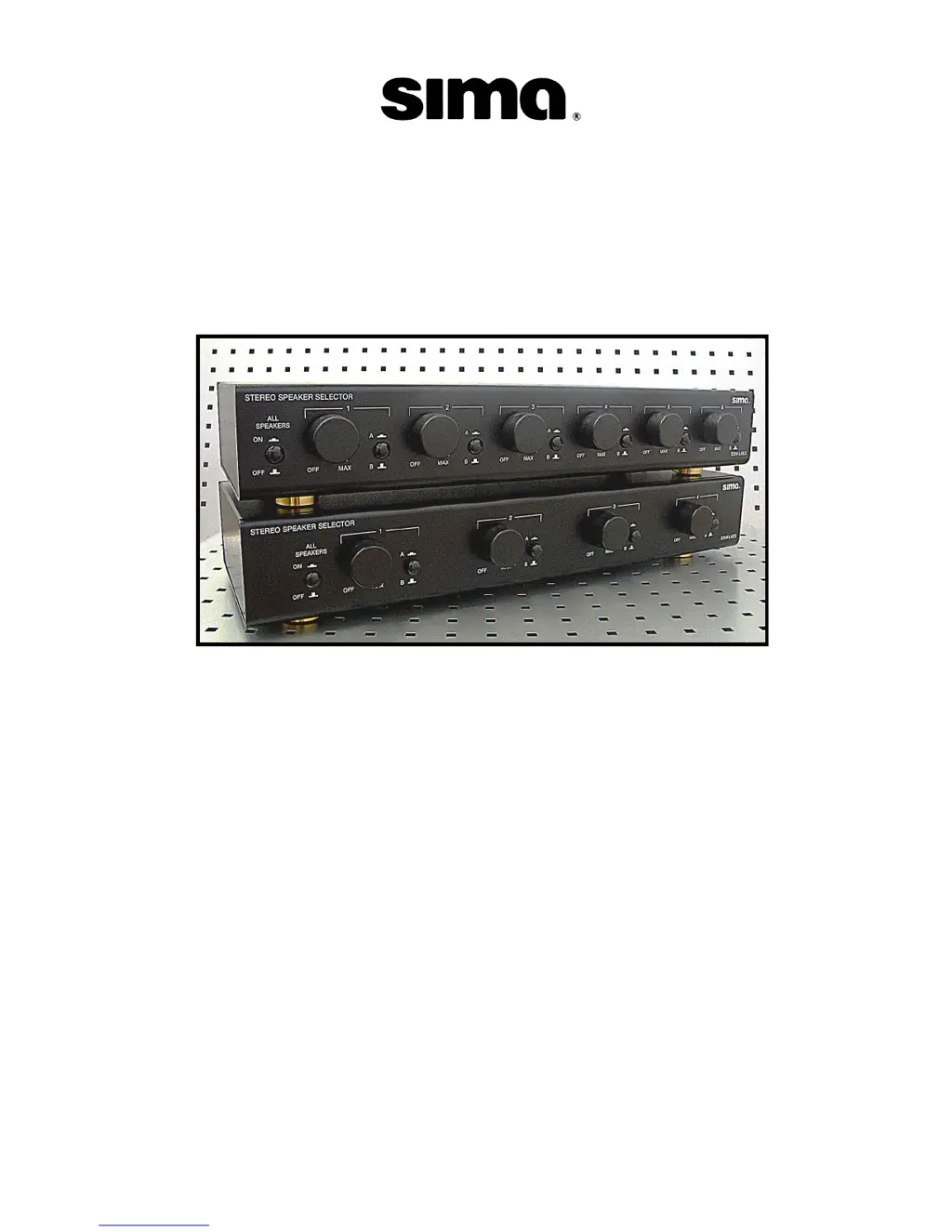
SSW-L4 EX (bottom) and SSW-L6 EX (top)

Questions and Answers

  • A
    Amanda TorresJul 31, 2025
    What to do if my Sima Recording Equipment has no sound?
    • T
      Thomas RodriguezJul 31, 2025
      If your Sima Recording Equipment isn't producing any sound, verify the correct speaker and amplifier are selected. Also, ensure that none of the wires are touching each other or the case of the amplifier or SSW-L4/L6 EX selector, and that all connectors are properly plugged in.

Summary

Important Safety Precautions

Whats Included

Introduction

Front Panel

Details the layout and controls of the speaker selector's front interface.

Rear Panel

Explains the connections and ports located on the rear of the speaker selector.

Installation and Operation

Installation Tips

Provides recommendations for wiring and speaker setup, including wire gauge and impedance.

Installation

Step-by-step guide for connecting speakers and amplifiers to the selector unit.

Operation

Instructions on how to use the speaker selector, including initial connection and level controls.

Troubleshooting and Specifications

Trouble Shooting

Common problems and their solutions, such as no sound or unit overheating.

Technical Specifications

Details input/output power, impedance, wire gauge, size, and weight.

Limited Warranty

Sima SSW-L4 EX Specifications

General IconGeneral
BrandSima
ModelSSW-L4 EX
CategoryRecording Equipment
LanguageEnglish

Related product manuals