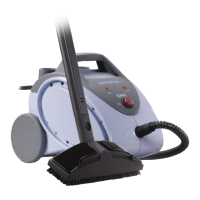
ater tank and pour in 1 litre of water
(fig. 3). The appliance works with
normal tap water. If the water is very
hard (over 100 mg/l) we suggest
using half distilled water and half tap
lone. Never add detergent.
Replace filler cover.
Using the appliance
Plug into the mains and turn on the
main switch (2). The indicator light (3)
comes on and the boiler starts
operating.
When the light (3) goes off the
appliance is ready for use.
To start the steam push the button [A]
in Fig 4 underneath the handle and
steam will start to flow. It is normal for
a few drops of water to come out first.
Release the button whenever you
want to stop the steam.
The steam will continue to flow from
the tool for about one minute until the
boiler is system is empty.
During use the steam ready light will
go on and off indicating that the boiler
is being heated to maintain steam
output.
Important: it is normal for a little
water to be given off before steam
starts to flow and for the steam
ready light (3) to go on and of


 To Next Page