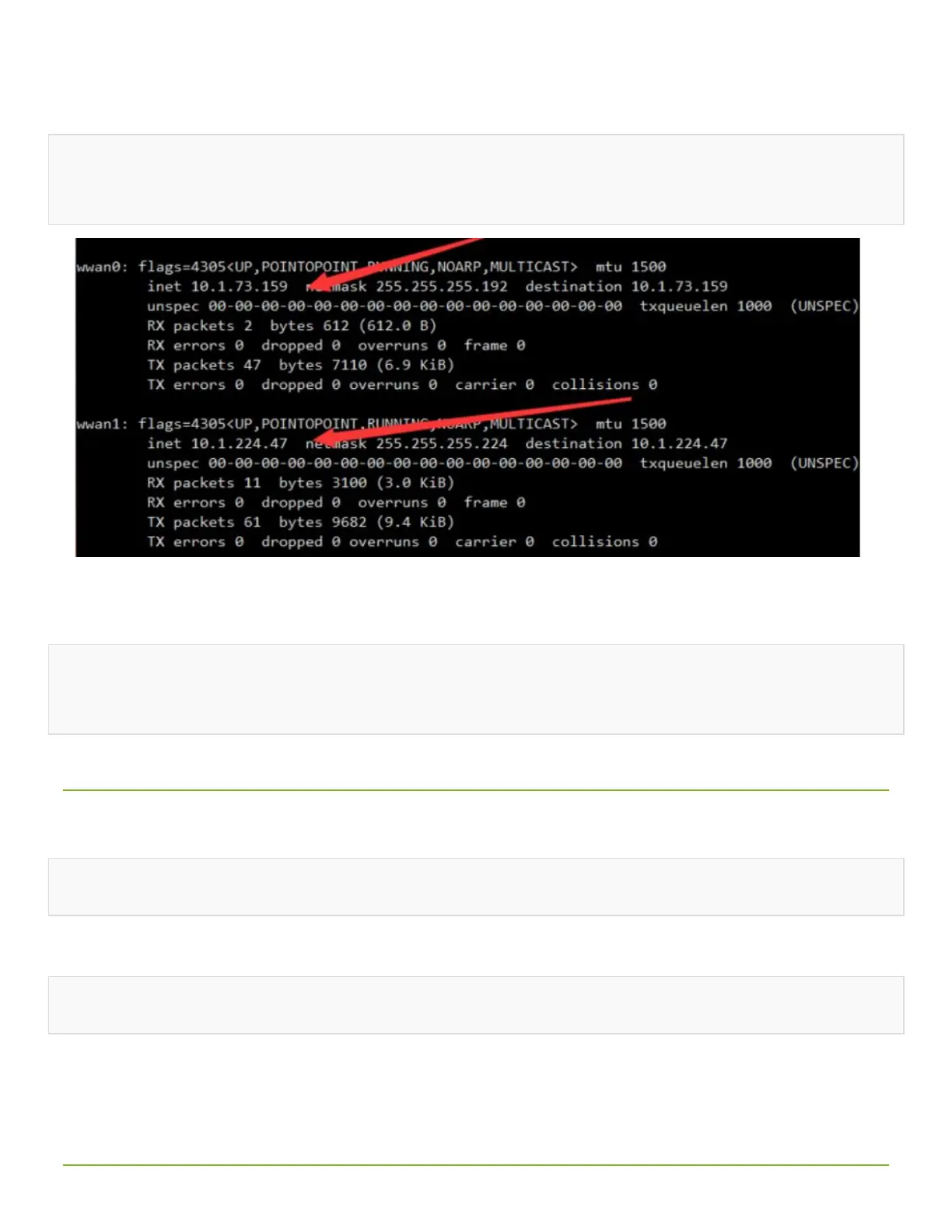
wwan0 and wwan1 can be recognized. The two network cards can be dialed at the same
time through the following commands: (The network speed cannot be superimposed)
sudo ./simcom-cm -i wwan0
sudo ./simcom-cm -i wwan1
• Note: If the IP cannot be obtained or the networking is not successful, use the
following commands to obtain the IP and set the DNS networking:
sudo dhclient -v wwan0
sudo route add -net 0.0.0.0 wwan0
• Auto-run
If you want to set the codes auto-run after booting, you can modify rc.local file:
sudo nano /etc/rc.local
Add the line to file as below:
sudo /home/pi/SIM8200-M2_5G_HAT_code/Goonline/simcom-cm &
Note that you have to add "&" to the end of the command, make sure that the command
can be run in the background, or the Pi may not boot normally.
• Live streaming with ffmpeg


 To Next Page
 Loading...