If you are using the 2020-08-20-raspios-buster-armhf image, then you don't need to
install anything as the system already comes with ffmpeg.
Going straight to the topic, assuming you already have a camera and it's properly
connected to the Raspberry Pi, then proceed with the tutorial.
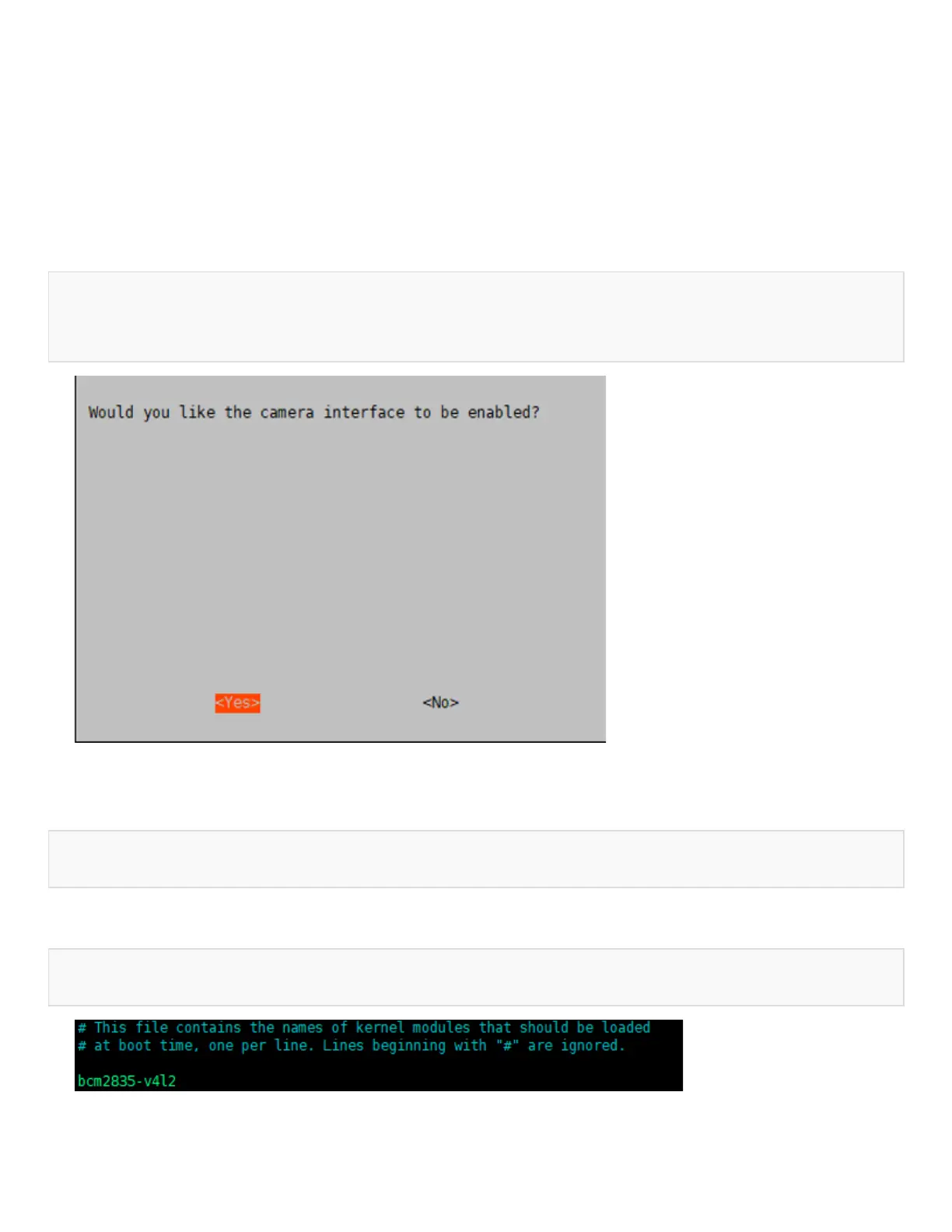
• The camera must be enabled by running the raspi-config command before using
it:
sudo raspi-config
Select Enable Camera, select YES
• If it is a camera using the CSI interface, the system cannot find the device node of
/dev/video0. A line for bcm2835-v4l2 needs to be added to the /etc/modules file:
sudo nano /etc/modules
add:
bcm2835-v4l2
Then after the system starts, the system will load the module name in this file and restart
the system:


 To Next Page