EasyManua.ls Logo

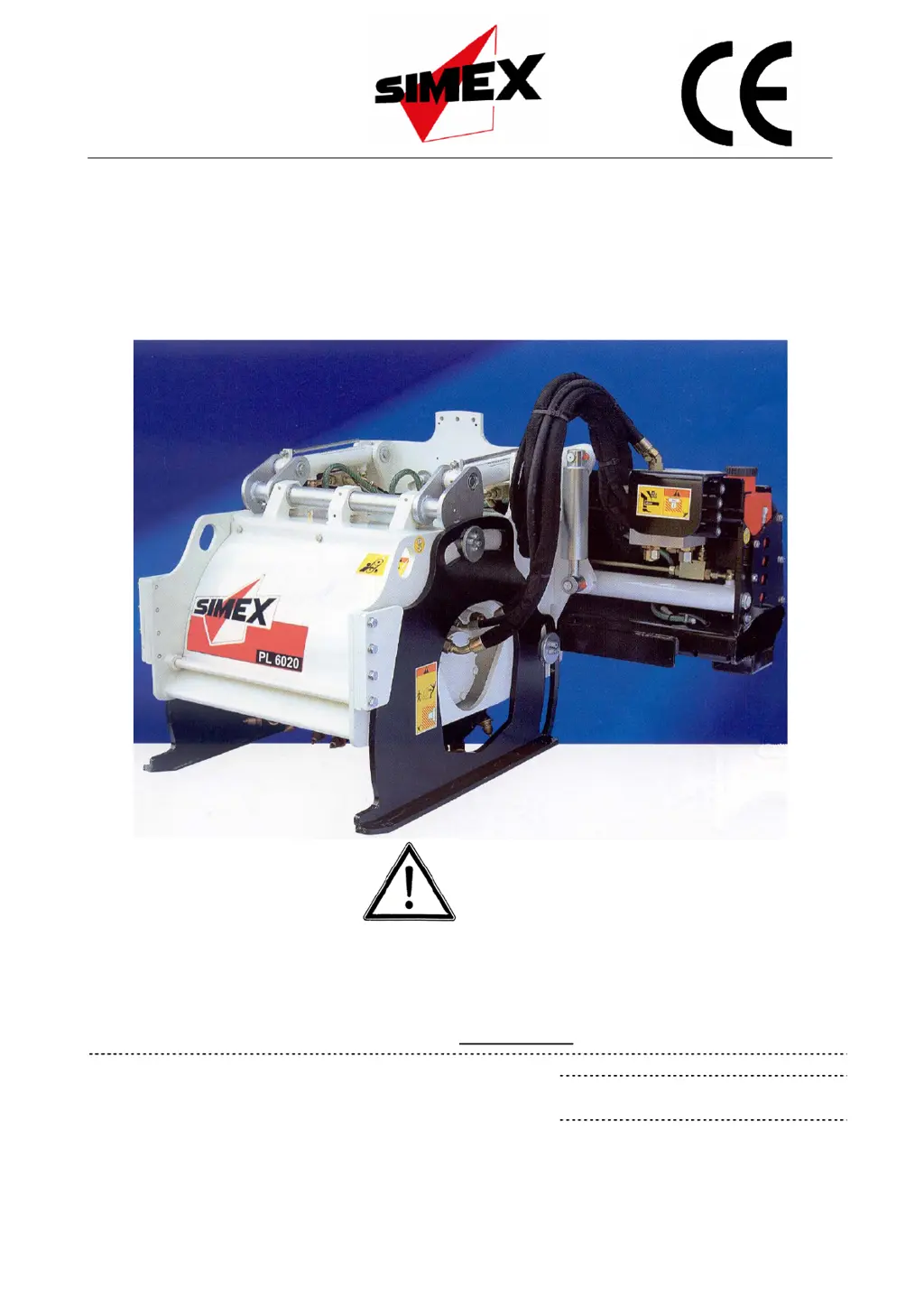
Simex PL 6020 - User Manual

Default Icon
60 pages
Print Icon
To Next Page IconTo Next Page
Loading...
USE AND MAINTENANCE MANUAL
COLD PLANER
PL 4520 - PL 5020 - PL 5520 - PL 6020 - PL 7520
SIMEX s.r.l.
Via Newton,31
40017 - San Giovanni in Persiceto (BO) Italy
Tel +39.051.6810609 fax +39.051.6810628
www.simex.it - simex@simex.it
No part of this manual may be reproduced or translated
without prior written permission from its owner. The
information and illustrations contained in this manual are for
illustrative purposes only. SIMEX S.r.l. reser
ves the right to
make changes to the machine at any time without any prior
notice.
Code: SXNM153D07 (English)
Type:
……………………………(C.A.T.)
Serial n° ……………………..

Table of Contents

Questions and Answers

  • K
    Kevin LambAug 12, 2025
    Why is my Simex PL 6020 planing slowly and performing poorly?
    • T
      Tommy MarksAug 12, 2025
      Slow planing and low performance of your Simex Planer can be due to worn or broken teeth tips. To resolve this, replace the tools and clean their seats. It can also be caused by low flow and/or hydraulic pressure. Ensure all connections required for correct operation with the planer attached have been made properly. Contact the prime mover’s service department, as the flow and hydraulic pressure depend on the prime mover.
  • M
    marcus51Aug 16, 2025
    What to do if my Simex Planer has external oil leaks?
    • C
      Connor JonesAug 16, 2025
      If your Simex Planer has external oil leaks, it could be due to loose fittings. Try tightening the fittings. It may also be caused by damaged hosing, in which case you should replace the hosing, or damaged couplings, which would require replacing the couplings. If the leaks are from the hydraulic motor oil seals, contact an authorised Simex service centre.
  • R
    Randall JonesAug 19, 2025
    How to fix vibrations in my Simex Planer?
    • P
      paigeyoungAug 19, 2025
      Vibrations in your Simex Planer can be caused by loose or missing screws/bolts. Check the tightening torques of the screws/bolts (drum, hydraulic motor, etc.) and replace any missing screws/bolts. Another cause could be worn or missing tools, in which case you should replace the tools and clean their seats.
  • M
    Michael LongAug 23, 2025
    What to do if my Simex Planer does not turn on?
    • T
      Thomas FerrellAug 23, 2025
      If your Simex Planer does not turn, it could be due to several reasons. First, check for no hydraulic flow and/or pressure in the prime mover’s hydraulic system. Also, ensure quick couplings are fitted properly and, if featured, verify the drum start switch is in the 'on' position. If these steps don't resolve the issue, it may be due to other hydraulic or electric problems, and you should contact an authorised Simex service centre.
  • N
    Nancy WilliamsAug 30, 2025
    What to do if the side shift on my Simex PL 6020 Planer does not operate?
    • S
      Sandra ThomasAug 30, 2025
      If the side shift on your Simex Planer isn't working, first check if the power cable is disconnected and connect it. Also, ensure the quick couplings are properly fitted.
  • W
    webstercarlSep 3, 2025
    What causes a noisy or jammed cutter hydraulic motor in my Simex Planer?
    • J
      James MorrisonSep 4, 2025
      If the cutter hydraulic motor in your Simex Planer is noisy or jammed, it indicates problems inside the motor. In this case, contact an authorised Simex service centre.
  • J
    Jennifer TaylorSep 7, 2025
    Why does the cutter on my Simex PL 6020 Planer turn too slowly or too fast?
    • P
      peggy78Sep 7, 2025
      If the cutter on your Simex Planer turns too slowly or too fast, it is due to incorrect planer/prime mover coupling. In this situation, contact an authorised Simex service centre.
  • L
    Laura SinghNov 26, 2025
    Why is the safety cap on my Simex PL 6020 swollen?
    • C
      Casey GordonNov 26, 2025
      A swollen safety cap on your Simex Planer can be caused by high counterpressure in the drain line. Always connect the drain line directly to the prime mover and contact a Simex authorised service centre to have the cap and o-ring replaced and the counterpressure checked (limit = < 1 bar). It may also be due to a damaged drain line, requiring you to replace the hose and contact a Simex authorised service centre to have the cap and o-ring replaced and the counterpressure checked (limit = < 1 bar). Another cause could be a damaged drain line coupling, in which case you should replace the coupling and contact a Simex authorised service centre to have the cap and o-ring replaced and the counterpressure checked (limit = < 1 bar). Also make sure that you start the cutter up with the diesel engine...

Summary

Symbols and Definitions

Safety and Hazard Stickers

Sticker Identification and Location

Details the purpose, location, and meaning of critical safety stickers on the machine.

General Precautions for Use

Safe Operation Procedures

Lists crucial steps like checking for damage, using authorized adults, and ensuring safety devices.

Personal Protective Equipment (PPE)

Advises on wearing appropriate PPE like helmets, safety goggles, and gloves.

Technical Characteristics

Operating Principle

Explains how the planing action is achieved through drum rotation and prime mover movement.

Specifications and Performance

Main Machine Parts

Permitted Uses

Residual Risks

Safety Devices

Safety Guard Usage

Stresses that safety guards must not be tampered with and the machine must not be used without them.

Handling, Transportation and Lifting

Lifting Procedures

Explains how to safely lift the machine using appropriate equipment and checking capacities.

Use

Machine;Prime Mover Matching

Hydraulic Connection (3-line)

Hydraulic Connection (5-line)

Hydraulic Disconnection

Disconnecting Machine from Prime Mover

Planing Depth Adjustment

Setting Zero Position for Planing Depth

Cutter Drum Removal and Refitting

Mechanical Floating Tilt Device

Starting Up Standard Machines

Startup for 3-line System

Operational Safety Warnings

Lists critical warnings for operators, including DUI, unattended machine, and site hazards.

Side Shift Operation (3-line)

General Operating Conditions

Side-by-Side Planing

Stopping the Machine

Emergency Stops

Parking

Maintenance

Routine Maintenance Schedule

Presents a schedule of maintenance tasks based on operating hours.

Cutter Drum Inspection

Tool Integrity Assessment

Tool Replacement

Machine Cleaning

Structural Integrity Assessment

Nut and Bolt Tightness Test

Skid Wear Check

Lubrication of Depth Adjustment

Hose Inspection

Safety Cap Check

Troubleshooting

External Oil Leaks

Safety Cap Swollen Issues

Simex PL 6020 Specifications

General IconGeneral
BrandSimex
ModelPL 6020
CategoryPlaner
LanguageEnglish

Related product manuals