EasyManua.ls Logo

Simex PL 5020 - User Manual

Default Icon
60 pages
Print Icon
To Next Page IconTo Next Page
Loading...
USE AND MAINTENANCE MANUAL
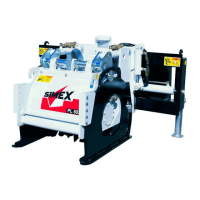
COLD PLANER
PL 4520 - PL 5020 - PL 5520 - PL 6020 - PL 7520
SIMEX s.r.l.
Via Newton,31
40017 - San Giovanni in Persiceto (BO) Italy
Tel +39.051.6810609 fax +39.051.6810628
www.simex.it - simex@simex.it
No part of this manual may be reproduced or translated
without prior written permission from its owner. The
information and illustrations contained in this manual are for
illustrative purposes only. SIMEX S.r.l. reser
ves the right to
make changes to the machine at any time without any prior
notice.
Code: SXNM153D07 (English)
Type:
……………………………(C.A.T.)
Serial n° ……………………..

Table of Contents

Questions and Answers

  • P
    Pamela BakerAug 12, 2025
    Why is my Simex PL 5020 Planer planing slowly and performing poorly?
    • J
      jgutierrezAug 12, 2025
      Slow planing and low performance of your Simex Planer can be due to worn or broken teeth tips. To resolve this, replace the tools and clean their seats. It can also be caused by low flow and/or hydraulic pressure. Ensure all connections required for correct operation with the planer attached have been made properly. Contact the prime mover’s service department, as the flow and hydraulic pressure depend on the prime mover.
  • B
    bshawAug 16, 2025
    What to do if my Simex PL 5020 Planer has external oil leaks?
    • W
      Wayne ChambersAug 16, 2025
      If your Simex Planer has external oil leaks, it could be due to loose fittings. Try tightening the fittings. It may also be caused by damaged hosing, in which case you should replace the hosing, or damaged couplings, which would require replacing the couplings. If the leaks are from the hydraulic motor oil seals, contact an authorised Simex service centre.
  • K
    Kaitlyn KempAug 19, 2025
    How to fix vibrations in my Simex Planer?
    • R
      rhutchinsonAug 19, 2025
      Vibrations in your Simex Planer can be caused by loose or missing screws/bolts. Check the tightening torques of the screws/bolts (drum, hydraulic motor, etc.) and replace any missing screws/bolts. Another cause could be worn or missing tools, in which case you should replace the tools and clean their seats.
  • R
    Ronnie GarrettAug 25, 2025
    What to do if my Simex PL 5020 Planer does not turn on?
    • V
      Vickie MontoyaAug 25, 2025
      If your Simex Planer does not turn, it could be due to several reasons. First, check for no hydraulic flow and/or pressure in the prime mover’s hydraulic system. Also, ensure quick couplings are fitted properly and, if featured, verify the drum start switch is in the 'on' position. If these steps don't resolve the issue, it may be due to other hydraulic or electric problems, and you should contact an authorised Simex service centre.
  • P
    Paul MyersAug 31, 2025
    What to do if the side shift on my Simex PL 5020 does not operate?
    • M
      mark20Aug 31, 2025
      If the side shift on your Simex Planer isn't working, first check if the power cable is disconnected and connect it. Also, ensure the quick couplings are properly fitted.
  • B
    Brandon GibsonSep 3, 2025
    What causes a noisy or jammed cutter hydraulic motor in my Simex PL 5020?
    • M
      Marcus FisherSep 3, 2025
      If the cutter hydraulic motor in your Simex Planer is noisy or jammed, it indicates problems inside the motor. In this case, contact an authorised Simex service centre.
  • R
    Rebecca AllenSep 7, 2025
    Why does the cutter on my Simex PL 5020 Planer turn too slowly or too fast?
    • K
      kevin43Sep 7, 2025
      If the cutter on your Simex Planer turns too slowly or too fast, it is due to incorrect planer/prime mover coupling. In this situation, contact an authorised Simex service centre.
  • S
    Shane MartinNov 26, 2025
    Why is the safety cap on my Simex Planer swollen?
    • M
      Michael JonesNov 27, 2025
      A swollen safety cap on your Simex Planer can be caused by high counterpressure in the drain line. Always connect the drain line directly to the prime mover and contact a Simex authorised service centre to have the cap and o-ring replaced and the counterpressure checked (limit = < 1 bar). It may also be due to a damaged drain line, requiring you to replace the hose and contact a Simex authorised service centre to have the cap and o-ring replaced and the counterpressure checked (limit = < 1 bar). Another cause could be a damaged drain line coupling, in which case you should replace the coupling and contact a Simex authorised service centre to have the cap and o-ring replaced and the counterpressure checked (limit = < 1 bar). Also make sure that you start the cutter up with the diesel engine...

Summary

Safety and Hazard Stickers

General Precautions for Use

Technical Characteristics

Specifications and Performance

Table detailing operating pressure, oil flow, drum speed, power, and weight for each model.

Safety Devices

Describes essential safety guards and precautions for operation and maintenance.

Handling, Transportation and Lifting

Use

Machine;Prime Mover Matching

Instructions for attaching the planer to the prime mover, including standard coupling.

Hydraulic Connection with 3-Line System

Detailed steps for connecting hydraulic hoses and power cable for a 3-line system.

Hydraulic Connection with 5-Line System

Detailed steps for connecting hydraulic hoses for a 5-line system.

Hydraulic Disconnection

Steps for safely disconnecting hydraulic hoses and power cables.

Disconnecting the Machine from the Prime Mover

Detailed procedure for detaching the machine from the prime mover after hydraulic disconnection.

Planing Depth Adjustment

Instructions for correctly adjusting the machine's planing depth.

Setting Zero Position for Planing Depth Adjustment

Procedure to calibrate the planing depth measuring rod to zero.

Cutter Drum Removal and Refitting

Step-by-step guide for removing and reinstalling the cutter drum.

Starting Up Standard Machines

Pre-start checks and procedures for starting the machine.

Emergency Stops

Procedures for performing an emergency stop of the machine.

Maintenance

Tool Integrity Assessment (Teeth)

How to assess the condition and wear of the cutting teeth.

Troubleshooting

Control Circuit Diagrams

Simex PL 5020 Specifications

General IconGeneral
BrandSimex
ModelPL 5020
CategoryPlaner
LanguageEnglish

Related product manuals