20
Playback Images
Note: A counter appears at the
upper left. If the counter reads 3/5,
for example, it means the third of
five items.
A movie counts as one item.
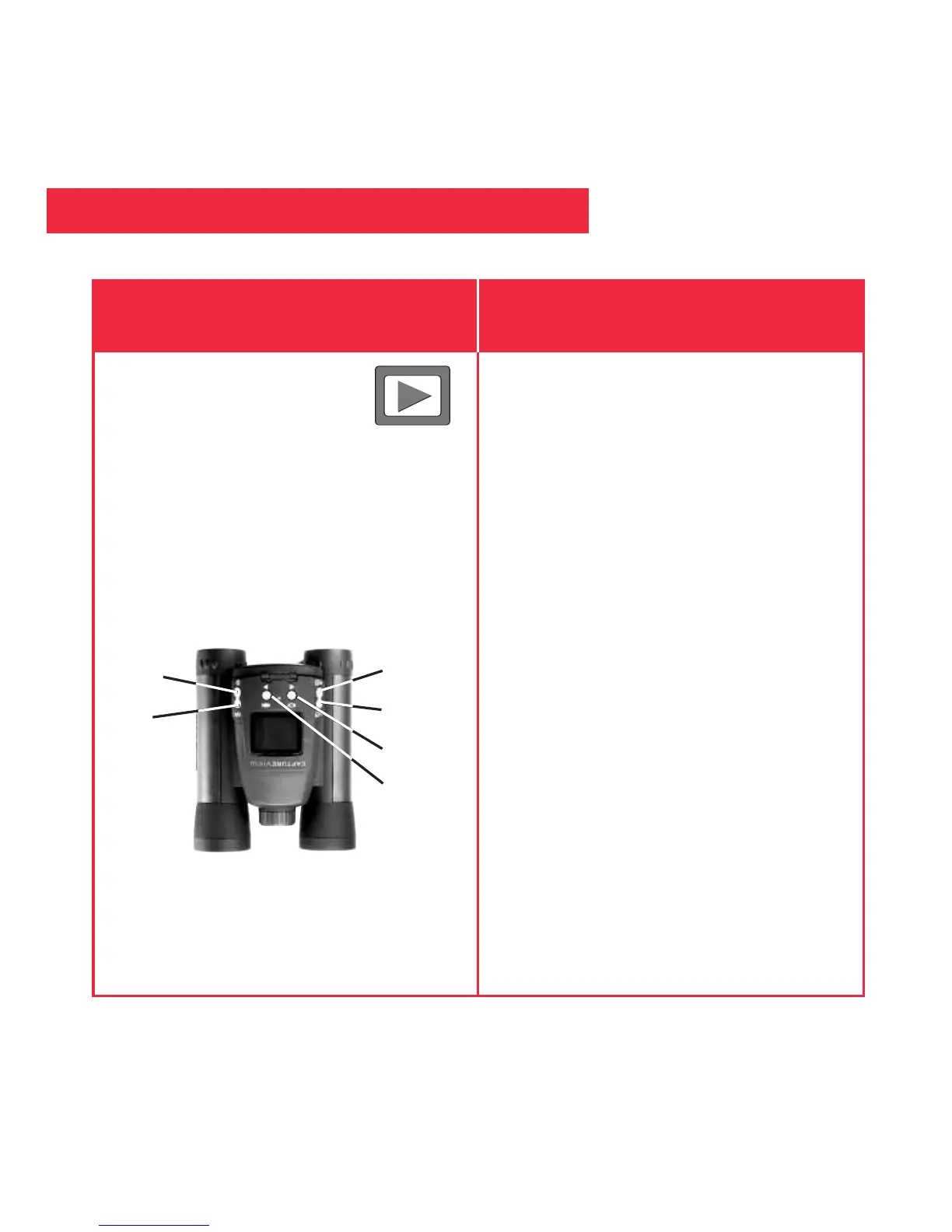
To playback your captured images:
1. To see the image(s) that you have
captured, move the selection box to
the Playback menu (the right
pointing triangle icon) and press the
Menu button.
2. The last image you captured
displays. Use the Right or Left
button to scroll through your
captured images or movies.
3. Select the Exit menu and press the
Menu button to leave this mode.
Playback
If you want to... Do this...
Left
Menu
Shutter
Right
Down
Up


 To Next Page