DRAFT D
TNM-M-E-0001 Page 28
4.2.1 COMMS Set up
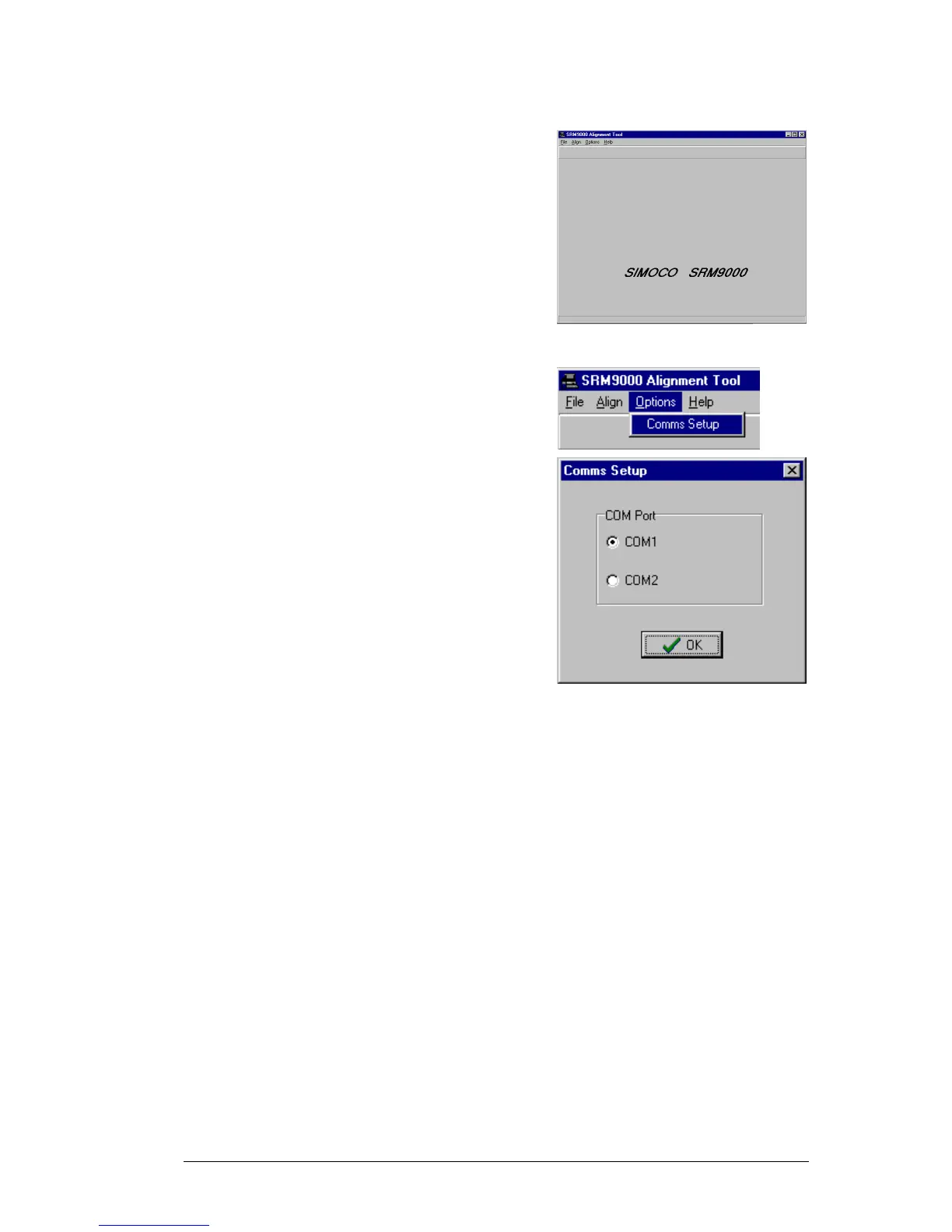
1. Copy the SRM9000 Alignment Tool Computer
Software file to the PC hard drive and run the
program
The Alignment Tool Opening Menu is displayed.
2.
Go to the Options menu and choose Comms
Setup.
3.
The Comms Setup dialogue box is displayed.
Select the Comms Port setting appropriate to the
configuration of your PC and choose üüOK.
(Usually COM1)


 To Next Page