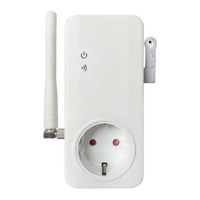
Need help?
Do you have a question about the SimPal SimPal-T40-V2 and is the answer not in the manual?
Master sends SMS to change the master mobile number stored in the socket.
Master sends SMS to register up to four family numbers for device control and notifications.
Master sends SMS to delete a specific family number or all registered family numbers.
Enables the socket to automatically turn on/off based on a set schedule.
Configure specific schedule parameters, including days, start time, and end time.
Allows the socket to automatically control power based on ambient temperature readings.
Define the temperature control mode, low-temperature threshold, and high-temperature threshold.
Instructions for resetting the Master socket to its original factory settings via button or SMS.
Method to reset the SimPal-20 slave socket to its factory settings using the M button.
 General
| Brand | SimPal |
|---|---|
| Model | SimPal-T40-V2 |
| Category | Accessories |
| Language | English |

 To Next Page