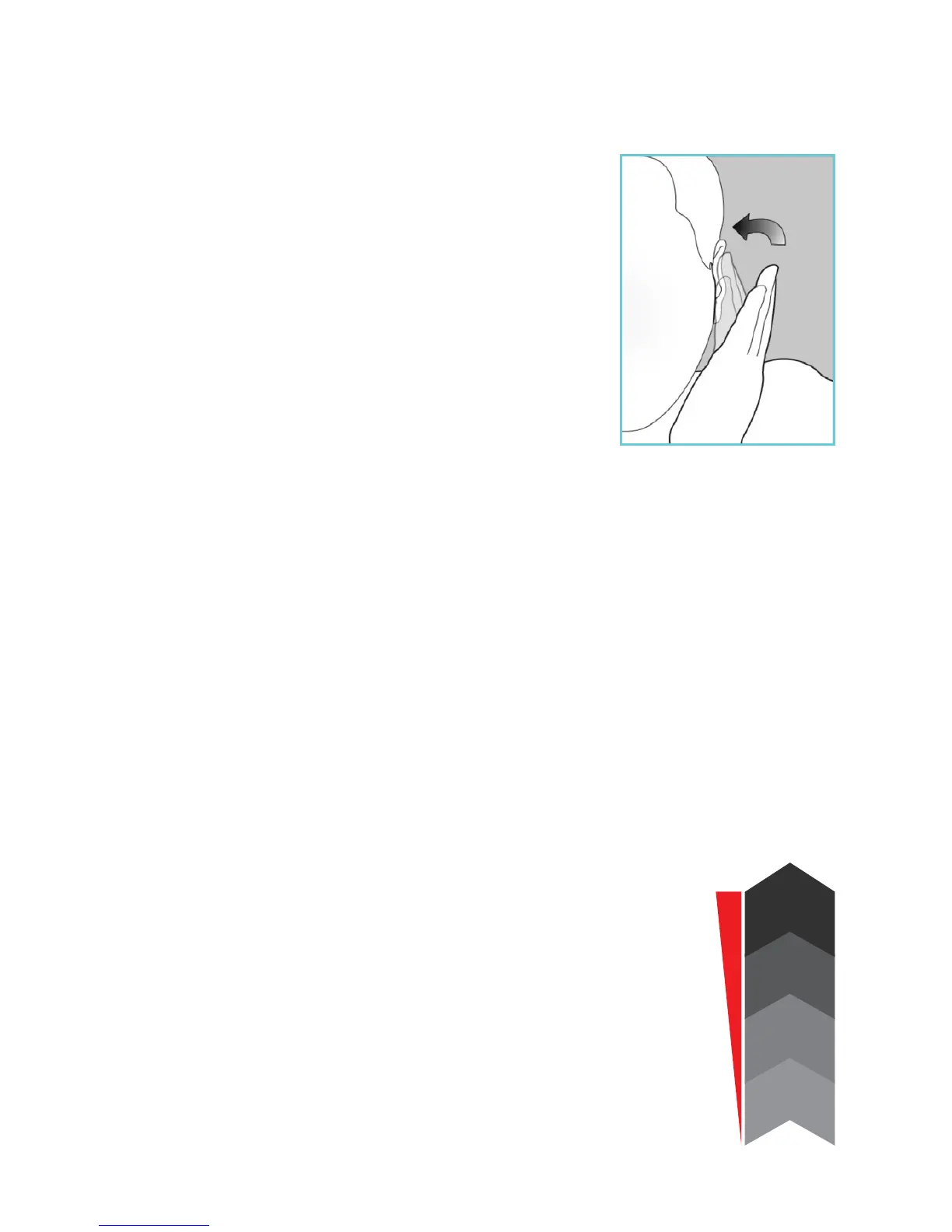
Simple Ear allows you to select
between modes with the greatest
of ease. Simply tap the outer part
of your ear canal and the sound
pressure triggers mode change. This
device does not require buttons or
switches and does not need to be
touched to change modes.
With your ngers together, lightly tap
the ear canal area. This will toggle successively from the
rst mode through the fourth, and then back to the rst.
The modes are preset to meet your desired hearing
amplication. A few minutes of practice should be
sufcient for you to become comfortable with this
technology.
Note: The number of beeps corresponds with the mode
that you have entered.
Mode Adjustment
The volume directly correlates with the
different modes, by increasing the modes
you are increasing the volume.
Mode 1 will be the lowest volume setting
and mode 4 will be the highest.
Volume Adjustment
VOLUME
MODE 4
MODE 3
MODE 2
MODE 1
POWER ON


 To Next Page