Switches
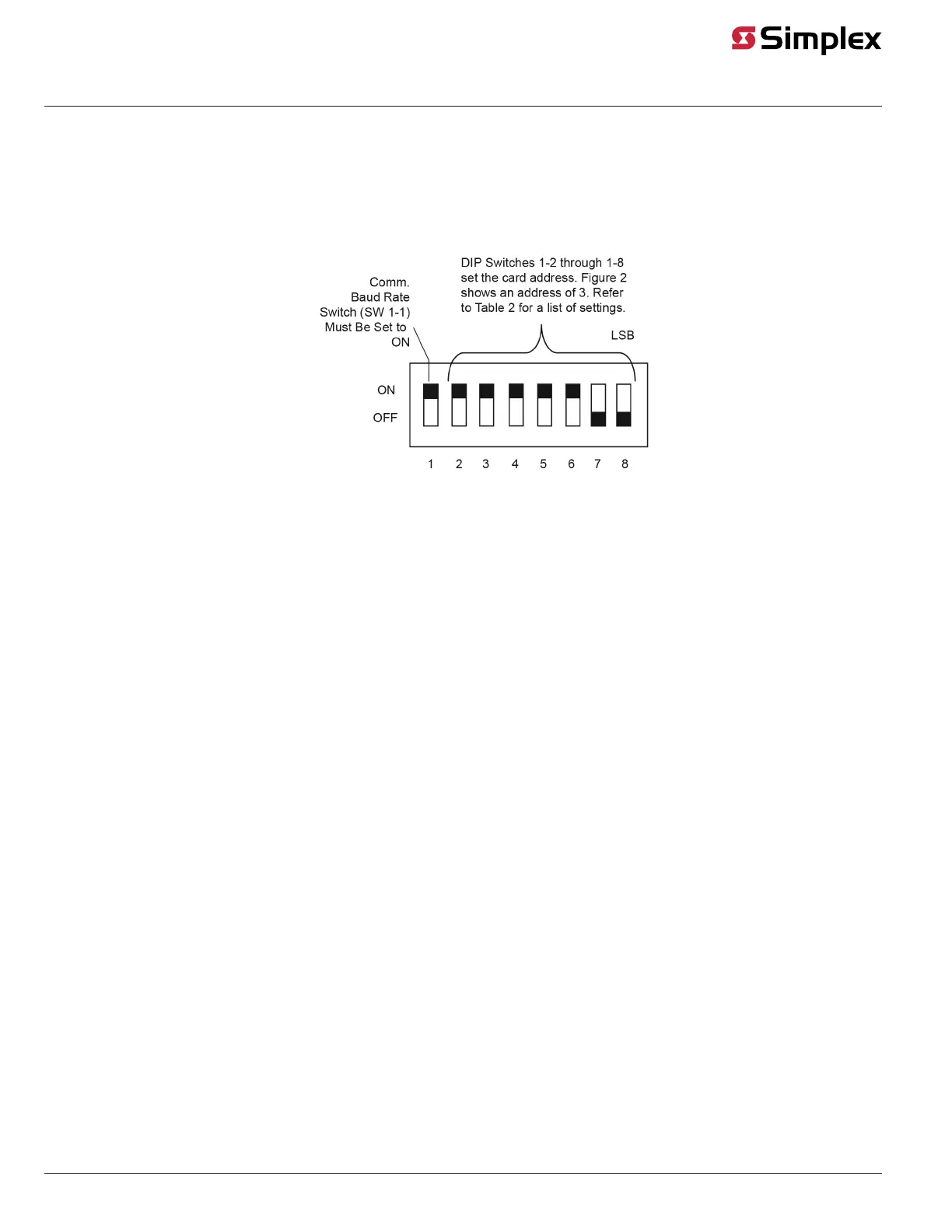
Switch SW1 on the dual RS-232 interface module is a bank of eight DIP switches. From top to bottom (see Figure 2) these switches are designated as
SW1-1 through SW1-8. The function of these switches is as follows:
• SW1-1. This switch sets the baud rate for the internal FACP communications line running between the card and the FACP CPU. Set this switch
to ON.
• • SW1-2 through SW1-8. These switches set the card’s address within the FACP. Refer to Figure 3 for a complete list of the switch settings for all
of the possible card addresses.
Programmer.
Figure 2: Address DIP Switch
Note: You must set these switches to the value assigned to the card by the FACP.
page 3 579-910 Rev G
Dual RS-232 Interface Module 4007-9812, 4100-6046, 4010-9918 Installation Instructions



 To Next Page