3
VISUAL TOUR
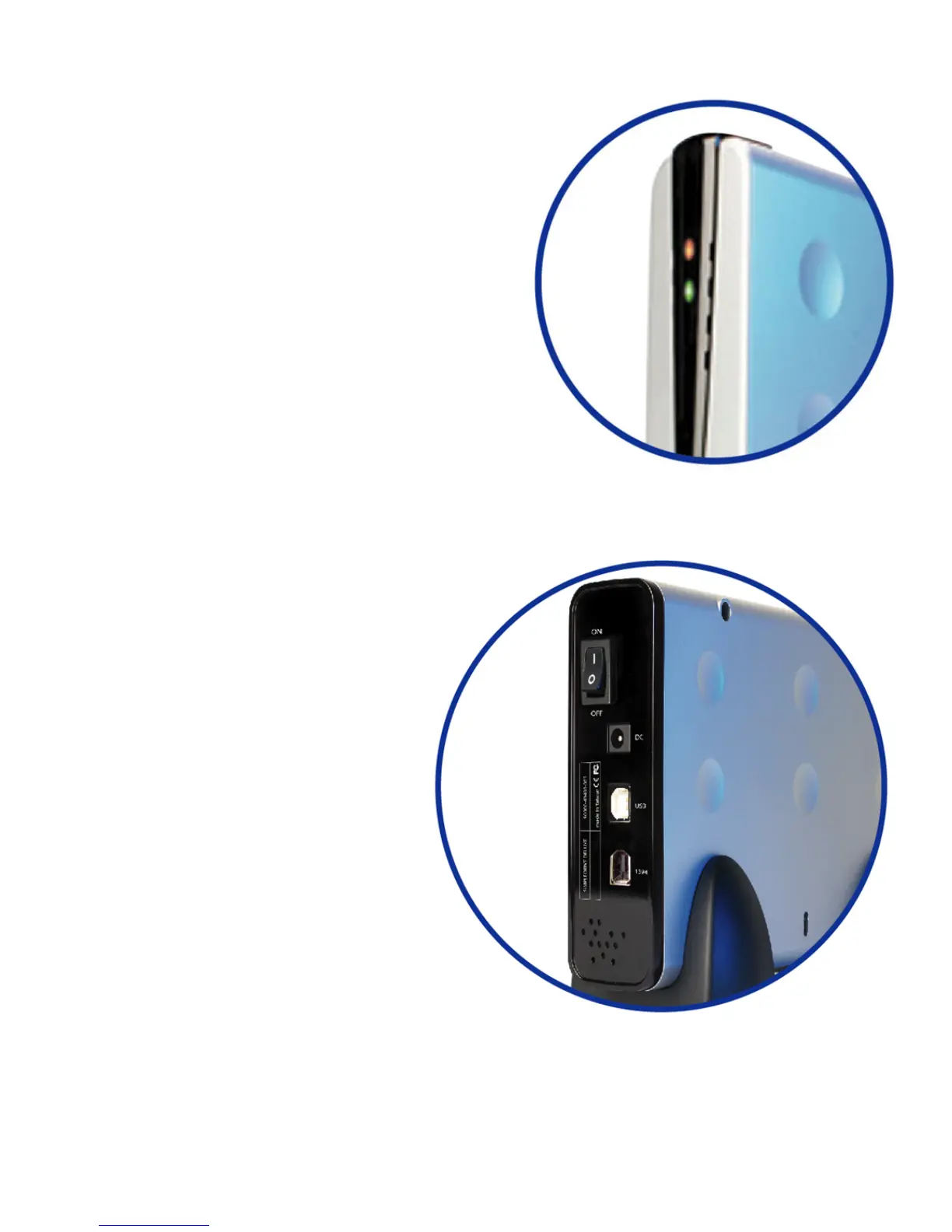
Front
Power-On LED (Red)
Indicates SimpleDrive is powered ON.
HDD Activity LED (Green)
Flashes to indicate disk drive read/write activity.
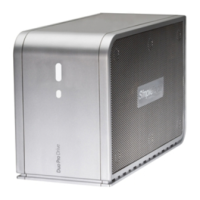
Back
Power Switch
Powers SimpleDrive On or Off.
DC-IN Jack
DC-IN socket for connecting the AC
power adapter to SimpleDrive.
USB Port
USB 2.0 compliant (USB 1.1 compatible)
interface for connecting SimpleDrive to
your computer.
IEEE 1394a/FireWire Port
(
SimpleDrive Deluxe only)
IEEE-1394a/FireWire 400-compliant
interface for connecting SimpleDrive to
your computer.
Security Slot
Use the security slot to attach a security
cable to SimpleDrive.


 To Next Page