3
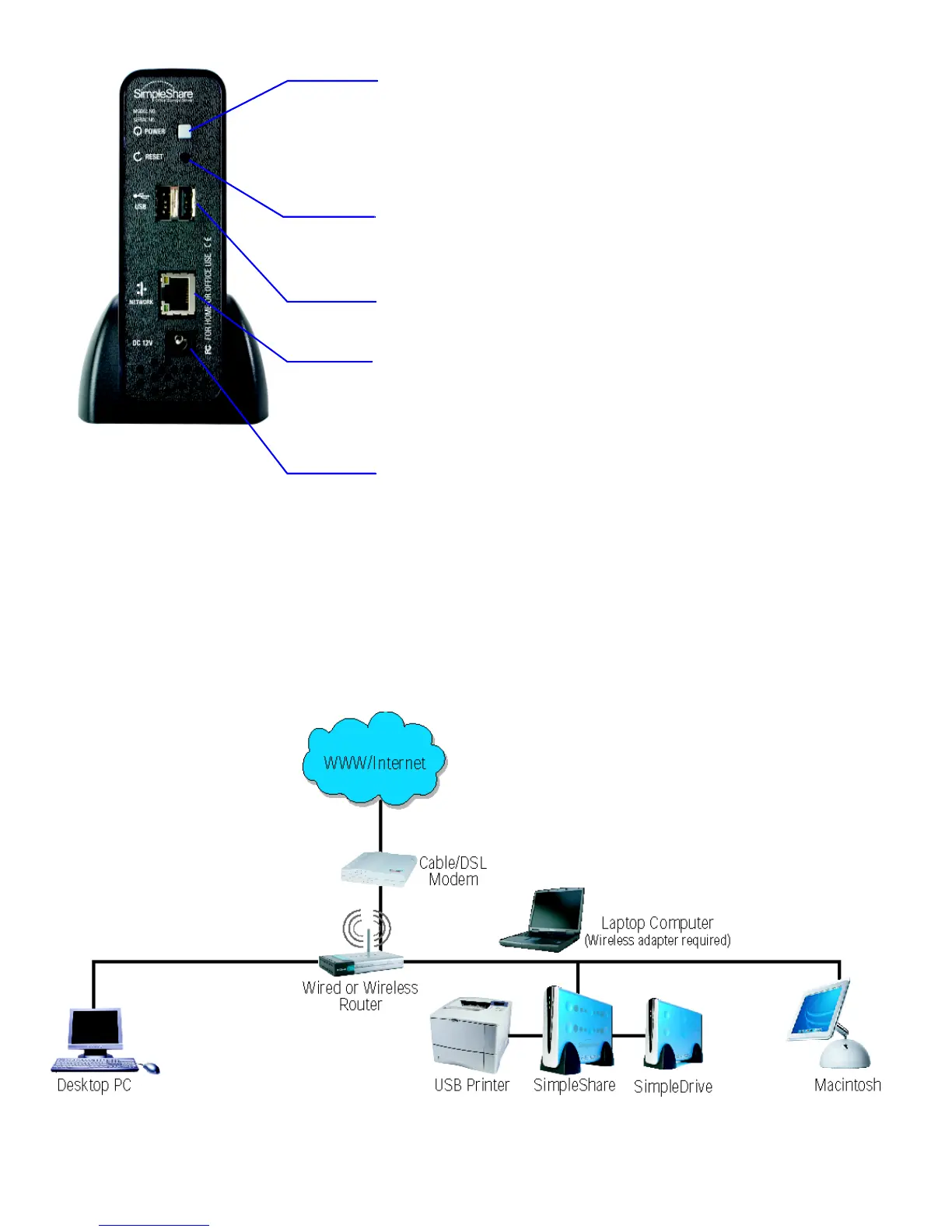
Back
Power Button
When the SimpleShare is on, pressing the Power button
saves your data, then places SimpleShare in standby mode.
While in standby mode, pressing the Power button returns
SimpleShare to Ready mode.
Reset Button
Pressing Reset for 5 seconds restores SimpleShare to
original factory settings.
USB Port (2)
USB A connectors for external USB disk drives or printers.
RJ-45 Network Connector (with integrated network activity
LEDs).
• Link LED (amber) indicates network connectivity.
• Activity LED (green) indicates network traffic.
DC-IN Jack
Connector for the AC power adapter.
Security Slot (not shown)
The security slot, located on the side of chassis, allows you
to attach a computer security cable to SimpleShare.
YOUR NETWORK
Below is a sample network with SimpleShare installed.



 To Next Page