EasyManua.ls Logo

Simplex IDNet 4009-9201 - User Manual

Simplex IDNet 4009-9201
16 pages
Print Icon
To Next Page IconTo Next Page
Loading...
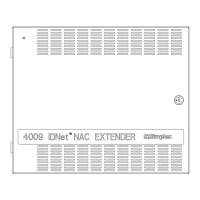
4009 IDNet
NAC Extender
Installation Instructions
2000 Simplex Time Recorder Co., Westminster, MA 01441-0001 USA
All specifications and other information shown were current as of publication, and are subject to change without notice.
IDNet is and TrueAlert are trademarks of Simplex Time Recorder Company.
574-181
Rev
. B
DO NOT INSTALL ANY SIMPLEX PRODUCT THAT APPEARS
DA
MAGED. Upon unpacking your Simplex product, inspect the contents of the
carton for shipping damage. If damage is apparent, immediately file a claim
with the carrier and notify Simplex.
ELECTRICAL HAZARD - Disconnect electrical power when making any
internal adjustments or repairs. Servicing should be performed by qualified
Simplex Representatives.
STATIC HAZARD - Static electricity
can damage components. Therefore,
handle as follows:
1.
Ground yourself before opening or installing components (use the 553-
484
Static Co
ntrol Kit)
.
2
. Keep components not mounted in the panel wrapped in anti-static materi
al.
RADIO FREQUENCY ENERGY - This equipment generates, uses, and can
radiate radio frequency energy and if not installed and used in accordance with
the instruction manual, may cause interference to radio communications. It has
been tested and found to comply with the limits for a Class A computing device
pursuant to Subpart J of Part 15 of FCC Rules, which are designed to provide
reasonable protection against such interference when operated in a commercial
environment. Operation of this equipment in a residential area may cause
interference in which case the user at his own expense will be required to take
whatever measures may be required to correct the interference.
The 4009-9201 (120VAC) or 4009-9301 (220/240VAC) IDNet
Notification
Appliance Circuit (NAC) Extender is a self-contained adjunct panel for use with
Simplex Fire Alarm Control Panels (FACPs). The base version of the 4009 IDNet
NAC Extender (4009 IDNet) is a single-board system consisting of four NACs, a
power supply and charger, an IDNet slave interface, and two conventional NAC
inputs for hardwired control (not applicable to the 4009 IDNet as an IDNet device).
Option cards are available to provide the following additional capabilities:
4009-9808 Class A Adapter Option Card - allows fault tolerance in the case of
open circuit wiring faults on the NA
Cs.
4009-
9807 NAC Option Card - adds four conventional Notification Applian
ce
Cir
cu
its.
4009-
9809 IDNet Repeater Option Card - regenerates and provides a power an
d
di
stance boost for the IDNet channel. When IDNet Repeater Option Card is
used, the fiber option is not available to the 4009 IDNet.
4009-
9810 (Class B)/4009-9811 (Class A) Fiber Optic Receiver - receives
IDNet communication over a fiber optic channel and regenerates the I
DNet
s
ignal. The fiber option is used with the 4090-9105 (Class B)/4090-
9107
(
Class A) Fiber Optic Transmitter to form an IDNet fiber link.
Topic See page #
Introduction 1,2
4009 IDNet Configuration 2,3
Hardware Components 4
System Configuration 5
System Switches and Indicators 5 - 9
4009 IDNet Option Interfaces 9,10
System Installation 11 - 15
Cautions and Warnings
Intr
oduction
In this Publication
Question and Answer IconNeed help?

Do you have a question about the Simplex IDNet 4009-9201 and is the answer not in the manual?

Summary

Cautions and Warnings

Electrical Hazard

Disconnect electrical power before making internal adjustments or repairs. Servicing by qualified Simplex Representatives.

4009 IDNet Configuration

Hardware Configuration

Setting the hardware configuration switch SW1 to match installed options for proper operation.

Address Configuration

Setting the IDNet address using DIP switch SW2 for addressable control.

Hardwired Control

Configuration for non-addressable control via two hardwired inputs and DIP switches SW1/SW2.

Addressable Control

Configuration for IDNet peripheral mode using DIP switches SW1/SW2 for address and control.

System Switches and Indicators

Hardware Configuration Switch SW1

8-position DIP switch for configuring installed hardware and control mode.

Software Address;Configuration DIP Switch SW2

8-position DIP switch to set IDNet address or configure NAC output operation.

IDNet Address Chart

Chart showing DIP switch settings for various IDNet addresses and configurations.

4009 IDNet Option Interfaces

System Installation

Wiring the 4009 IDNet

System wiring requirements, including conductor types, grounding, shielding, and segregation of power types.

Summary

Cautions and Warnings

Electrical Hazard

Disconnect electrical power before making internal adjustments or repairs. Servicing by qualified Simplex Representatives.

4009 IDNet Configuration

Hardware Configuration

Setting the hardware configuration switch SW1 to match installed options for proper operation.

Address Configuration

Setting the IDNet address using DIP switch SW2 for addressable control.

Hardwired Control

Configuration for non-addressable control via two hardwired inputs and DIP switches SW1/SW2.

Addressable Control

Configuration for IDNet peripheral mode using DIP switches SW1/SW2 for address and control.

System Switches and Indicators

Hardware Configuration Switch SW1

8-position DIP switch for configuring installed hardware and control mode.

Software Address;Configuration DIP Switch SW2

8-position DIP switch to set IDNet address or configure NAC output operation.

IDNet Address Chart

Chart showing DIP switch settings for various IDNet addresses and configurations.

4009 IDNet Option Interfaces

System Installation

Wiring the 4009 IDNet

System wiring requirements, including conductor types, grounding, shielding, and segregation of power types.

Overview

The Simplex 4009 IDNet NAC Extender is a self-contained adjunct panel designed for use with Simplex Fire Alarm Control Panels (FACPs). It functions as an end-of-line device, connecting to a compatible notification appliance circuit from the host panel. Its primary role is to provide additional signaling power and extend alarm capabilities to notification appliances.

Function Description:

The base version of the 4009 IDNet NAC Extender (4009 IDNet) is a single-board system comprising four Notification Appliance Circuits (NACs), a power supply and charger, an IDNet slave interface, and two conventional NAC inputs for hardwired control (though these inputs are not used when configured as an IDNet device). It delivers eight amperes of DC signaling power to either four or eight supervised reverse-polarity NACs, configurable as Style Y or Style Z. When the host panel signals an alarm, the 4009 IDNet activates its NACs to extend the alarm.

A key advantage of the 4009 IDNet is its ability to minimize transmission line losses. By locating the power supply and batteries for notification appliances closer to the actual appliances, it conserves system power and battery capacity, especially over long distances within buildings.

The 4009 IDNet can operate in two primary modes:

  1. Hardwired Control: In this mode, the 4009 IDNet is non-addressable and controlled via two DIP switches (Hardware Configuration Switch SW1 and Software Address/Configuration Switch SW2). Its two hardwired NAC control inputs simulate typical hardwired notification appliances as seen by the host panel. Faults on the 4009 Addressable NAC system or any outputs controlled by Input 1 cause an open condition on the host NAC connected to Input 1. Similarly, faults on outputs controlled by Input 2 are reflected on the host panel's NAC. A power loss at the 4009 IDNet causes Input 1 to indicate a fault (open). Inputs 1 and 2 can be configured as either End-of-Line (EOL) devices or appliances on the host NAC. Up to four 4009 IDNet NAC Extenders can be connected to the FACP(s) NAC in this mode.

  2. Addressable IDNet (IDNet Control): When configured as an IDNet peripheral, the 4009 IDNet is addressable, with its address set via DIP switches SW1 and SW2. In this mode, the NACs connected to the 4009 IDNet are controlled and configured by the 4010 FACP. The 4009 IDNet monitors each output NAC, and any troubles (including NAC supervision, power, battery integrity, and earth faults) are communicated to the host panel 4010 FACP as IDNet messages.

Important Technical Specifications:

  • NAC Outputs: The system board provides 4 hardwired NACs (1-4), which are Class B, reverse polarity Notification Appliance Circuits. Each circuit has one polarity for supervision and the opposite for alarm. Field wiring terminations support 12 AWG - 18 AWG wire. Each circuit can be independently controlled by the 4009 IDNet.
  • Supervision: Notification circuits use a 10k end-of-line resistor for supervision. They are monitored for short and open circuit line faults in standby. A short circuit prevents NAC activation. During coded signal operation, the 4009 IDNet checks for shorts during each "off" cycle and holds the circuit off if detected. Faults are reported to the host panel via the command channel (IDNet or hardwired) and indicated by a blinking trouble LED.
  • Class A Configuration: NACs can be configured as Class A circuits with the addition of an option card, which also provides the necessary field wiring terminations. The 4009 IDNet monitors for the presence of this card, and its configuration must match the Hardware Configuration Switch (SW1) setting.
  • Earth Fault Isolation: When configured as an IDNet peripheral, each NAC can disconnect its supervision under software control for earth fault isolation, also performed automatically during power-up.
  • Battery Charger: Charges lead-acid batteries up to 18AH. Supervises for low/missing and depleted batteries. Output remains disabled until a battery is sensed.
  • Battery Cutout Module (Canadian Version): Disconnects batteries if terminal voltage drops below 19.3VDC during standby. Connection is restored upon AC power resumption.
  • Power Requirements:
    • Model 4009-9201 NAC (120VAC System): AC Input - 120VAC, 3 amperes, 60Hz; Battery Input - 24VDC, 8 amperes; Notification Appliance Power Output - 24VDC, 8 amperes.
    • Model 4009-9301 NAC (220/240 System): AC Input - 220/240VAC, 1.5 amperes, 50/60Hz; Battery Input - 24VDC, 8 amperes; Notification Appliance Power Output - 24VDC, 8 amperes.
  • Wiring: All wiring, except incoming power and ground, must be free from grounds or shorts (resistance of one megohm or higher to EARTH). All wires must be copper conductors only (except fiber cables). Installation must comply with manufacturer recommendations, AHJ specifications, and NFPA 70. Shielded wire must maintain metallic continuity and be insulated throughout its length, with a resistance of one megohm to earth. Splicing is permitted with UL listed devices. An appropriate system ground is required for earth detection and lighting protection per NFPA 70. System wiring (dedicated NAC, IDNet, 24V AUX, and four NAC circuits) can be run in the same conduit. Input power and external battery power are Non-Power-limited and cannot be run with Power-Limited system wiring.

Usage Features:

  • Hardware Configuration Switch (SW1): An 8-position DIP switch used to configure the hardware present and supervised by the 4009 IDNet. Settings must match installed hardware. Position 8 controls whether commands are received from control inputs ("ON") or the IDNet channel ("OFF").
  • Software Address/Configuration DIP Switch (SW2): An 8-position DIP switch located at the top edge of the system board. In addressable IDNet mode, it sets the IDNet address (1-250) for the 4009 IDNet. In conventional 4009 mode, it configures the operation of the output NACs based on the state of the two NAC control inputs.
  • NAC Status Indicators (LEDs 1-4): Yellow LEDs indicating trouble or active state of each NAC.
    • "ON" = IN ALARM
    • "OFF" = IN SUPERVISORY (OK)
    • "SLOW FLASH" (1 flash/sec) = SHORT
    • "FAST FLASH" (2 flashes/sec) = OPEN
  • System Trouble Indicators (LEDs 5-8): A bank of four yellow LEDs signifying various trouble conditions within the 4009 IDNet system. Only one trouble is indicated at a time, with the highest trouble state shown first.
  • AC Power Indicator (LED 9): A green LED indicating AC power presence. If "OFF," the unit is running on batteries.
  • Optional Add-on Cards:
    • 4009-9808 Class A Adapter Option Card: Provides Class A/Style Z functionality on two NACs.
    • 4009-9807 NAC Option Card: Adds four conventional Notification Appliance Circuits (rated at 1.5 amps) to the base configuration.
    • 4009-9809 IDNet Repeater Option Card: Regenerates and boosts the IDNet channel's power and distance. Used in IDNet mode only.
    • 4009-9810 (Class B)/4009-9811 (Class A) Fiber Optic Receiver: Receives IDNet communication over a fiber optic channel and regenerates the IDNet signal. Used with a Fiber Optic Transmitter to form an IDNet fiber link, allowing remote buildings (within 3,000ft) to connect to the IDNet channel while minimizing electrical transients.

Maintenance Features:

  • Cautions:
    • Do not install damaged Simplex products. Inspect contents for shipping damage upon arrival.
    • Electrical Hazard: Disconnect electrical power before internal adjustments or repairs. Servicing by qualified Simplex Representatives only.
    • Static Hazard: Ground yourself before opening or installing components. Keep unmounted components wrapped in anti-static material.
    • Radio Frequency Energy: Equipment generates, uses, and can radiate RF energy. If not installed per instructions, it may cause radio interference. Complies with FCC Class A limits; in residential areas, user may need to correct interference at their own expense.
  • Installation Requirements:
    • All wiring must comply with local codes.
    • Minimum 6 inches of free conductor at each electrical box.
    • 12-inch service loop of cable for continuous pulls through an electrical box.
    • System wiring subject to physical damage must be mechanically protected.
    • Neatly wired system ensures accurate inspection and simplifies troubleshooting.
    • CAUTION: Read all instructions carefully before cutting conduit/service entrances and installing back box. Failure to comply may violate UL or FCC regulations.
    • CAUTION: The green AC LED indicates "Good AC Power." In a brownout, the unit switches to battery power, but lethal voltages may still exist. Disconnect power before servicing.
  • Troubleshooting: System trouble indicators (LEDs 5-8) provide diagnostic information, with the highest trouble state indicated first.
  • Documentation: Refer to the 842-068 Field Wiring Diagram for complete wiring, compatible appliances, current, and line distance information. Also, refer to specific installation instructions for option cards (e.g., 4009-9808 Class A Adapter Option Card Installation Instructions (574-326), 4009-9807 NAC Option Card Installation Instructions (574-325), 4009 IDNet Repeater Option Card Installation Instructions (574-327), and 4009 Fiber Optic Link Installation Instructions (574-182)). For general reference, "How to Wire a Building for a Fire Alarm System" (FA2-91-001 or 575-892) is available.

Simplex IDNet 4009-9201 Specifications

General IconGeneral
BrandSimplex
ModelIDNet 4009-9201
CategoryExtender
LanguageEnglish

Related product manuals