15
USING THE TIMER AND CLOCK
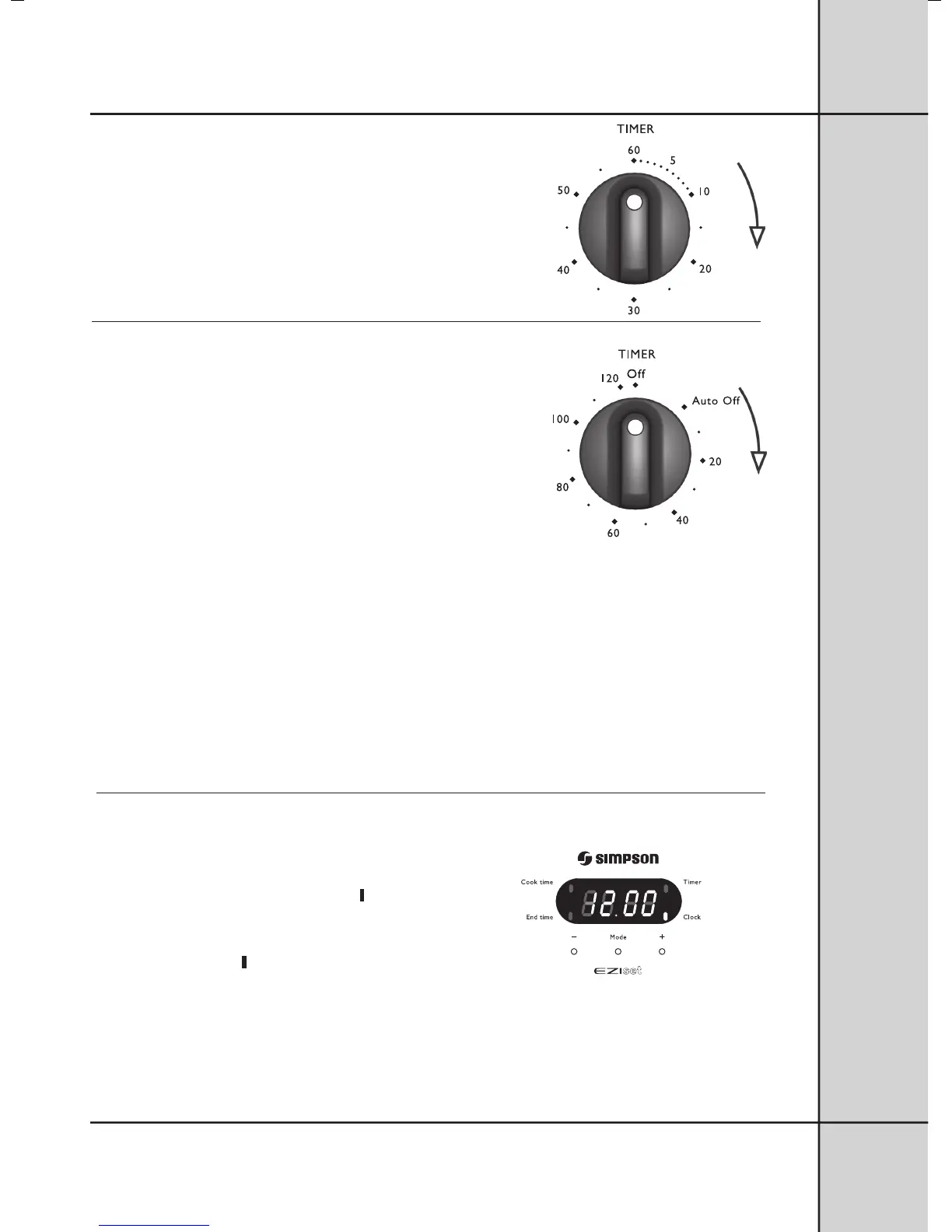
Using the 60 minute ringer timer
To set the timer:
1. Turn the knob to the required number of minutes.
When the time has elapsed the timer will give a short ring.
Note: For times below 20 minutes, turn the knob past 20
minutes and then back to the required number of minutes.
Using the 2 hour cut-off timer
MANUAL OPERATION
The timer needs to be set at the “Off” marker so that the
oven can be used manually.
AUTOMATIC OPERATION
The 2 hour timer features an automatic oven “cut off”.
This means that a cooking period of up to 120 minutes can be set.
1. Set the Oven Temperature Control Knob to the required
temperature.
2. Turn the cut-off timer to the required number of minutes.
For timer settings of less than 20 minutes, turn the
knob past 20 minutes and then back to the required
number of minutes.
(Purpose - to set audible ringer.)
3. When the timer returns to “Auto Off”, the timer gives
a short ring and the oven will be switched off.
4. The oven will not operate again until you turn the
timer back to the “Off” marker.
Note: It is not recommended to use this timer
for short duration, eg. boiling eggs.
Using the 3 button programmable clock
You must set the time of day before you can operate your
appliance. When power is supplied to your oven “12.00”
will be displayed and the “clock indicator”
will flash.
1. To set the time of day in hours and minutes,
press the – or + buttons. 5 seconds after the last change,
the “clock indicator”
will disappear, confirming the time
has been set.
Note: The clock has a 24-hour display.
2



 To Next Page