4
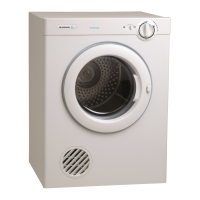
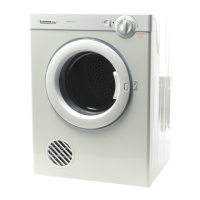
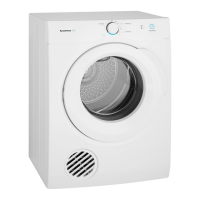
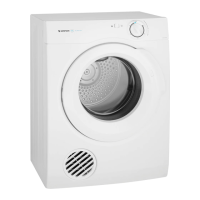
Controls for model 500
Heat control
This dryer has two (2) drying cycle settings.
Hot for heavy, durable items such as towels and
flannelette sheets (You will need to dry these for longer
drying times)
Warm for delicate items which can shrink, such as synthetics,
underwear etc.
Note: The timer will only operate when you turn it
clockwise (right). If you turn the control/timer anticlockwise
(left), you may damage it.
Drying time control
•
Turn the control knob clockwise (right) to select the
drying time you want.
•
At the end of your selected drying time there is an
automatic 13 minute airing time, when your load is
tumbled on AIRING.
•
Drying time will depend on fabric type and construction,
load size and wetness. To reduce drying times, always
spin the load as dry as possible in your washing machine
before using your dryer.
Note: Drying time will also be affected by voltage
fluctuations, room temperature and humidity. Clothes will
dry more slowly on a cool or humid day.
Reversing action
This dryer has been designed so that the drying drum turns
for three (3) minutes in one direction, then three (3) minutes
in the other. This reduces tangling and gives you more even
drying in a shorter time.
Safety reset
•
These dryers have a safety cut out switch which is
activated by temperature.
•
The safety reset button is near the door latch. If your
dryer overheats, this button must be reset before the
dryer will operate again. You may need to wait 10
minutes for cooling to occur.
•
The most common reason for the dryer to overheat is a
blocked filter. See page 3 for cleaning the filter.
•
Clean the lint filter after each load to prevent
overheating of the dryer. See page 7, Troubleshooting.
It will only be necessary to press the safety reset button if
the dryer overheats. Allow the dryer at least 10 minutes
to cool down before pressing the button. Press the red
button in until you feel the reset click. Cleaning the filter
after each load will avoid repetitive operation of the
safety cut out switch. Reasons for operation of the cut out
are listed on page 7.
The cut out switch may operate for the following reasons:
1. Lint filter is blocked
2. Exhaust outlets blocked at the back of the dryer.
3. Poor ventilation in the laundry or room – open a
window or door.
4. Lightweight garment eg. handkerchief, sucked over the
filter guard.
Sorting the load
•
For best results, sort the load according to fabric types.
•
Sort heavy items which may take longer to dry – such as
towels, flannelette sheets etc. – from ones which dry
quickly – such as poly/cotton shirts and sheets.
•
Always check and follow the manufacturer’s drying
instructions on the garment and other items you are
drying. Look at your labels for the two drying
symbols which the International Care labelling Code
now uses.
•
Check and empty pockets. Remember that such things
as clips, nails and pins can damage both the dryer and
your clothes load.
•
Close all hooks, eyes and zips which may catch on
something else in the load.
•
See drying guide on page 5 for more hints on how to
dry different types of fabric.
Note: Some fabrics will collect lint from other clothes and
items. Separate lint "givers" and lint "collectors" to
minimise this problem as follows:
Lint givers – towels, nappies, chenille
Lint collectors – corduroy, synthetics, permanent press
garments


 To Next Page
 Loading...