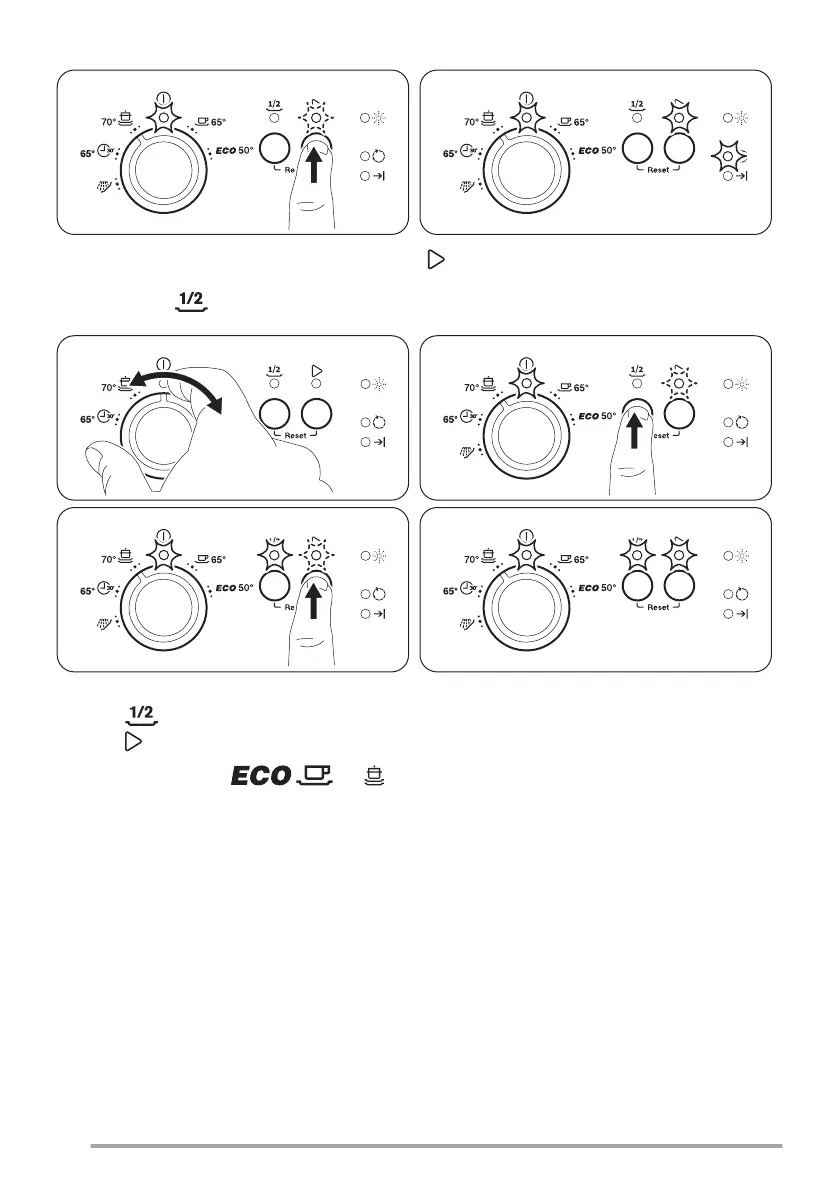
Open the water tap, close the door, select a program, press .
Option Half load
1. Set the program.
2. Press the related indicator comes on.
3. Press to start the program.
This option is available with , and .
With this option you can wash a small load of tableware and cookware. The option decreases the program duration
and the consumption of water and energy. Load both baskets and use less quantity of detergent.
Opening the door while the appliance operates
If you open the door while a program is running, the appliance stops. When you close the door, the appliance
continues from the point of interruption.
8



 To Next Page