8
p-slr User Manual
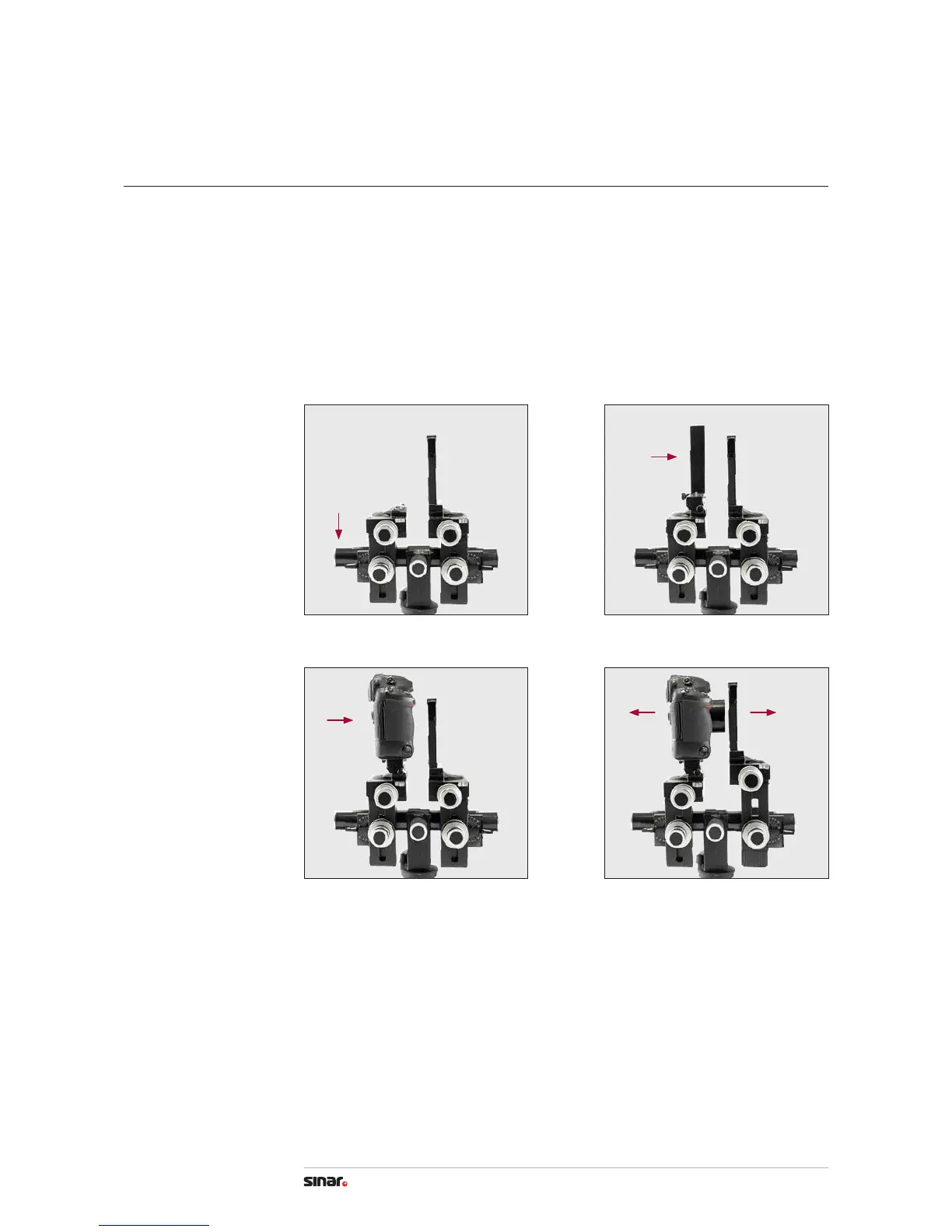
5. Attach the second rail cap.
6. Attach the mounting L-bracket onto the bearer. Turn the locking screw of the
Quick Clamping Adapter completely loose and shove the hole on the bottom of the
adapter over the pivot of the bearer of the p3, then tighten the locking screw as
far as possible. Seen from the photographer’s point of view the Quick Clamping Lever
has to be on the left side.
7. Mount the SLR camera on the L-bracket and place it onto the Quick Clamping Adapter.
Now, pull the Quick Clamping Lever backwards to fasten the camera tightly on the bearer.
8. Move the standards apart to use the centering aid.
4. Camera Set-up
Mounting the camera 2
5
7
6
8


 To Next Page