6
p-slr User Manual
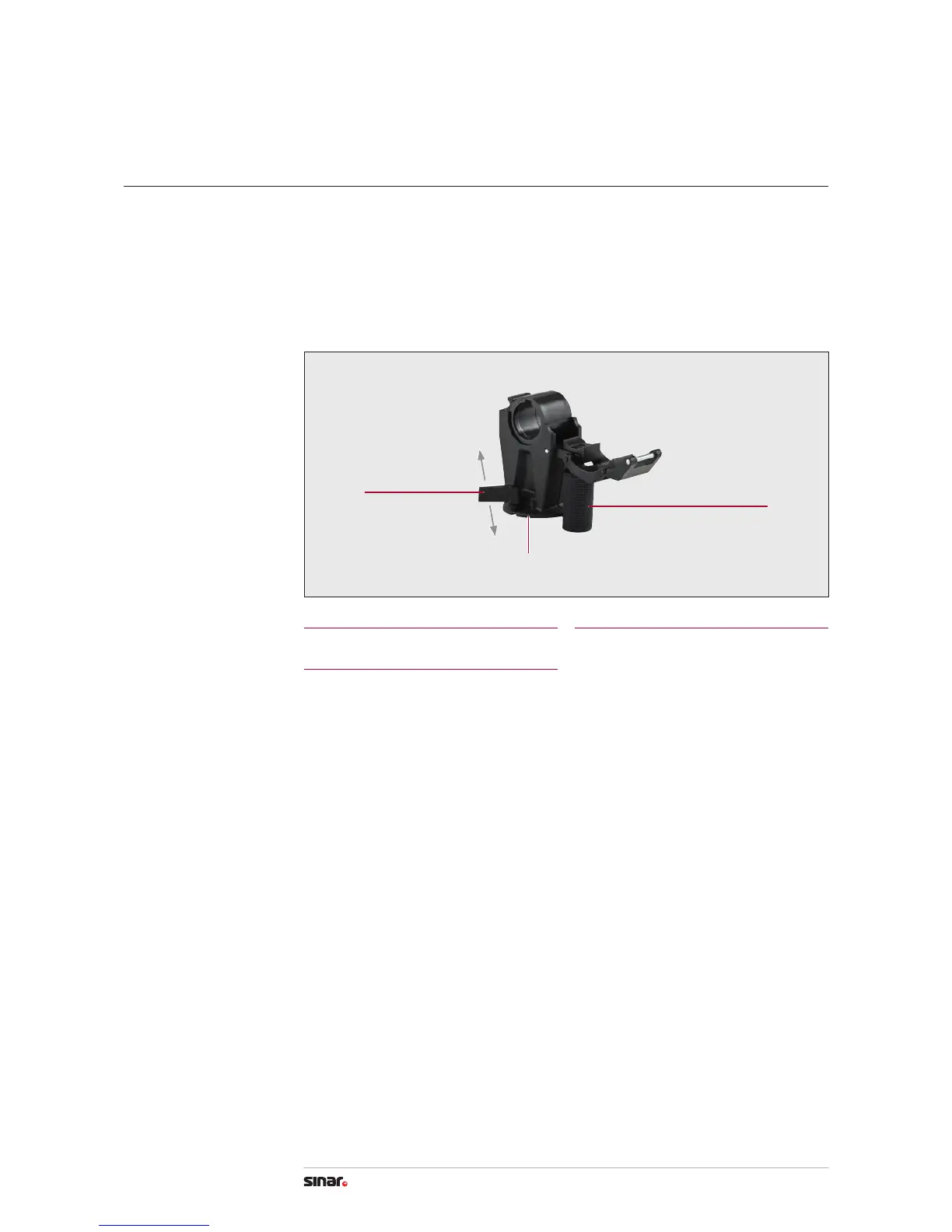
With the Rail Clamp 411.21.000 the Sinar view camera p-slr is mounted either on the
Sinar Pan Tilt Head 516.61.000 or directly on a tripod.
1. Turn the clamping lever (1) to the right (release) – Fit camera on Pan Tilt Head or tripod
and tighten the tripod screw (2) – Turn the clamping lever (1) to the left (tighten)
2. Slack o the twist grip (3) a few turns to shift the camera along the rail for balancing
or swivelling. Slack o by a few turns more to remove the camera.
Mounting the Rail Clamp
3
Twist Grip
1
Clamping Lever
2
Tripod Screw
4. Camera Set-up
3
1
tighten
release
2


 To Next Page