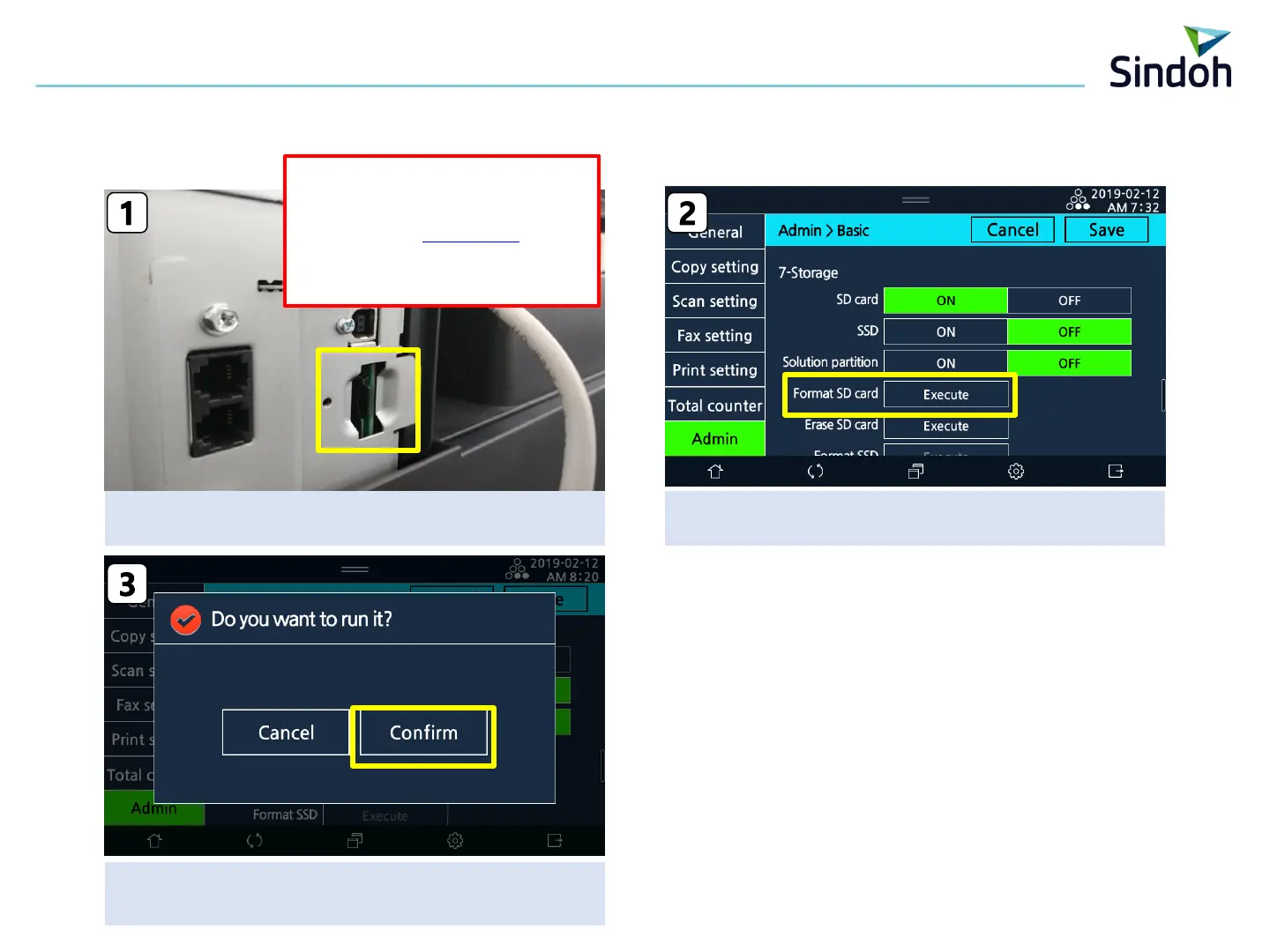
Press the “confirm
Power Off/On automatically”
Power Off and remove the left cover
→ insert the microSD and Power ON
Press the below menu
[Setting]-[Admin]-[Basic]-[Format SD Card] –[Execute]
■ N620 Scan Box Manual
2
1) SD Card Format
1. Machine Settign in Machine
※ MicroSD Card
Recommended Specification
- Item Code : n410msd32
→ Capacity : 32GB
→ MicroSDHC, Class 10 or more


 To Next Page