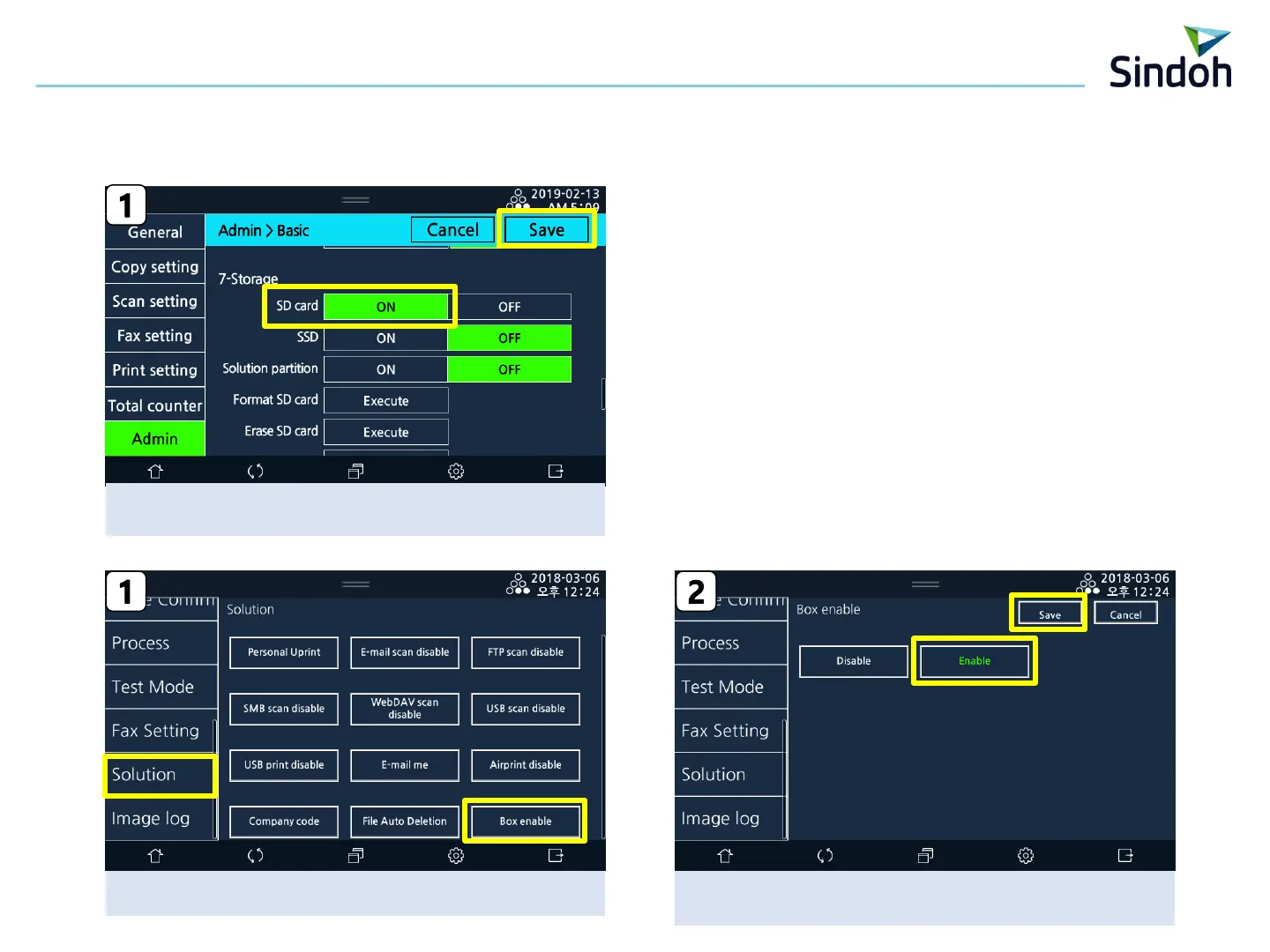
After [SD Card] is “on” , press the “Save”
Power Off/On automatically
3
2) SD Card Mounting Setting
1. Machine Setting in Machine
3) Box Activation Setting
[SP Mode] → [Solution] → [Box enalble]
After selecting “Enalble”, press “Save”
→ Power Off/On in manually
■ N620 Scan Box Manual


 To Next Page