5
(
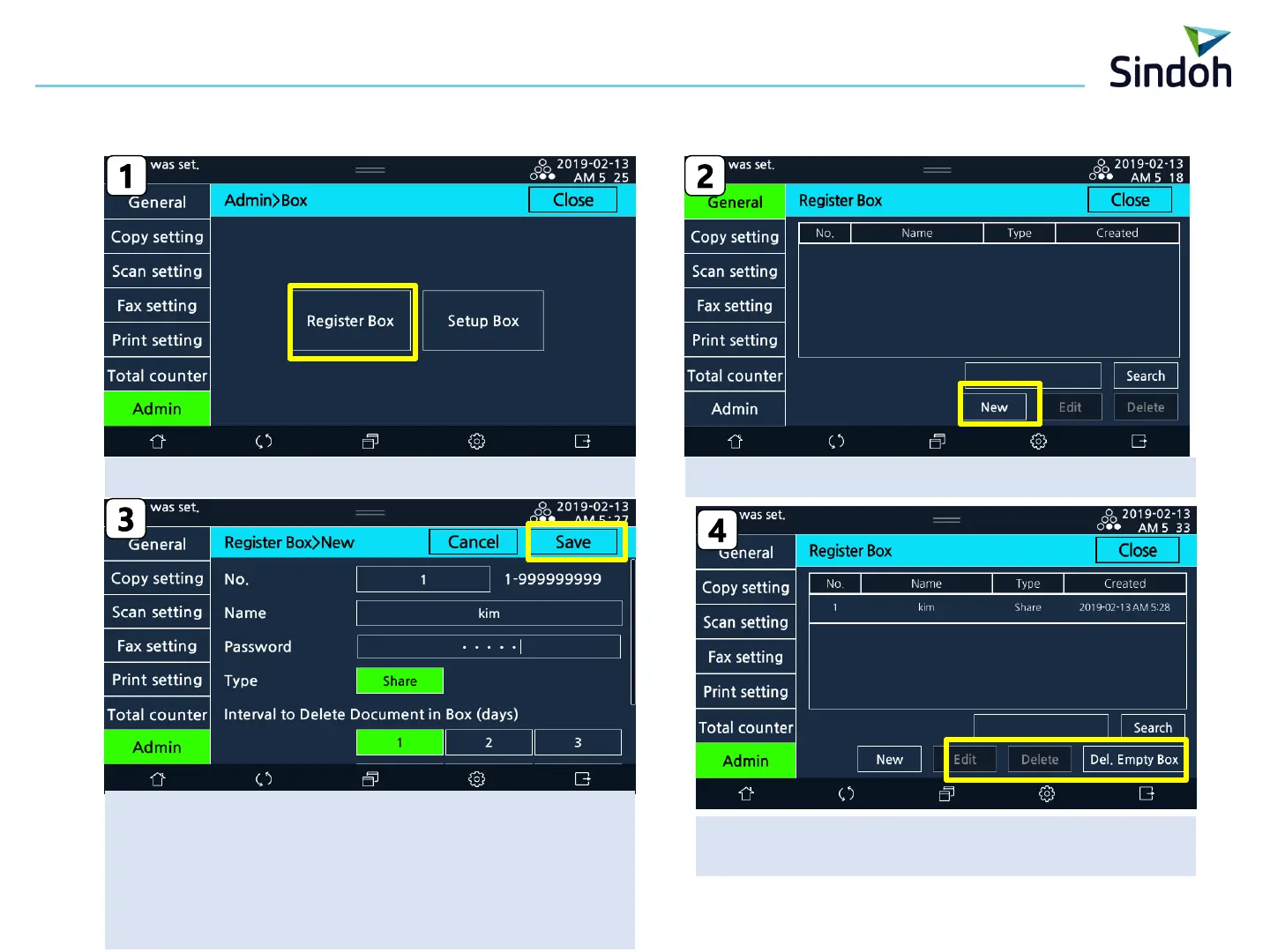
※ Box Register/Edit/Deletion can [Setting]-[General]-[Register Box]])
2. Register/ Edit/Deletion Box in Machine
Box Edit/Deletion
“ Del Empty Box” : documentless box Deleted
[Only for administrator]
[Admin] → [Box] → [Register Box] Selection Select the “New”
No : Automatic assignment(default), changeable
Name : input the box name
Password : No input(Password is not needed when connecting box)
Input(Password is not needed when connecting box)
Interval to Delete Document in Box : 1/2/3/7/30 Days/Keep
(Keep : No Deletion)
■ N620 Scan Box Manual



 To Next Page