14
program overview
1
2
·
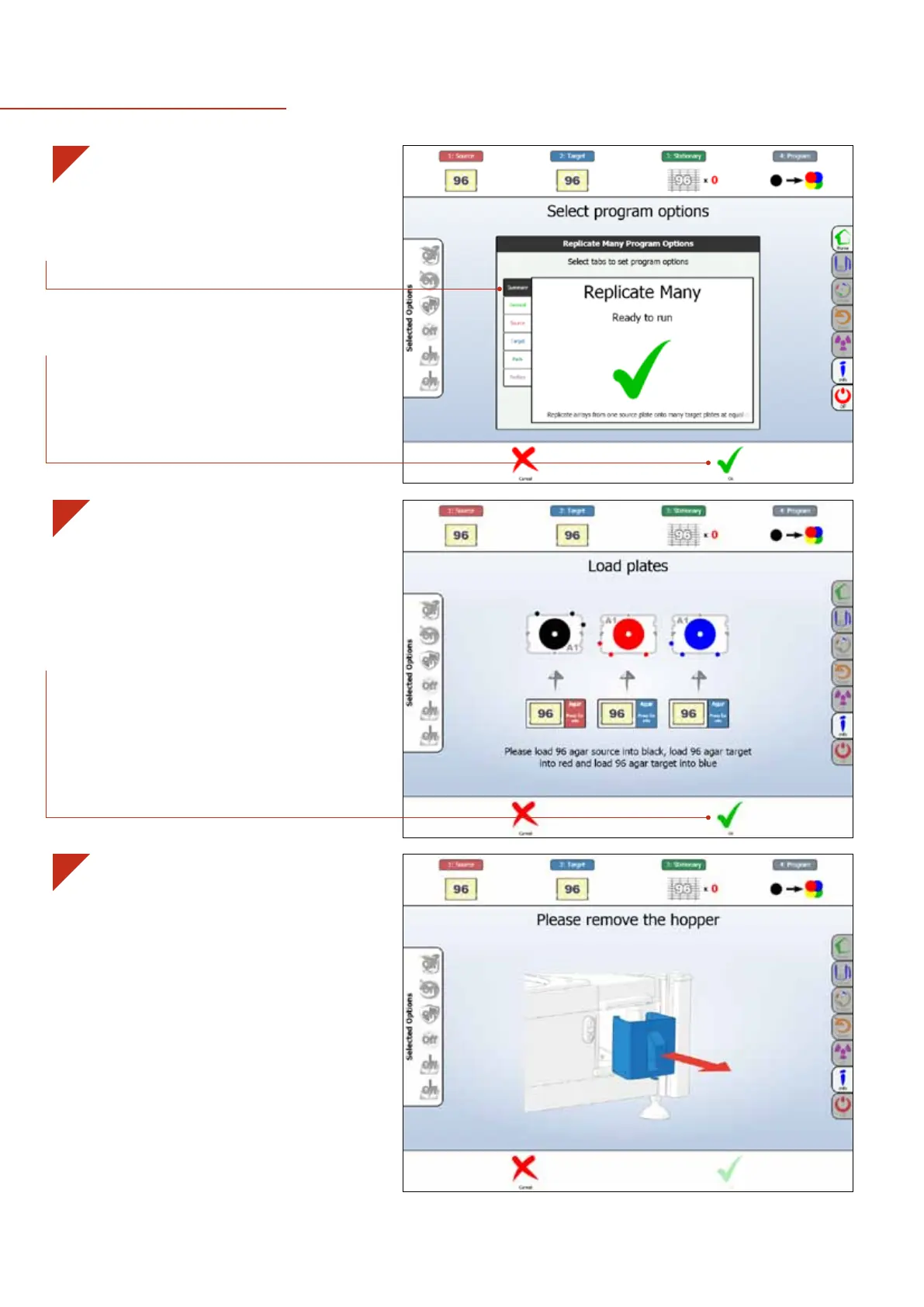
This is the Program Preparation Page. Here you can
fine-tune the program using the options on the left.
A detailed overview of these options can be found on
pages 18-21.
· Select OK On-screen or use the Fast Buttons to
continue.
3
·
Simple, step-by-step instructions will guide you
through the program. Each plate position is colour
coded. Red, blue, yellow and green go into the ROTOR
Turntable, while black goes into the ROTOR Black Bay.
· Select OK On-screen or use the Fast Buttons when you
are done.
· When prompted, remove the Pad Hopper to load the
RePads™.
NOTE: Running a program is easy. Just follow the on-screen instructions!


 To Next Page