EasyManua.ls Logo

Singer 5107 - Page 27

Singer 5107
43 pages
Print Icon
To Next Page IconTo Next Page
To Previous Page IconTo Previous Page
Loading...
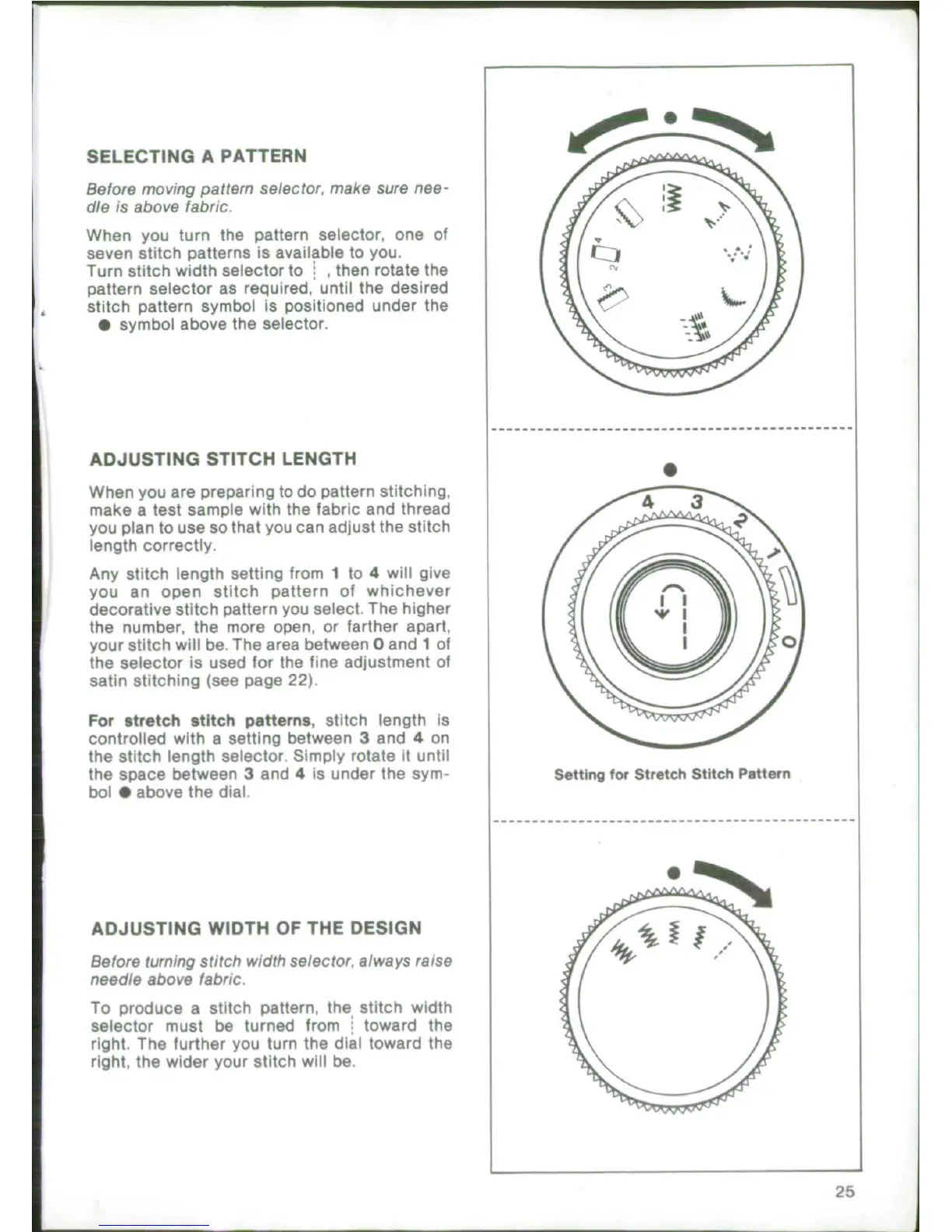
SELECTING
A
PATTERN
Before
moving
pattem
selector,
make
sure
nee-
die
is
above
fabric.
When
you
turn
the
pattern
selector,
one
of
seven
stitch
patterns
is
available
to
you.
Turn
stitch
width
selector
to
,
then
rotate
the
pattern
selector
as
required,
until
the
desired
stitch
pattern
symbol
is
positioned
under
the
*
symbol
above
the
selector.
ADJUSTING
STITCH
LENGTH
When
you
are
preparing
to
do
pattern
stitching,
make
a
test
sample
with
the
fabric
and thread
you plan
to
use so
that
you
can
adjust
the
stitch
length
correctly.
Any
stitch
length
setting
from
1
to
4
will
give
you
an
open
stitch
pattern
of
whichever
decorative
stitch
pattern
you
select.
The higher
the
number, the
more
open,
or
farther
apart,
your
stitch
will
be.
The
area
between
0
and
1
of
the
selector
is
used
for
the
fine adjustment
of
satin
stitching
(see
page
22).
For
stretch
stitch
patterns,
stitch
length
is
controlled
with
a
setting
between
3
and
4
on
the
stitch
length
selector
Simply
rotate
it
until
the
space
between
3
and
4
is
under
the
sym-
Setting
for
Stretch
Stitch
Pattern
bol
0
above
the
dial.
ADJUSTING
WIDTH
OF
THE
DESIGN
Before
turning
stitch
width
selector,
always
raise
needle
above
fabric.
To
produce
a
stitch
pattern,
the
stitch
width
selector
must
be
turned
from
toward
the
right.
The
further
you
turn
the
dial
toward
the
right,
the
wider
your
stitch
will
be.
25

Related product manuals