38
4
2
3
1
ab
c
GB
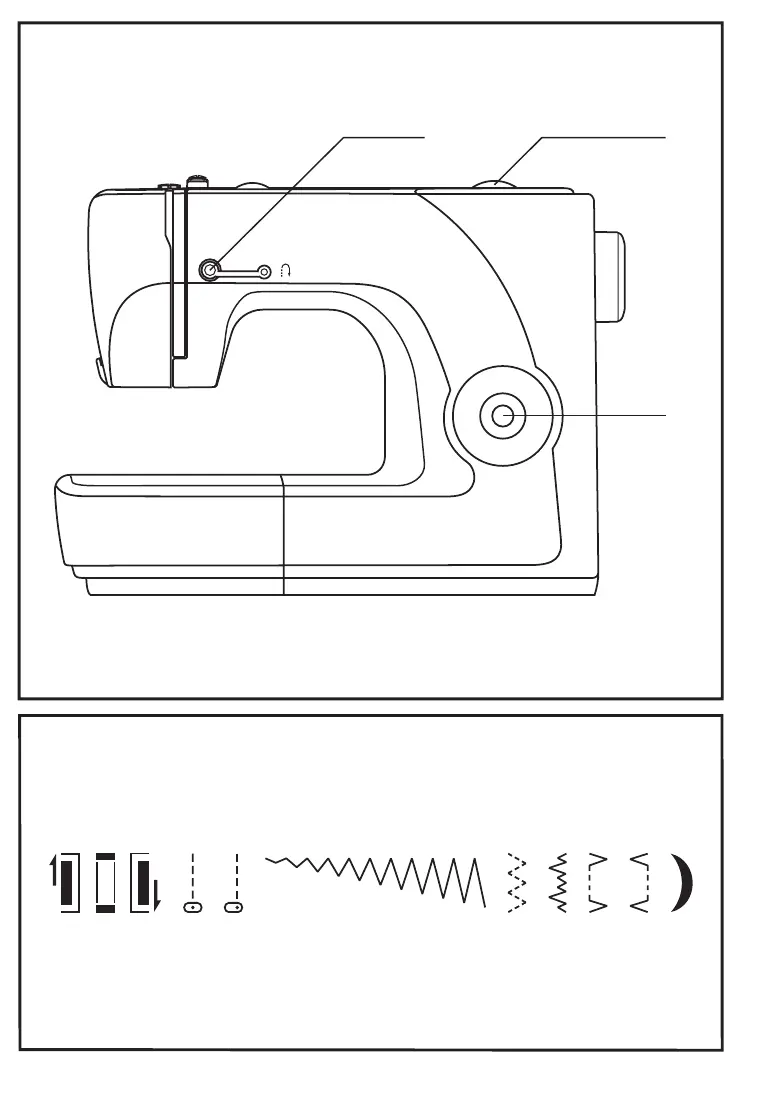
How to choose your pattern
For center needle select pattern " " with pattern
selector dial. Adjust the stitch length with the stitch length dial.
You may choose left needle position, by selecting pattern " ".
For , select pattern " " with pattern selector dial.
Adjust the stitch length according to the fabric being used.
To obtain any of the other patterns shown on the stitch selection
panel, select the stitch with the pattern selector dial.
Adjust the stitch length with the stitch length dial.
straight stitch
zigzag stitch
a.
b. Stitch length dial
c. Pattern selector dial
Reverse sewing lever


 To Next Page