Settings – 27
Embroidery and Sewing Settings
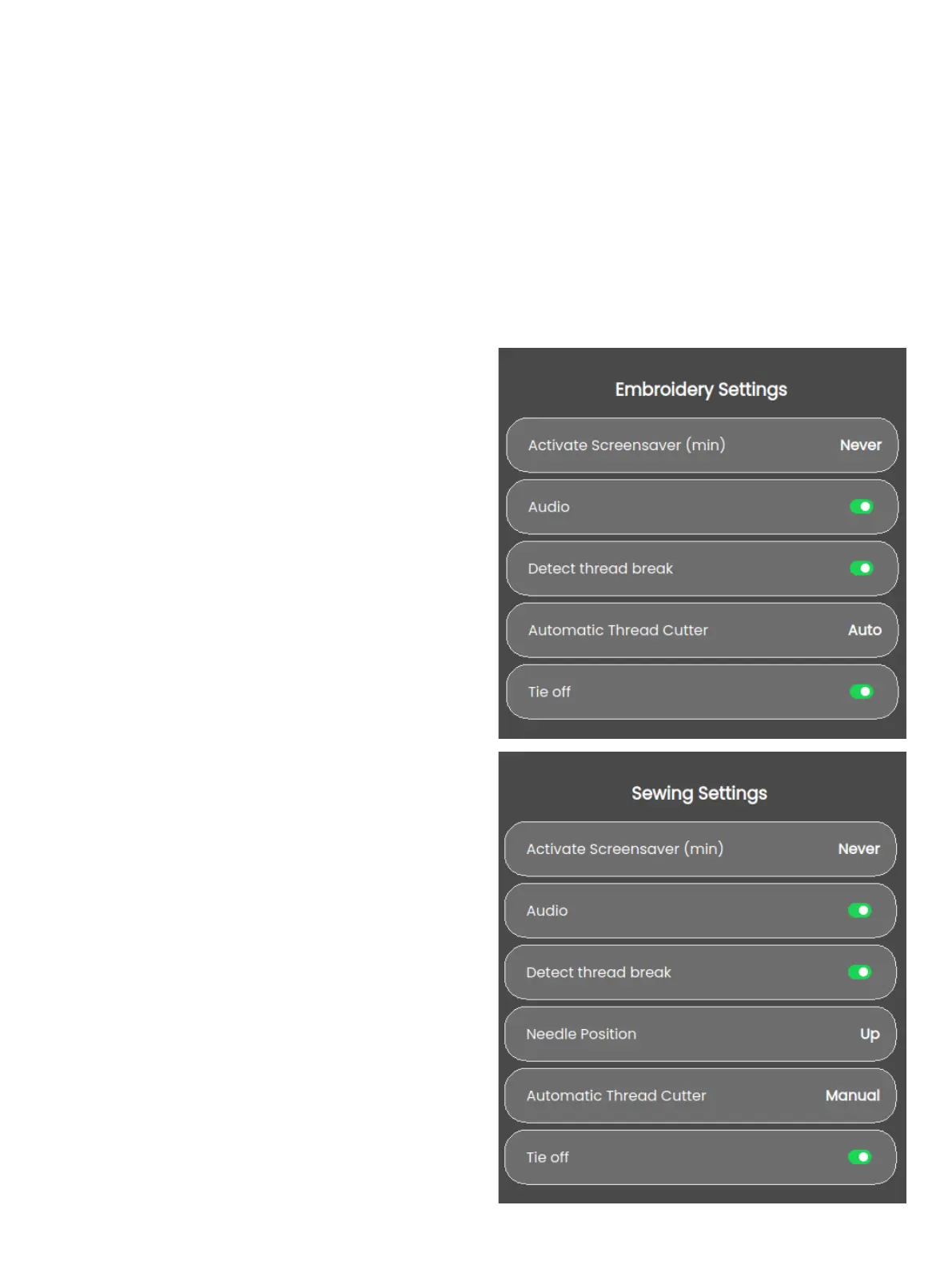
Activate Screensaver (min)
To activate the screensaver, touch the button and select how
many minutes of inactivity should pass before the screensaver
turns on.
Audio
Turns on or o all sounds of the machine. Default setting is on.
This setting is saved even if the machine is turned o.
Detect Thread Break
Turn on the Detect Thread Break function to choose if you
want the machine to notify you when the thread breaks. You
will be noted by a pop-up message.
Automatic Thread Cutter
When selected, the threads are cut automatically after sewing
a sequence or after sewing a single stitch e.g. a monogram or
eyelets. If deselected, no automatic thread cut will be per-
formed.
Needle Position
Select if you want your needle up or down when the machine
stops sewing.
There are additional settings available to enhance your sewing
or embroidery experience. Any changes made to the settings
in either mode will be saved automatically, even if you turn o
the machine. You can access these settings under the additional
settings tab in the machine settings menu.
Restore to Factory Default Settings
Restoring your sewing machine to factory default settings eras-
es any changes or adjustments made to the machine’s settings,
essentially resetting it to its original state. This can be a useful
troubleshooting step for resolving issues, but it will also erase
any saved settings or congurations.
Machine Nickname (Only avalible for SE9180
and SE9185)
Touch to select a nickname for your machine.








 To Next Page