2
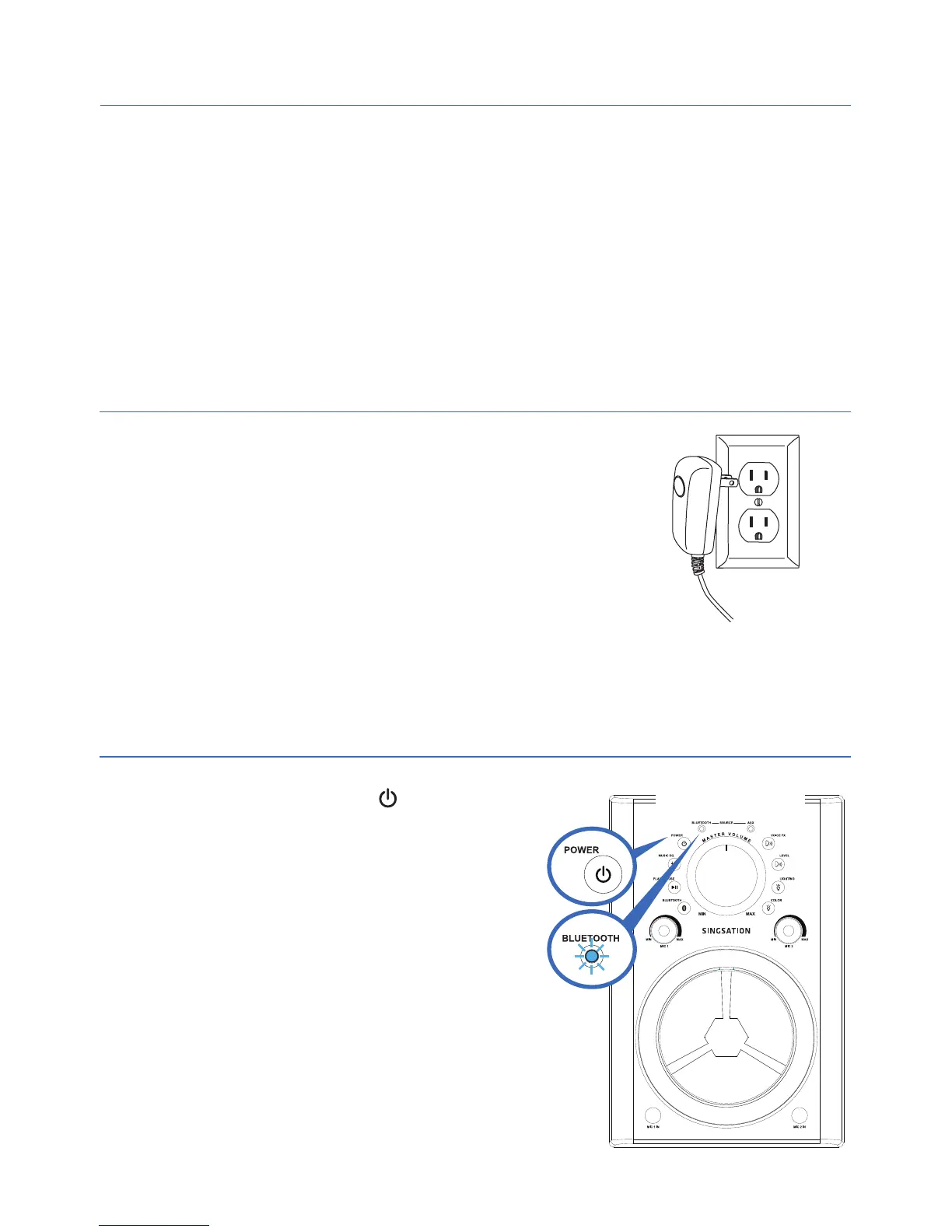
Press and hold the POWER button
on the front of the Singsation Classic to
turn it on. The Singsation Classic plays
its startup sound and the BLUETOOTH
indicator starts blinking slowly.
Note: If you didn’t hear the startup sound, make sure the
MASTER VOLUME knob is turned up!
Step 2: Plug in
Step 3: Turn on
Step 1: Unpack
Make sure the following items came in this package:
• Singsation Classic Karaoke System + Wireless Speaker
• Microphone
• AC Adapter
Attach one end of the AC adapter to the DC IN
jack on the back of the Singsation Classic.
Plug the other end of the adapter into a working
outlet or surge protector.
Front
After 15–30 seconds, the Singsation Classic
announces “Pairing” and goes to Bluetooth
pairing mode to set up with your Bluetooth
device. The BLUETOOTH indicator starts blinking
faster.


 To Next Page