T8 Pro High Precision Tablet Manual V1.0
4.2 SingularSurv + High Precision software
High-Precision software is designed to configure the correction for integrated GNSS board, and also for checking
information of the GNSS board, including satellites status, NMEA message, firmware version andmore. Before you
start your work with SinglarSurv, you need to get single via High-Precision not SinglarSurv.
4.2.1 Setup CORS connection or connect to your single Basestation
--make sure you have put SIM card to the tablet, or connected with WiFi beforesetup.
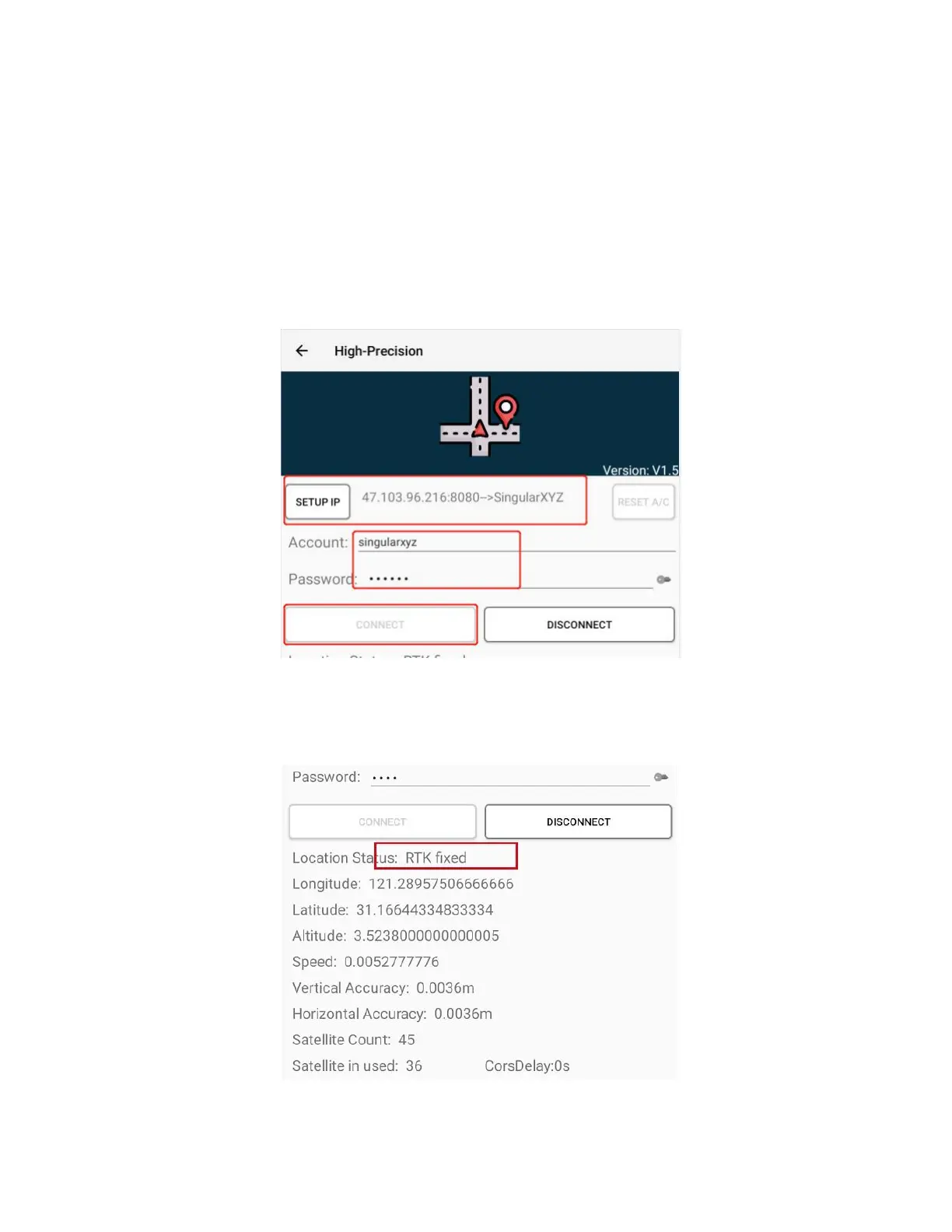
Click Setup IP, input the IP address and Port for your server Select MountPoint from the list→ input the account
name and password →click CONNECT
After CORS configuration you will find the positioning status changed to FIX. And High-Precision software will
share the location to the tablet, which means when there has another software requests the location, it will get the
high accuracy location.



 To Next Page