EN
USER MANUAL
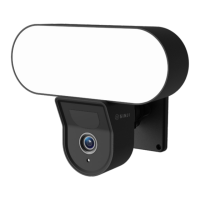
Thank you for using the Sinji Smart Floodlight Camera! In this manual, we would like to
explain the installation process so that you can start using this outdoor camera quickly.
1. INSTALL THE SMART LIFE APP
1. Download the free Smart Life app for iOS or Android.
2. Open the Smart Life app and tap ‘Register’ or log in with an existing account.
3. Read the privacy policy and tap ‘Agree’ to continue.
4. Enter your e-mail address to receive a verification code, which will be sent to the e-mail
address provided.
5. Enter the verification code to proceed to the next screen.
6. Choose a secure password and tap the button to complete your registration.
7. Go to “Account” and tap “Family management” to set up your smart home. Enter a name
for your smart home and select which rooms you want to add.
8.Tap ‘Done’ to complete the installation.
1. Install the Smart Life app
2. Add the Smart Floodlight Camera
3. App functions
4. Troubleshooting


 To Next Page