EN
TIPS
1. Ensure the strongest possible Wi-Fi signal between your router and the Smart
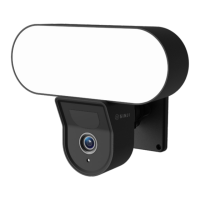
Floodlight Camera.
2. Keep the device away from metal constructions.
3. Place the device out of reach of unwanted visitors, so that the device cannot be
tampered with.
4. Place the device in a dry place.
CLEANING
Unplug the Smart Floodlight Camera before cleaning. Never use aggressive cleaning
agents or hard brushes. Clean the device with a soft cloth slightly moistened with isopropyl
alcohol. No moisture should be allowed to penetrate into the appliance. Do not use the
appliance until it is completely dry.
4. TROUBLESHOOTING
Problem: The Smart Floodlight Camera does not connect to my network.
Cause: Wifi netwerk is Dual Band or 5GHz.
Solution: Change the settings of your router so that your network only transmits 2.4GHz.
If necessary, temporarily disable the Dual band, or rename the 5Gz network.
Problem: The Smart Floodlight Camera does not connect to my network.
Cause: The Smart Floodlight Camera is not in pairing mode.
Solution: Reset the Smart Floodlight Camera by holding the reset button at the bottom
for 5 seconds.


 To Next Page