11
F F
EN
WiFi connection
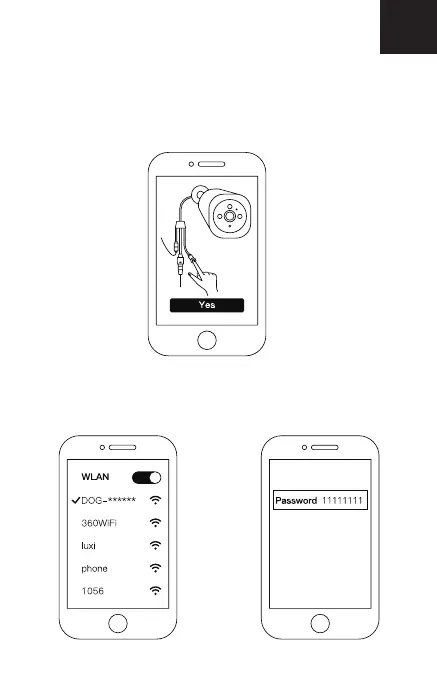
• Please make sure the WiFi indicator on the Outdoor Camera
is flashing blue. If not, please press and hold the WiFi button
for a few seconds until the WiFi indicator blinks.
• Via [Settings]>[Wi-Fi] on your mobile device, connect to
DOG00***, enter the code “11111111”. Return to the Doby
app and tap “Next”.


 To Next Page
 Loading...