

EasyManua.ls Logo

Sinotimer TM-610 - User Manual

Sinotimer TM-610
2 pages
Print Icon
To Next Page IconTo Next Page
Loading...
www.sinotimer.com
TM-610
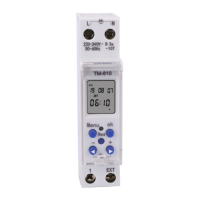
Digital time switch for DIN rail
SINOTIMER
TM-610
3. Wiring diagrams
E X T
1
L
N
max18.0
max88.0
45.5
max66.0
N
L
E XT
1
2
3
L
N
Load
Unit:mm
External
Switch
2
3
Res
Menu ok
_
+
Res
Menu
ok
_
+
L1
4. Setting and operating
Notes:
1. Press “Menu” and “-” for 3 seconds, procedures will be closed but all
former setting will be lost; press “Res”, all procedures will be cleared.
2. In any setting screen but no any operation within 30 seconds,
procedure will back to clock screen automatically, and will not save
setting data.
3. Duing to built-in lithium battery, you can install timer in distribution
box or control circuit after setting procedures.
Program setting interface chart
After press Res Key
Initial interface
Cock
interface
16 program
setting interface
Auto
6
Auto
EXT
6
EXT:External control
settings interface
EXT
6
Holiday
settings interface
6
Press +/- key select
press OK again enter countdown setting
Press +/- key to select “Man”
press OK again enter funtion setting
4 state control
settings interface
Auto
EXT
2
Auto on/on
Auto oFF/oFF
Auto
6
Auto
6
Auto
Clock set
interface
1
3
2
Press “OK” Key
Press “Menu” Key to select
Press OK again to enter the clock setting
32 pulse
setting interface
Countdown
setting interface
Press +/- key select
press OK again enter pulse setting
Press +/- key select prog
press OK again enter program setting
*
Cannot be used at the same time
prog
!
*
*
*
Date and time setting built-in calendar, set Year, Mouth, Hour and
Minute respectively.
1. Press “Menu” until “ ” flashes, then press “OK” into clock setting interface,
Mark Year will flash.
2. Press”+/-“ to required year ,then press “OK” to confirm .About setting mouth,
day ,hour and minute ,same operation as setting year.
3. After finishing setting date and time, press “Menu” to exit and complete this
setting.
Note: After the date is set, week will be self-synchronizing
1. Introduce
-Industry first utility function:
Built-in calendar, 10 holiday times can be set in a year
EXT port(extended length can reach 100 meters)
16 groups procedure controls(ON/OFF)
32 pulse controls(can be used for bell or on trigger-start equipment)
Countdown function
-Can be programmed, or manually controlled for easy use
-Imported digital chip, intelligent and stable system
-LCD display, LED work instruction
-Built-in lithium battery, when a power failure, data will not be lost and timer
will travel time as usual and be in auto-sleep
-Key parts adopt imported components
-Standard width: 17.5mm
-Standard installation with Din 35mm
-Widely used in industry, house, building, corollary equipment, etc.
2. Technical data
Rated voltage:
Mains frequency:
Procedure setting:
Pulse program:
Holiday program:
Countdown:
Electrical life:
Mechanical life:
Power reserve:
Power:
220-240VAC
50Hz
16 on/off program
3 2 c h a n n e l s
duration:1-99sec
10
duration:
1-99min 59sec
5
10 times
3Years
7
10 times
≤ 3VA
load capacity:
Load Inductive :
EXT switch:
Contact resistance
between contacts:
Insulation resistance
between contacts:
Working temperature:
Ambient humidity:
Storage temperature:
Weight:
Contact point:
AC250V 16A COSφ=1
AC250V 10A COSφ=0.6
cable length≤100m
1group
100mΩ
100MΩ
O
-10 ~ +50 C
35-85% RH
O
-10 ~ +60 C
90g
www.sinotimer.com
2
SINOTIMER
TM-610
www.sinotimer.com
3
SINOTIMER
TM-610
www.sinotimer.com
4
Question and Answer IconNeed help?

Do you have a question about the Sinotimer TM-610 and is the answer not in the manual?

Summary

Introduction

Technical Data

Wiring Diagrams

Setting and Operating Procedures

Program Setting Interface Chart

Visual guide to navigating the timer's programming interface and setting options.

Date and Time Setting

Step-by-step guide for setting the device's internal clock and calendar.

Function Settings

Program;Pulse;Countdown Function Setting

Details on setting ON/OFF programs, pulse controls, and countdown timers.

Pulse Control Program Setting

Configuration for pulse control settings, supporting up to 32 channels.

Countdown Setting

Instructions for setting a countdown timer function for the device.

Manual and Holiday Function Settings

Man Function Setting

Setting manual control modes: Auto ON, ON, Auto OFF, and OFF.

EXT Setting

Configuration for external control switch functionality.

Holiday Setting

Setting up to 10 holiday times within a year for specific ON/OFF requirements.

Overview

This document describes the TM-610 Digital Time Switch for DIN rail, a versatile device designed for precise control of electrical equipment.

Function Description

The TM-610 is an intelligent and stable system built with an imported digital chip, offering a wide range of control functions. Its primary purpose is to program and manage the ON/OFF states of connected devices based on time, date, and specific events.

Key functions include:

  • Program Control: Allows for setting up to 16 ON/OFF programs, enabling automated control of equipment at specified times.
  • Pulse Control: Supports up to 32 pulse controls with durations ranging from 1 to 99 seconds. This feature is ideal for applications like operating bells or triggering start-up equipment.
  • Countdown Function: Provides a countdown timer that can be set for up to 99 minutes and 59 seconds, useful for temporary operations.
  • Holiday Program: Features a built-in calendar that allows setting up to 10 holiday times within a year. Each holiday can have its own ON/OFF settings, ensuring that regular programs are overridden during these periods.
  • External Control (EXT Port): The device includes an EXT port that supports an extended cable length of up to 100 meters. This allows for external control via a switch, providing flexibility in operation. The external control can be configured for either OFF EXT or ON EXT modes. When EXT is set to ON, the external switch takes precedence over programmed settings or pulses. When EXT is set to OFF, the timer runs according to its programmed procedures or pulses, ignoring the external input.
  • Manual Control: In addition to programmed operations, the TM-610 can also be manually controlled for immediate ON/OFF switching or to override current settings.
  • Auto-Sleep Mode: The device features a built-in lithium battery that ensures data is not lost during power failures. In such events, the timer continues to keep time and enters an auto-sleep mode to conserve power.

The device displays its status and settings via an LCD screen and provides LED work instructions for clear feedback.

Important Technical Specifications

  • Rated Voltage: 220-240VAC
  • Mains Frequency: 50Hz
  • Load Capacity (Resistive): AC250V 16A COSφ=1
  • Load Capacity (Inductive): AC250V 10A COSφ=0.6
  • Procedure Setting: 16 ON/OFF programs
  • Pulse Program: 32 channels, duration 1-99 seconds
  • Holiday Program: 10
  • Countdown: Duration 1-99 minutes 59 seconds
  • EXT Switch: Cable length ≤ 100m, 1 group
  • Contact Resistance: < 100mΩ
  • Insulation Resistance: ≥ 100MΩ
  • Electrical Life: 10⁵ times
  • Mechanical Life: 10⁷ times
  • Power Reserve: 3 Years (via built-in lithium battery)
  • Power Consumption: ≤ 3VA
  • Working Temperature: -10 ~ +50 °C
  • Ambient Humidity: 35-85% RH
  • Storage Temperature: -10 ~ +60 °C
  • Weight: < 90g
  • Standard Width: 17.5mm
  • Installation: Standard DIN 35mm rail mounting

Usage Features

The TM-610 is designed for user-friendly operation with a clear interface and intuitive programming steps.

Setting and Operating:

  1. Date and Time Setting: The device has a built-in calendar. Users can set the Year, Month, Day, Hour, and Minute. The week will self-synchronize after the date is set.
  2. Program Setting:
    • Access the program setting interface by pressing "Menu" until "prog" flashes, then "OK".
    • Set ON/OFF times by adjusting hour and minute, then confirm.
    • Configure week settings by selecting specific days (Monday to Sunday) for the program to be active.
    • Repeat for multiple programs (up to 16).
  3. Pulse Control Setting:
    • Access pulse control by pressing "Menu" until " " flashes, then "OK".
    • Set the hour, minute, and pulse duration (1-99 seconds).
    • Configure week settings for pulse activation.
  4. Countdown Setting:
    • Access countdown by pressing "Rst" then "+/-" until " " flashes, then "OK".
    • Set minutes and seconds for the countdown.
    • The countdown can be started and stopped.
  5. Holiday Setting:
    • Access holiday setting by pressing "+/-" until " " flashes, then "OK".
    • Set ON/OFF status for the holiday.
    • Define the start and end dates (year, month, day) for each of the 10 available holidays.
  6. Man Function Setting (Control Ways):
    • The device supports four control states: Auto ON, ON, Auto OFF, and OFF.
    • Users can cycle through these states using the "+/-" buttons.
    • Auto ON/OFF: The timer operates according to programmed settings.
    • ON: The connected equipment is forced ON, overriding programs.
    • OFF: The connected equipment is forced OFF, overriding programs.
  7. External Control (EXT) Setting:
    • Enable or disable external control (OFF EXT / ON EXT).
    • When ON EXT is active, the external switch dictates the ON/OFF state, overriding any programmed procedures or pulses.
    • When OFF EXT is active, the external switch is ignored, and the timer follows its programmed settings.

Important Notes for Usage:

  • Pressing "Menu" and "-" for 3 seconds will clear all former settings. Pressing "Res" will clear all procedures.
  • If no operation is performed within 30 seconds in any setting screen, the device will automatically return to the clock screen without saving unsaved data.
  • Thanks to the built-in lithium battery, the timer can be installed in a distribution box or control circuit after setting procedures, without needing immediate power.

Maintenance Features

The TM-610 is designed for reliability and ease of maintenance, with several features contributing to its longevity and stable operation.

Key Maintenance Aspects:

  • Data Retention: The built-in lithium battery provides a power reserve of 3 years, ensuring that all programmed settings and the current time are retained even during prolonged power outages. This minimizes the need for reprogramming after power interruptions.
  • Robust Components: Key parts of the device adopt imported components, contributing to its overall durability and stable performance.
  • Environmental Considerations:
    • The device should not be used in dusty places, areas with etchant gas, direct sunlight, or rain.
    • It should be stored and used within the specified rated voltage, temperature (-10 to +50 °C), and humidity (35-85% RH) ranges to ensure optimal operation and prevent damage.
  • Standard Installation: Its standard width of 17.5mm and compatibility with DIN 35mm rail mounting make it easy to integrate into existing electrical panels and distribution boxes, simplifying installation and potential replacement.
  • Self-Synchronization: After the date is set, the week automatically synchronizes, reducing manual adjustments.

The design and specifications of the product are subject to change without further notice, indicating a commitment to continuous improvement.
Sinotimer TM-610 Specifications

General IconGeneral
BrandSinotimer
ModelTM-610
CategorySwitch
LanguageEnglish