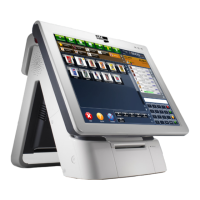
one pro
/
O2) Classications
Create on this screen classications you can assign to products
in the future, to extract statistics for classication.
P1) Have Modiers?
Indicate whether you need to associate modiers to products.
P2) Modiers
Enter in the program modiers to assign product you want to
sell.
Q1) Have Production Groups?
If you will need to dene groups of production (needed to
manage production printers).
Q2) Production Groups
Dene production groups assign to products.
Each production group will be assigned a production printer.
R1) Have Pack Types?
Indicate if you are selling pack type products (eg menus).
R2) Pack Types
If your business works with packs (eg menus), dene the types
of pack.
S) Families & Items
Create the families and items.
T) Tariffs
Create, modify and delete tariffs.
Modify product prices in each tariff.
U) Consumer Areas & Tables?
Dene if your business has areas and consumption tables.
V) Tables
If your business have consumer areas and tables, create in
this screen.
You can dene the local levels in a completely visual way.
W) Discounts
Set ticket discounts available in your business.
X) Customers
Create customers and assign each a tariff and, optionally, a
discount.
Y) Suppliers
Create suppliers and assign each a tariff and, optionally, a
discount.
You can access this information again by pressing the
Settings button from the sale screen.
From the Settings button, you can also access:
a) Adv. Tariffs
From this option you can change the prices of items more
quickly (in screen will display a spreadsheet in order to chan-
ge prices without having to modify article by article).
b) Change ADMIN password
In this option you can change the Admin password.
c) NANO Setup
In this option you can manage the program link with NANO
handheld devices.
You can do the following:
• Enter the license code from your NANO antenna.
• Pairing devices with NANO antenna.
• Synchronize data from the program to the antenna.


 To Next Page
 Loading...