EasyManua.ls Logo

Sionyx Aurora - User Manual

Sionyx Aurora
101 pages
Print Icon
To Next Page IconTo Next Page
Loading...
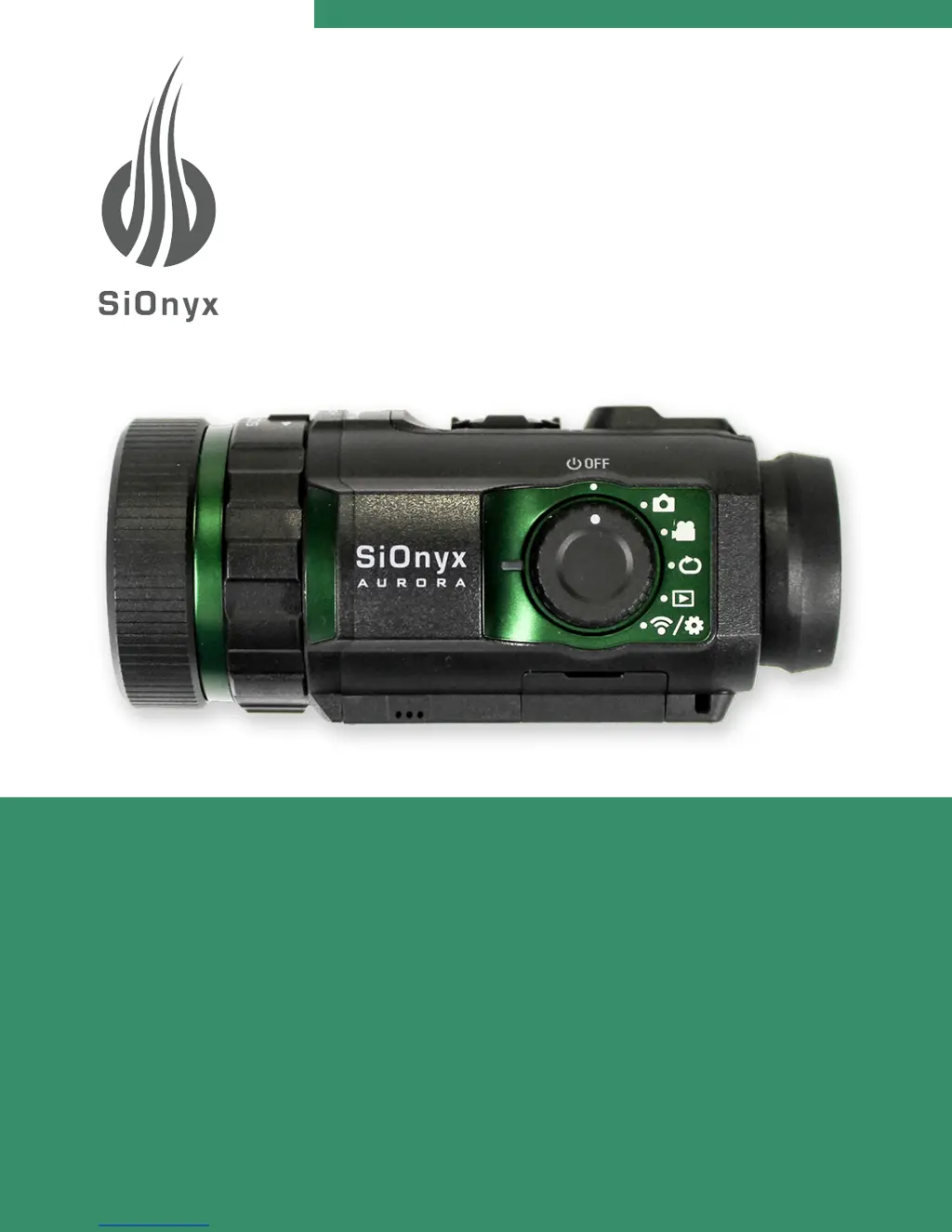
AURORA NIGHT VISION CAMERA
User Manual

Table of Contents

Other manuals for Sionyx Aurora

Questions and Answers

  • W
    wmartinAug 18, 2025
    What to do if my Sionyx Aurora Digital Camera says SD card is full?
    • G
      garyryanAug 18, 2025
      If your Sionyx Digital Camera displays 'SD Card is full', it means there is no space left on the SD Card. To resolve this, either replace the card with a new one or delete images from the current SD Card.
  • C
    Candice RichardsonAug 20, 2025
    Why does my Sionyx Aurora Digital Camera say WIFI connection lost?
    • D
      Dawn ReyesAug 20, 2025
      If your Sionyx Digital Camera is displaying 'WIFI connection lost', this indicates that the WiFi connection has been lost. The message will continue to appear until the WiFi connection is reestablished or the Mode on the Settings Dial is changed.
  • M
    Michael RobinsonAug 23, 2025
    How to fix 'No SD Card Inserted' on Sionyx Aurora?
    • T
      Tyler DukeAug 23, 2025
      If your Sionyx Digital Camera shows 'No SD Card Inserted', clear the message by pressing the SET button and then install an SD Card.
  • R
    Rebecca KingAug 26, 2025
    What to do if my Sionyx Aurora Digital Camera says Unformatted SD Card?
    • T
      timothy84Aug 26, 2025
      If your Sionyx Digital Camera displays 'Unformatted SD Card', you need to format the SD Card to resolve this issue.
  • C
    christinaporterAug 28, 2025
    How to set date and time on Sionyx Aurora Digital Camera?
    • B
      Brandi RamosAug 28, 2025
      If your Sionyx Digital Camera displays 'Please set date and time', dismiss the message by pressing the SET button and then set the correct date and time. This message appears when the camera is new or after a firmware update.
  • C
    Catherine Wolfe MDAug 30, 2025
    Why does my Sionyx Aurora say SD Card Error?
    • T
      Timothy TurnerAug 30, 2025
      If your Sionyx Digital Camera displays 'SD Card Error' and the SD card is not recognized, it might be because the SD card is larger than 32 GB. The solution is to install a 32 GB SD card.
  • D
    Dalton HollowaySep 2, 2025
    Why does my Sionyx Aurora Digital Camera say WIFI connection not found?
    • U
      uthompsonSep 2, 2025
      If your Sionyx Digital Camera is displaying 'WIFI connection not found', this indicates that the WiFi connection cannot be found. The message will continue to appear until the WiFi connection is established or the Mode on the Settings Dial is changed.
  • N
    Nicole BrownSep 4, 2025
    What to do if my Sionyx Digital Camera has low battery?
    • V
      vgarrettSep 4, 2025
      If your Sionyx Digital Camera displays 'Low Battery', you should charge the battery.
  • D
    Diane HinesSep 6, 2025
    What to do if my Sionyx Digital Camera is overheating?
    • N
      newmanstephenSep 7, 2025
      If your Sionyx Digital Camera displays 'Camera Overheating', the camera will resume normal operation once its temperature is within the operating range.
  • S
    Shawn KennedySep 9, 2025
    What does 'Swing range error' mean on Sionyx Aurora Digital Camera?
    • T
      Tina MartinSep 9, 2025
      If your Sionyx Digital Camera displays 'Swing range error' while in Panorama mode, and the swing direction is incorrect or the movement is too fast, the message will disappear automatically. You should then repeat the Panorama process.

Summary

Chapter 1: Getting Started

Unpacking and Initial Setup

Guide to unboxing the camera, inserting the SD card, and attaching the neck strap.

Battery Charging and Management

Instructions for charging, viewing battery status, and removing the camera battery.

Camera Controls and Interface

Overview of camera buttons, dials, viewfinder, scene ring, and focus ring for operation.

Date and Time Configuration

Steps to set the camera's date and time, including manual and GPS options.

Chapter 2: Photos and Videos

Capturing Photos and Videos

Basic procedures for taking photos and shooting videos with the camera.

Focus, Zoom, and Exposure Control

Adjusting focus, zooming, and exposure compensation for optimal image capture.

Viewing and Deleting Media

How to view, zoom, play videos, and delete individual or multiple photos and videos.

Photo Shooting Settings

Advanced photo settings including Shutter Speed, Burst, HDR, Self Timer, Panorama, Time Lapse.

Chapter 4: WIFI;Settings Mode

Camera Info & Reset

View camera details like FW version and restore factory default settings.

Date, Time, Format & GPS

Set date, time, formats, GPS, and geotagging for location data.

SD Card Management

Format the SD card to resolve corruption issues and ensure proper operation.

WIFI Connectivity

Information on connecting the camera to a WiFi network for app integration.

Chapter 6: Troubleshooting

General Troubleshooting Guide

Common error messages, their issues, and steps to resolve them for the camera.

Chapter 7: Warranty Information

Limited Warranty Policy

Details the terms, coverage, exclusions, and duration of the SiOnyx Aurora limited warranty.

Customer Remedies

Outlines the available remedies for warranty claims, including repair or replacement options.

Product Returns and Exchanges

Procedures and conditions for returning the product for a refund or exchange within the specified period.

Sionyx Aurora Specifications

General IconGeneral
Sensor TypeCMOS
Video OutputHDMI
StoragemicroSD card
DisplayOLED
Video Recording720p
ConnectivityWi-Fi
Battery LifeApproximately 2 hours of continuous use
Water ResistanceIP67
Weight227 grams
Lens16mm, f/1.4 (interchangeable)
Low Light SensitivityColor Night Vision

Related product manuals