650 DELTA USE AND INSTALLATION INSTRUCTIONS
7
Main burner ignition
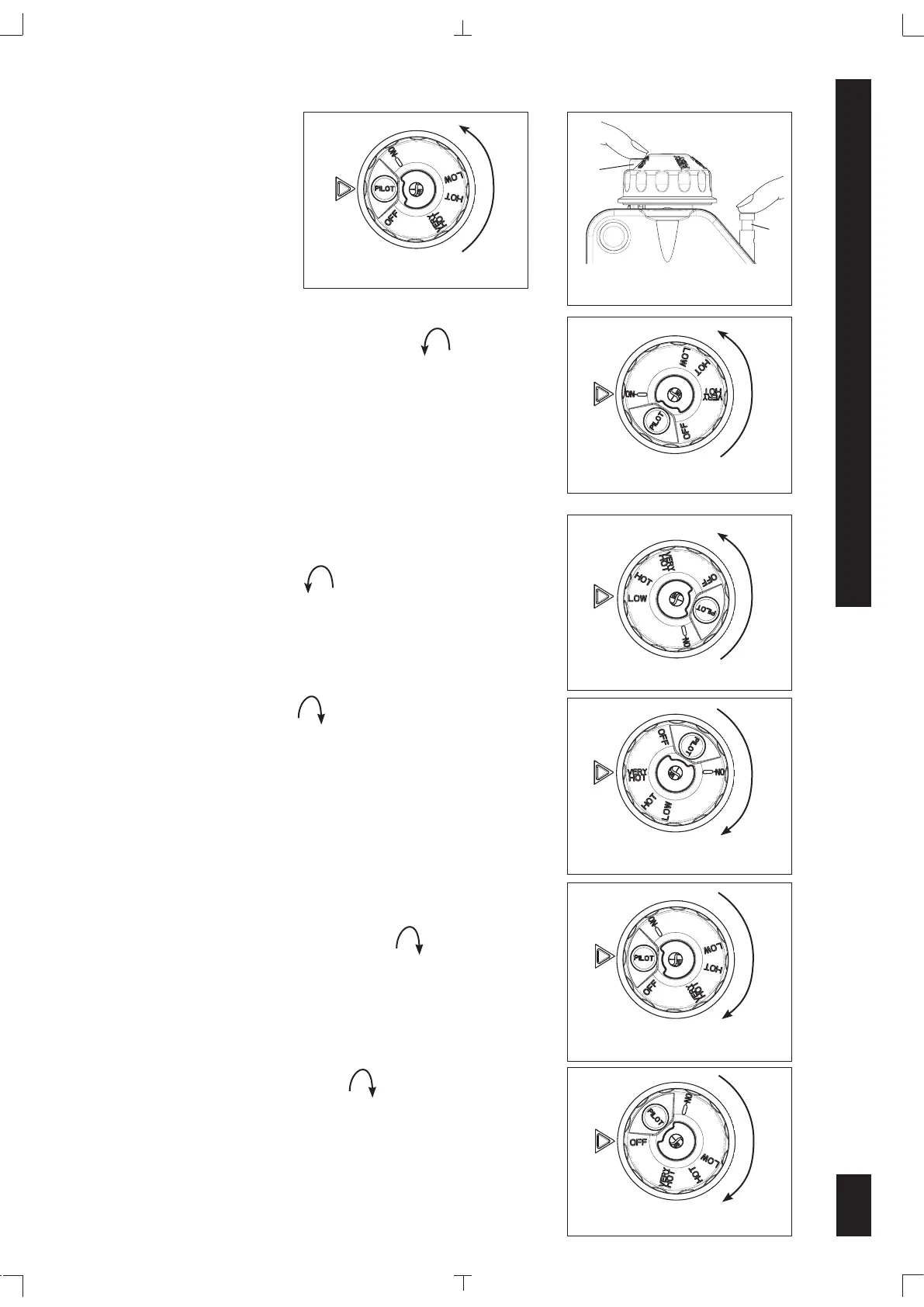
Turn the control knob counter-clockwise to the ON
position (Fig.6).
Gas will flow to the main burner when the
water temperature stored within the appliance is lower than
the set-point temperature.
Temperature setting
To increase the water temperature set-point rotate the control
knob counter-clockwise to the desired temperature
setting
(Fig.7)
. The gas path to the main burner opens when
the water temperature within the appliance is lower than the
temperature set-point.
To decrease the water temperature set-point, rotate the
control knob clockwise to the desired temperature
setting
(Fig.8)
. The gas path to the main burner opens when
the water temperature within the appliance is lower than the
temperature set-point.
Stand-by position
To maintain a flame at the pilot burner with the main burner
off, turn the control knob
clockwise
to the PILOT
position (Fig.9).
Turning off
Turn the control knob
clockwise
to the OFF position
(Fig.10).
Fig. 6: ON position
Fig. 4: PILOT position
Fig. 7: LOW position
Fig. 8: VERY HOT position
Fig. 9: PILOT position
Fig. 10: OFF position
pilot flame remains lit. If it goes out, repeat the ignition process, starting from the OFF position.
Fig. 5: Ignition button PILOT
and Piezo Igniter button
(b)
(c)


 To Next Page