SNMP
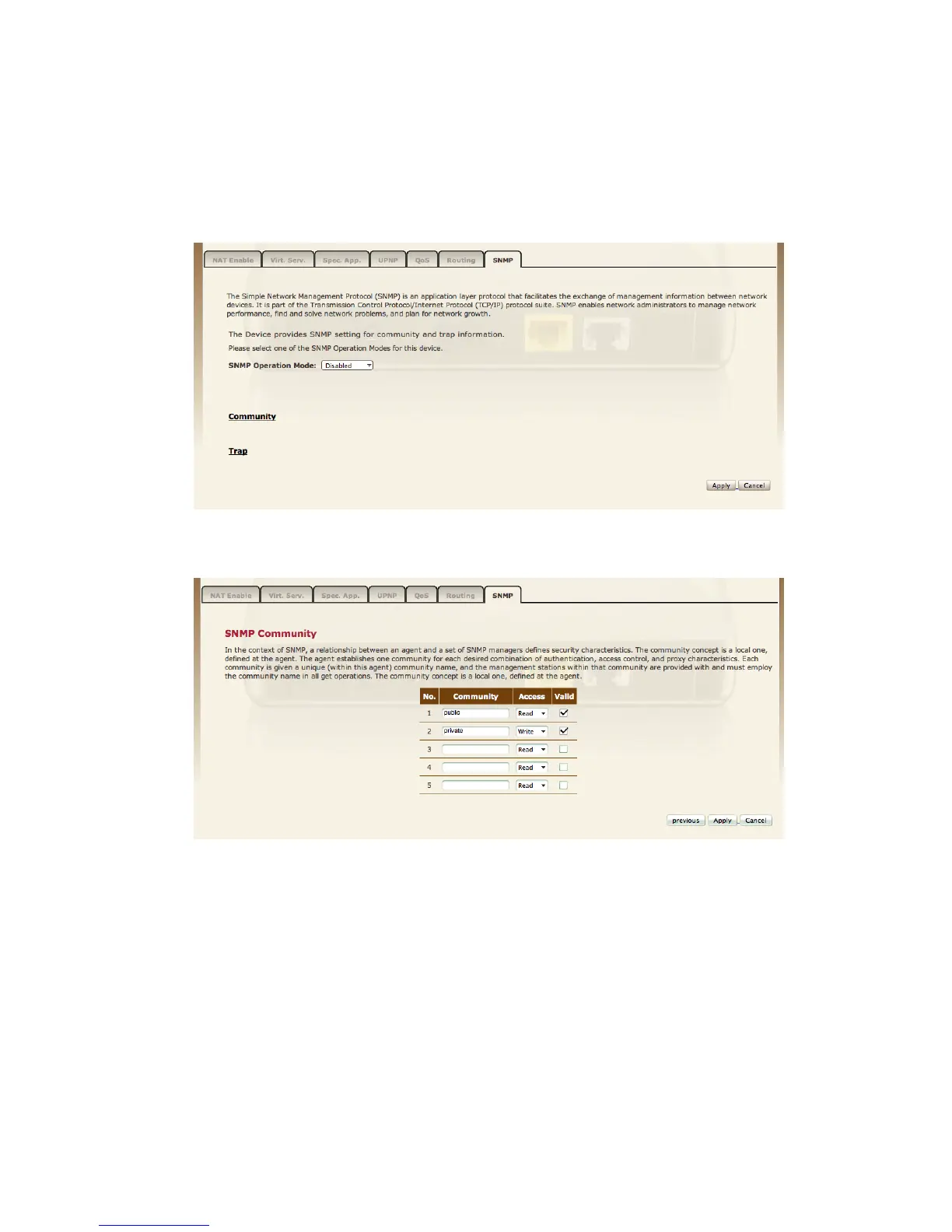
Use the SNMP configuration screen to display and modify parameters for the
Simple Network Management Protocol (SNMP).
SNMP operation mode To select the SNMP modes for this device.
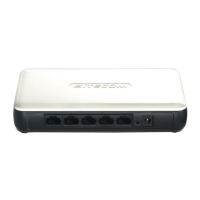
Community A computer attached to the network, called a Network Management
Station (NMS), can be used to access this information. Access rights to the agent
are controlled by community strings. To communicate with the Router, the NMS
must first submit a valid community string for authentication.
Note: Up to five community names may be entered.


 To Next Page