The Sitecom MD-020 BE is a USB Card Reader designed to manage SIM card data on a personal computer. It allows users to easily create, edit, and back up SIM card user data, phonebook, and message entries, eliminating the need to type information using a mobile phone's keypad.
Function Description:
The primary function of the Sitecom MD-020 BE is to provide a convenient interface for interacting with SIM cards. It enables users to read, write, and modify data stored on a SIM card, including contacts (phonebook entries) and SMS messages. The device is particularly useful for backing up important SIM card data to a PC, restoring data from a backup, and editing contact information more efficiently than on a mobile phone.
Important Technical Specifications:
- Operating System Compatibility: Windows 2000, Windows XP, and Windows Vista.
- Hardware Requirements: USB 2.0 Host. A USB HUB is optional.
- Interface: USB (Universal Serial Bus) for connection to a computer.
- SIM Card Support: Designed for standard SIM cards, allowing access to phonebook and SMS data.
- Coding Methods: Supports four kinds of GSM/CDMA coding methods: Simplified Chinese, Traditional Chinese, English, and Digital. The device automatically selects the best editor model.
- Valid Input Characters (GSM Regulation): Only 0-9, #, *, and + are valid input characters for phone numbers and messages.
Usage Features:
- SIM Editor Software: The device comes with a dedicated SIM Editor utility to manage SIM card data.
- Installation: The utility is installed by inserting the provided CD-ROM, which automatically launches a CDMenu. Users can then select "Install Driver and Utility." If the CDMenu doesn't auto-start, the
cdmenu.exe file can be run manually from the x:\menu directory (where x is the CD-ROM drive letter).
- Connecting and Inserting SIM Card:
- Connect the SIM Card Reader to a free USB port on the computer.
- Insert the SIM card into the reader with the gold contacts facing down.
- Launching the SIM Editor: The software can be launched via
Start > Programs > Sitecom MD-020 BE SIM Editor > Sitecom SIM Editor.
- Reading SIM Card Data:
- After launching the editor, click the "Load/Refresh" button to read information from the SIM card.
- If the SIM card is PIN-protected, a "Please input PIN Code" window will appear, requiring the user to enter the correct PIN to proceed with reading/writing data.
- The software displays phone numbers and allows viewing SMS messages by clicking the "SMS Messages" button.
- Adding New Phone Numbers:
- Click the "new" button within the SIM Editor.
- Enter the new contact data (Name and Phone No.) in the textboxes on the upper right side of the screen.
- Editing Existing Phone Numbers:
- Select the name of a contact from the SIM contact list.
- Modify the contact details in the textboxes.
- Saving Changes: After adding or changing contacts, it is crucial to click the "write" button (represented by a disk icon) to save the data to the SIM card.
- Multilingual Support: The software supports Simplified & Traditional Chinese, Russian, Germanic, Italian, Spanish, French, Japanese, Dutch, and English, making it accessible to a wide range of users.
- Phonebook and Message Capacity: The actual quantity of entries and messages depends on the capacity of the SIM card itself. The software displays "Phone Book Status" and "SMS Book Status" indicating total, used, and unused slots.
Maintenance Features:
- Backing up SIM Card Data:
- Users are strongly advised to create a backup of their SIM card data before making any changes.
- Click the "Import/Export" button (represented by an icon with arrows) and select "Export" from the menu. This allows creating a complete backup of contacts to the PC.
- Backed-up phone numbers are stored in a catalog file on the PC.
- Restoring SIM Card Data:
- To copy data back to a SIM card from a backup, click the "Import/Export" button and select "Import" from the menu.
- Then, choose the correct catalog file containing the backup data.
- Modifying PIN:
- To change the SIM card's PIN, click the key-icon.
- Select "Change PIN" from the dropdown menu.
- Enter the old PIN and then the new PIN in the provided fields.
- Click "OK" to confirm the changes.
- PIN and PUK Information:
- PIN (Personal Identification Number): This is the password to unlock a SIM card. If an incorrect PIN is entered three times, the SIM card will be locked to prevent unauthorized use.
- PUK (Personal Unlocking Number): This is used to unlock a SIM card that has been locked due to incorrect PIN entries.
- Critical Warning: If an incorrect PUK code is entered 10 times, the SIM card will be permanently disabled and will stop functioning forever. Users should exercise extreme caution when dealing with PIN and PUK codes.
- The software displays "Valid retry times of PIN Code" to inform the user how many attempts are left before the card locks.

 Need help?
 General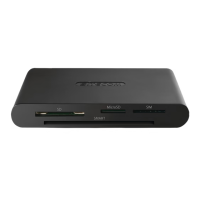

 To Next Page
