WL-308 Gaming Router Full Manual
12
3 Internet Connection Wizard
This device offers a quick and simple configuration through the use of a wizard.
This chapter describes how to use the wizard to configure the internet settings.
Please refer to Chapter 6 in order to configure the more advanced features of the
device.
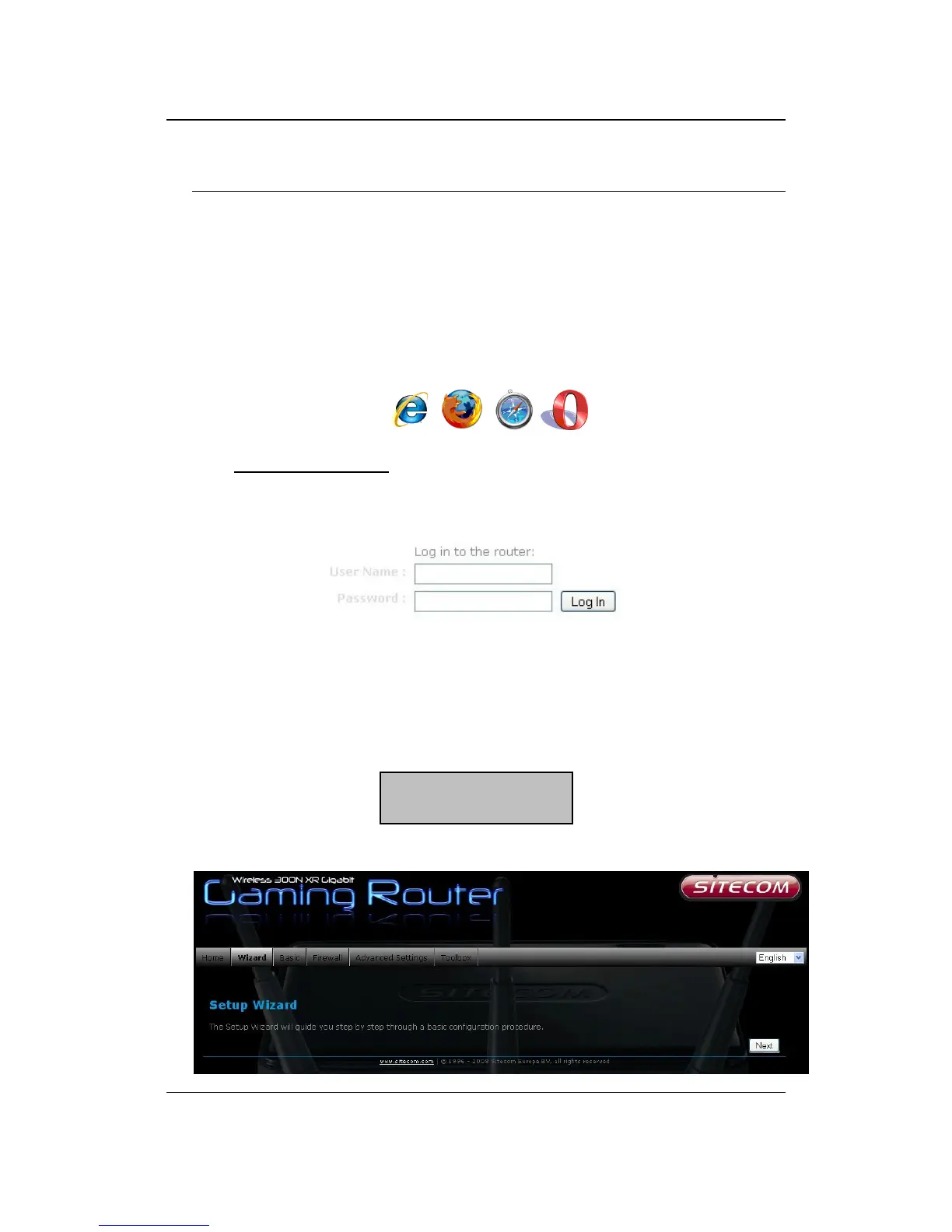
Logging In
To configure the device, open a web browser.
Type http://192.168.0.1
in the address bar and press [Enter].
After connecting to the IP address, the web-browser will display the login page.
Fill in the username and password. The default credentials are shown below:
Click on the Wizard button to begin the process.
Username: admin
Password: admin



 To Next Page