WL-308 Gaming Router Full Manual
34
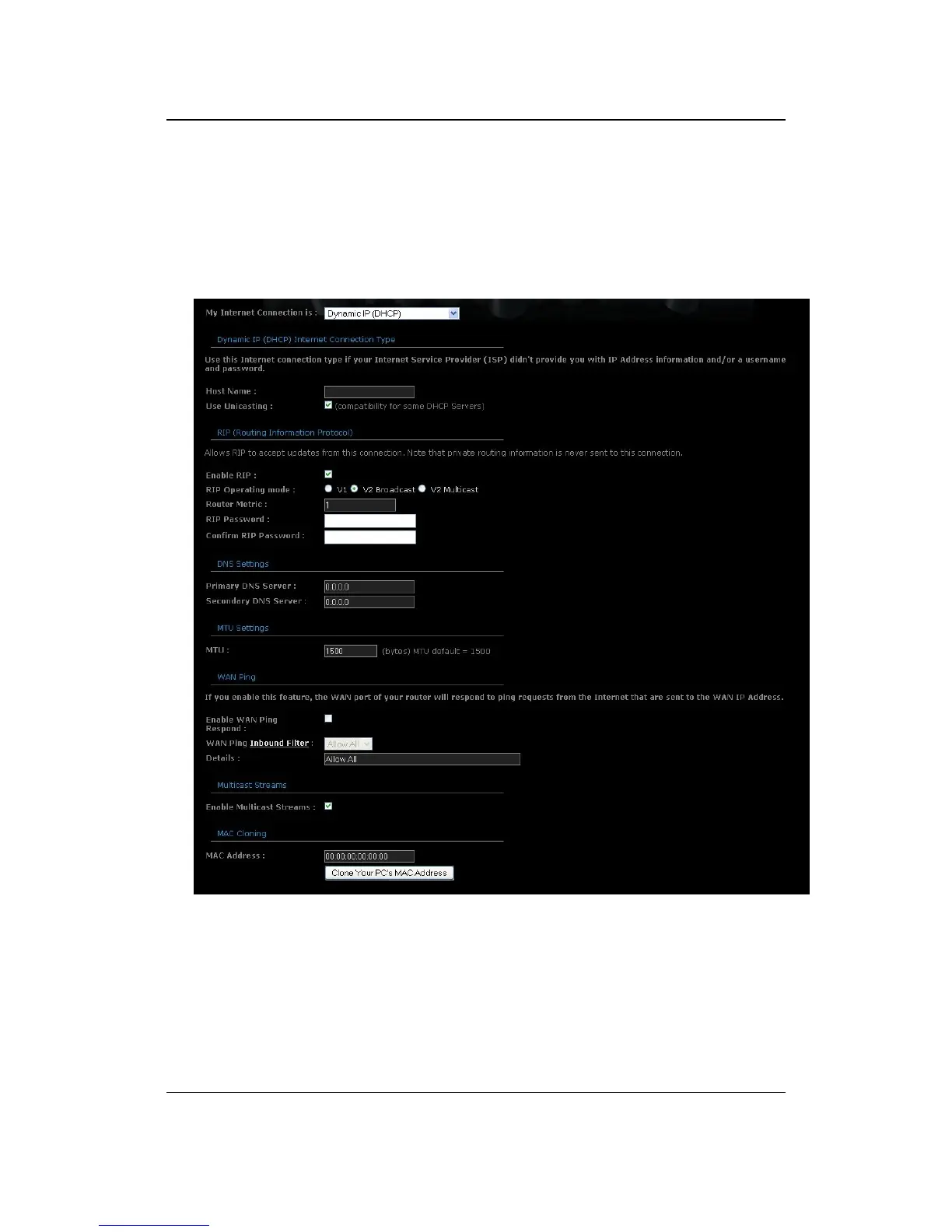
Dynamic IP Address (DHCP) Configuration
The WAN interface can be configured as a DHCP Client in which the ISP provides
the IP address to the device. This is also known as Dynamic IP.
Select the Dynamic IP (DHCP) from the My Internet Connection drop-down
list.
Host Name: Specify a host name to define your system or connection.
Use Unicasting: This option is normally turned off, and should remain off as
long as the WAN-side DHCP server correctly provides an IP address to the
router. However, if the router cannot obtain an IP address from the DHCP
server, the DHCP server may be one that works better with unicast
responses. In this case, turn the Unicasting option on, and observe whether
the router can obtain an IP address. In this mode, the router accepts unicast
responses from the DHCP server instead of broadcast responses.



 To Next Page