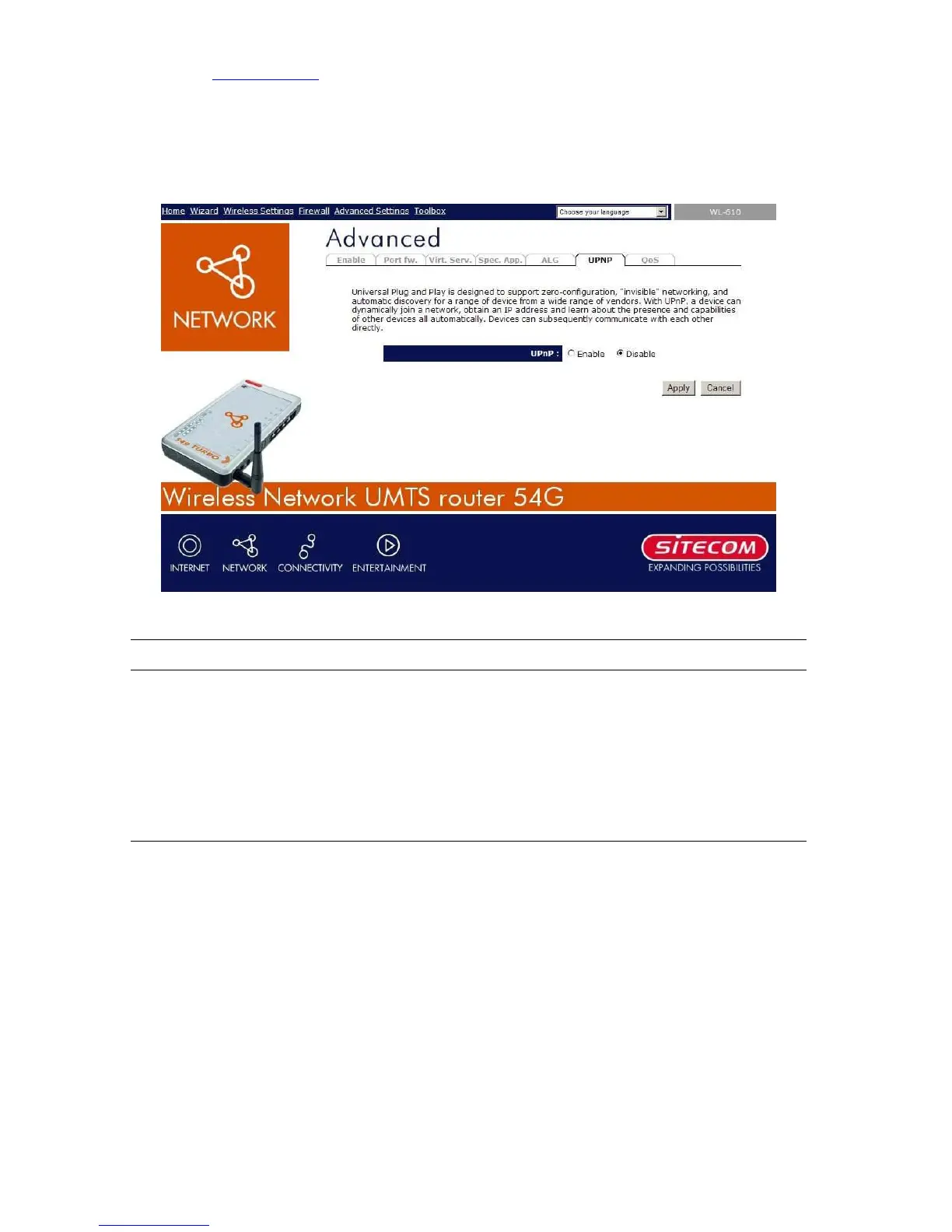
9.5 UPnP Settings
With UPnP, all PCs in you Intranet will discover this router automatically. So you do not have
to do any configuration for your PC and can access the Internet through this router easily.
Parameters Default Description
UPnP Feature Disable You can Enable or Disable UPnP feature here. After you
enable the UPnP feature, all client systems that
support UPnP, like Windows XP, can discover this
router automatically and access the Internet through
this router without any configuration. The NAT
Traversal function provided by UPnP can let
applications that support UPnP smoothly connect to
Internet sites without any incompatibility problem due
to the NAPT port translation.



 To Next Page