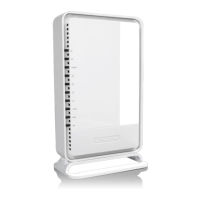
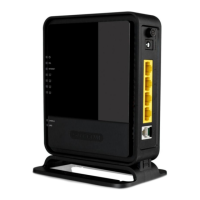
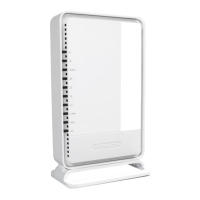
The Sitecom WLM-4501 is a Wireless ADSL2+ Gigabit Modem Router designed for home and small office networks, offering a comprehensive solution for internet connectivity, network management, and security.
Function Description:
The WLM-4501 serves as a multi-functional device, combining an ADSL2+ modem, a wireless access point, and a 4-port Gigabit Ethernet router. It facilitates internet access via an ADSL line, distributes this access wirelessly to Wi-Fi enabled devices, and provides high-speed wired connections for Ethernet devices. The router is fully compliant with 802.11b, 802.11g, and 802.11n wireless standards, ensuring broad compatibility and optimal performance, especially when paired with 802.11n client adapters. A key feature is its integration with Sitecom Cloud Security, which offers enhanced protection against cybercrime for all internet-connected devices within the home network, including PCs, laptops, tablets, mobile phones, and smart televisions. This integrated security operates at the router level, providing a blanket of protection without requiring individual software installations on each device. The device also includes a built-in DHCP Server for automatic IP address assignment and a powerful SPI firewall to safeguard against intruders and known internet attacks. VPN pass-through functionality is supported, allowing secure remote access to the network.
Important Technical Specifications:
- Wireless Standards: IEEE 802.11b, 802.11g, 802.11n. The 802.11n technology enables speeds up to 6 times faster than regular 802.11g (in combination with a 150n or 802.11n wireless adapter).
- Ethernet Ports: Four 10/100/1000 Mbps Gigabit Ports with Auto-Crossover functionality, allowing connection of up to four wired PCs or other network devices.
- ADSL Standard: Integrated ADSL2+ modem (Annex A), compatible with the fastest ADSL2+ connections.
- Security: Supports WEP, WPA, and WPA2 (AES) encryption for wireless transmissions. By default, the modem is secured with a WPA2 (AES) encryption key, which is printed on the label underneath the modem for easy reference. It provides mutual authentication and dynamic encryption keys to enhance security.
- Firewall Features: Supports Virtual Server Mapping, DMZ, IP Filter, ICMP Blocking, and SPI (Stateful Packet Inspection) firewall.
- Power: DC 12V 1A.
- Operating Temperature: +5°C to +35°C.
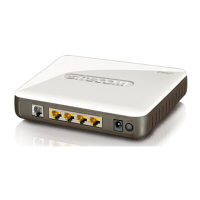
- Connectivity: ADSL port for telephone/ADSL cable, LAN ports for PC/network device connections, Power connector, WPS/Reset button, Power button.
- LED Indicators:
- Power: Lights up when ON, blinks on TEST/RESET.
- ADSL: Lights up when an ADSL cable is connected.
- Internet: Lights up when internet connection is UP.
- WLAN: Lights up in Blue when WLAN is enabled, blinks on traffic.
- OPS: Blinks when OPS mode is on.
- LAN1~4: Lights up when a LAN cable is connected to the corresponding port.
- Default Access: IP address: 192.168.0.1, Username: admin (password found on the back label).
Usage Features:
- Easy Setup: The device includes a Configuration Wizard that guides users through a basic setup procedure, including country and ISP selection.
- Wireless Connectivity: Enables wireless network creation with WEP, WPA, or WPA2 encryption for secure data transmission.
- Wired Connectivity: Provides four Gigabit Ethernet ports for high-speed wired connections to devices like desktop PCs, gaming consoles, or network-attached storage (NAS).
- Network Management: Users can configure LAN settings (IP address, subnet mask, IGMP Snooping, IPv6 address range), DHCP settings, WAN settings, and security settings via a web-based interface.
- Advanced Features: Includes options for Advanced Wireless settings, Quality of Service (QoS), UPnP, Routing, SNMP, DDNS, NAT, and TR-69 for more granular control over network traffic and services.
- Firewall Configuration: Allows users to set up ACL (Access Control List), IP Filter, DMZ (Demilitarized Zone), and Virtual Server rules to manage network security and port forwarding.
- System Monitoring: The Status section provides real-time information on the modem/router's operational status, including firmware version, MAC address, LAN configuration, WAN configuration, and DSL statistics (SNR Margin, Attenuation, Data Rate).
- Diagnostics: A Diagnostics page allows users to test the connection by performing tasks like Ethernet LAN connection test, ADSL Synchronization test, ATM OAM ping, and general internet ping.
- Toolbox: Offers utilities for changing the password, setting time, firmware upgrade, and rebooting the device.
Maintenance Features:
- Firmware Upgrade: The device supports firmware upgrades, allowing users to keep the router's software up-to-date with the latest features and security patches.
- Reboot Functionality: A dedicated reboot option is available in the toolbox for easy system restarts.
- Factory Default Reset: The WPS/Reset button can be used to perform a factory default reset (by pressing for 15 seconds), which can be useful for troubleshooting or reconfiguring the device.
- Environmental Considerations: Designed for indoor use within a temperature range of +5°C to +35°C. Users are advised to avoid contact with water or other liquids, and to keep the device away from strong electromagnetic fields.
- Repair Policy: Users are cautioned against disassembling or repairing the router themselves; any damage caused by unauthorized repairs will not be covered by the repair policy. In case of malfunction due to electrostatic discharge or strong electromagnetic fields, unplugging and re-plugging the power cable will typically restore normal performance.

 Need help?
 General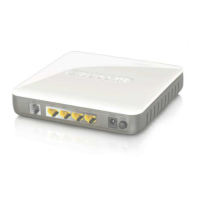

 To Next Page