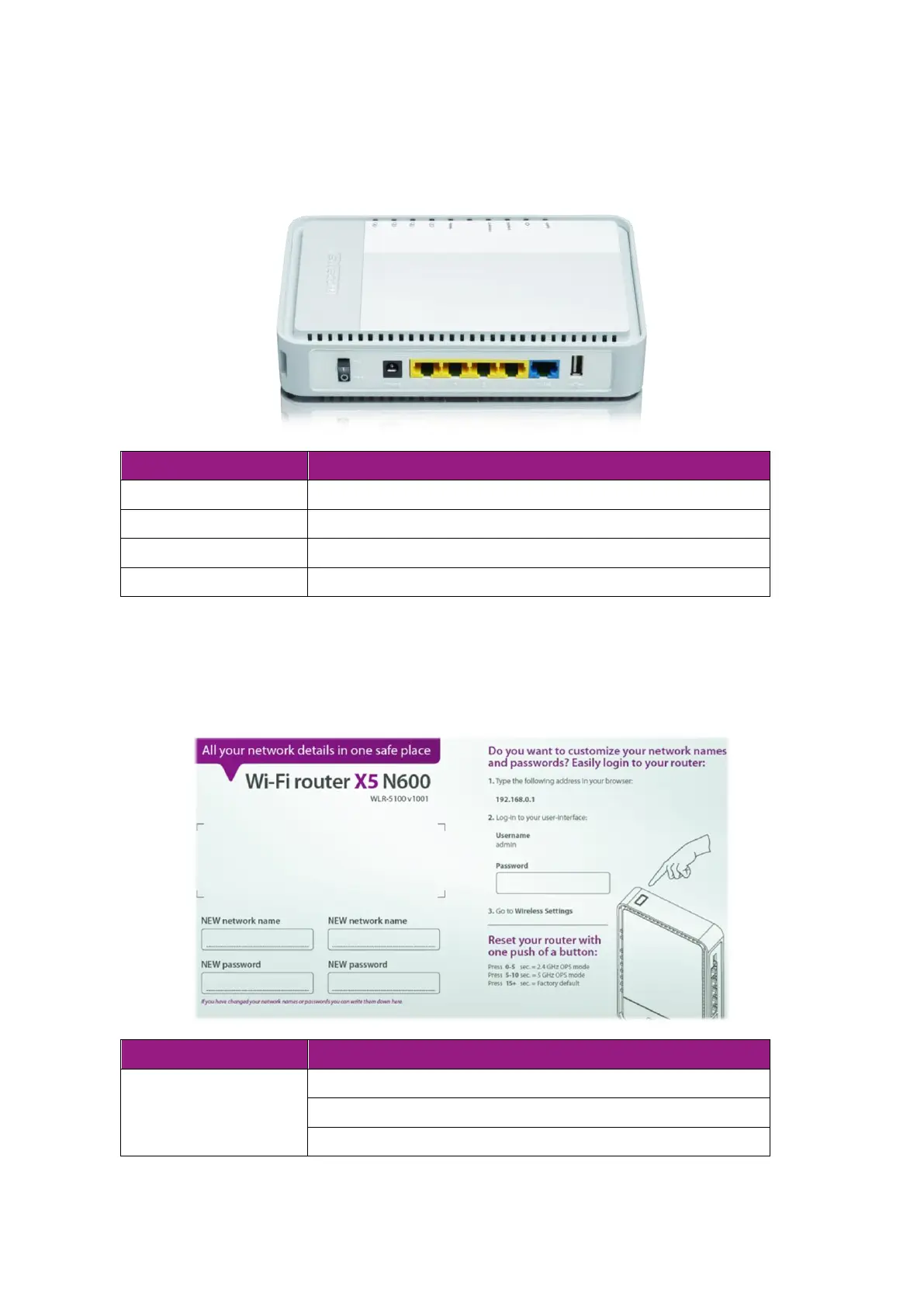
Product Layout
Connect the 12V DC adapter to this port
Connect your PCs or network devices to these ports
Connect your ADSL/Cable modem to this port
Connect a USB device to this port
Backlabel and Network Details Folder
The Network Details Folder describes the IP address, login details, network name,
security code and OPS button functionality.
Press 0-5 seconds for 2.4 GHz WPS mode
Press 5-10 seconds for 5 GHz WPS mode
Press 15+ Seconds to reset to factory defaults.



 To Next Page