Setup your Router
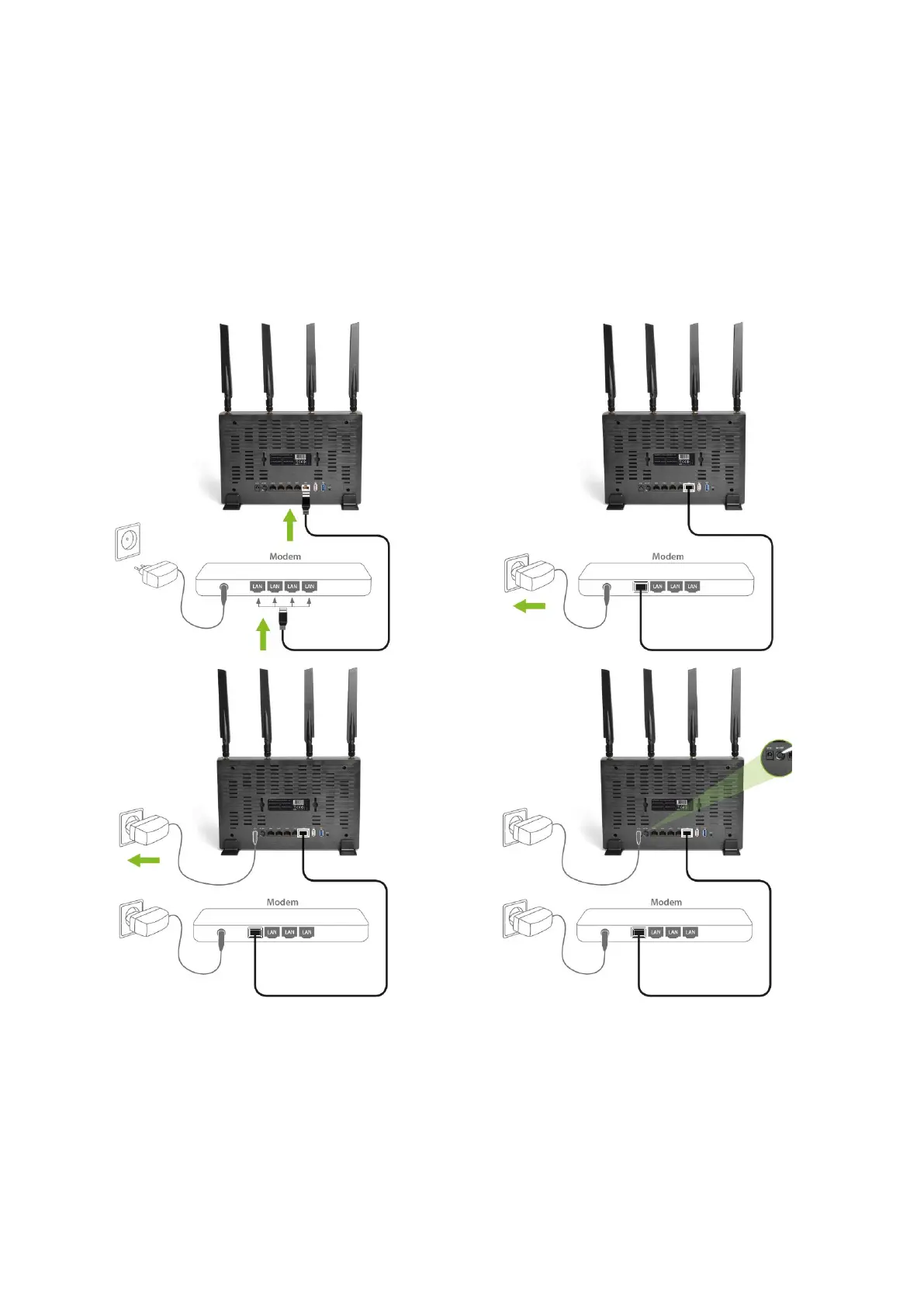
You can place the router on a desk or other flat surface, or you can mount it on a wall. For
optimal performance, place your router in the center of your home (or your office) in a location
that is away from any potential source of interference, such as a metal wall or microwave oven.
This location must be close to a power connection and your ADSL/Cable modem.
Connect the supplied power-adapter to the power inlet port and connect it to a wall outlet.
Switch the router on by pushing the switch on the back of the device. The router automatically
enters the self-test phase. During self-test phase, the Power LED will be lit continuously to
indicate that this product is in normal operation.



 To Next Page